

ASUS ExpertBook B9 B9403CV business laptop review: Levitation
20.09.24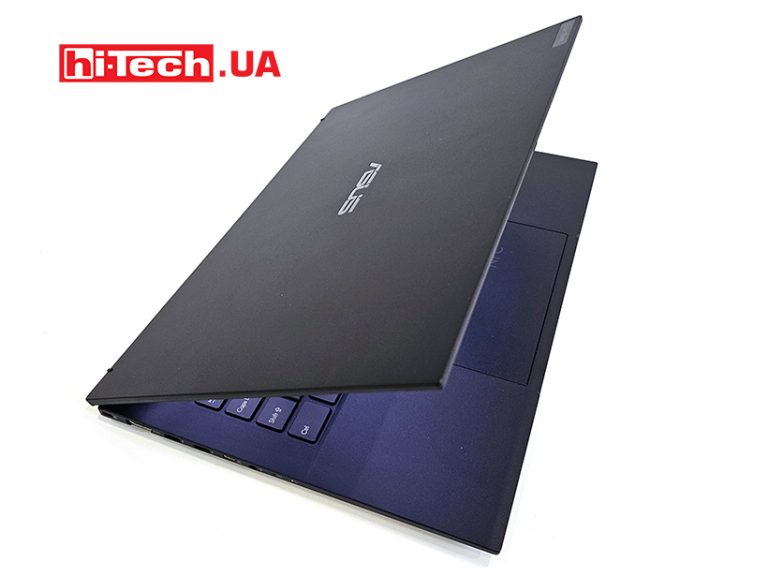
The new Intel platform found its place in the ASUS ExpertBook B9 B9403CV laptop for the corporate segment. There is literally everything you need for work, and the weight does not exceed a kilogram.
Design and ergonomics
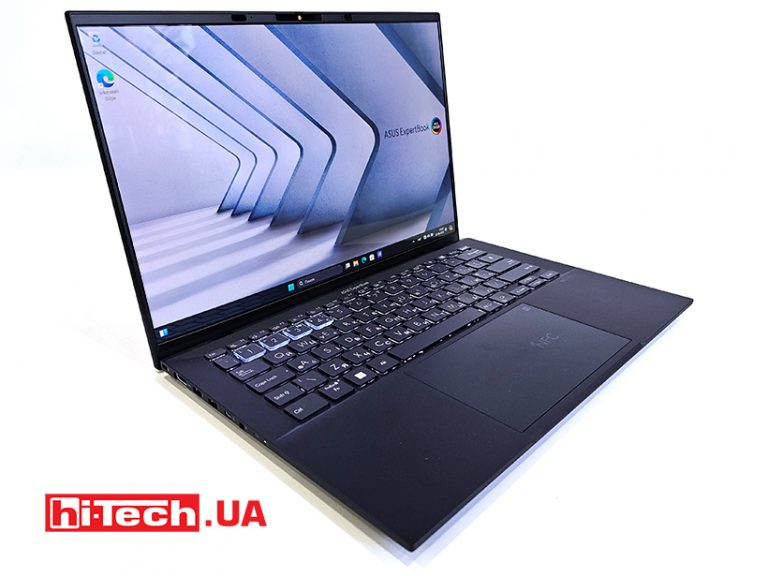
The ASUS ExpertBook B9 line of business laptops is being actively updated, as it has become one of the most popular. Having small dimensions and weighing less than one kilogram, they, secondly, have all the necessary connectors, protection modules and excellent equipment for work.
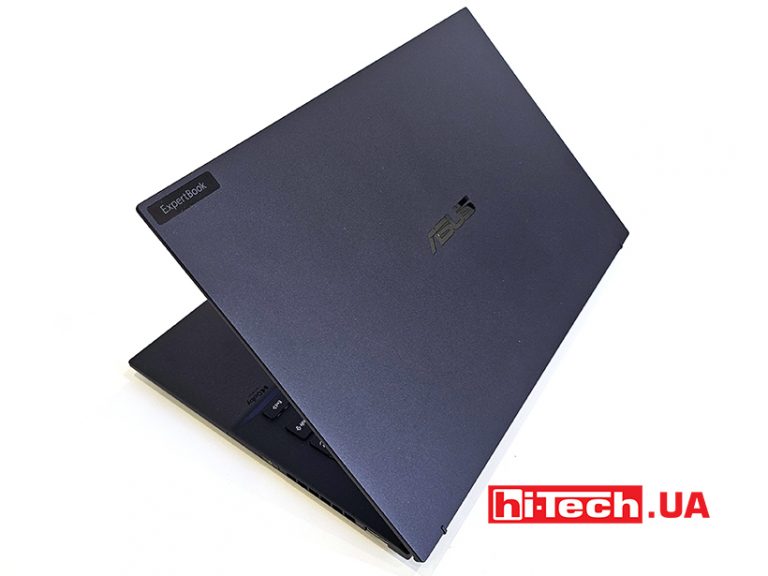
The body is made of magnesium-lithium alloy. It is painted in dark blue with a matte finish. It is quite resistant to scratches, as the practice of using some models has shown.
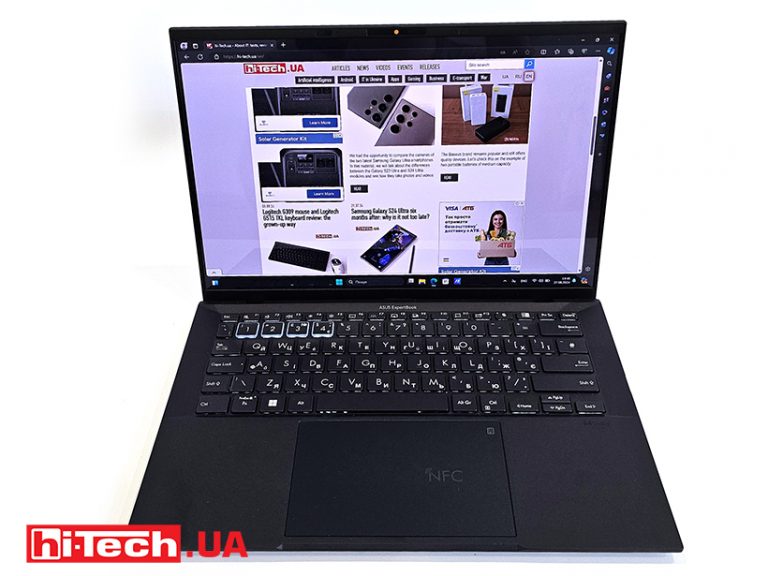
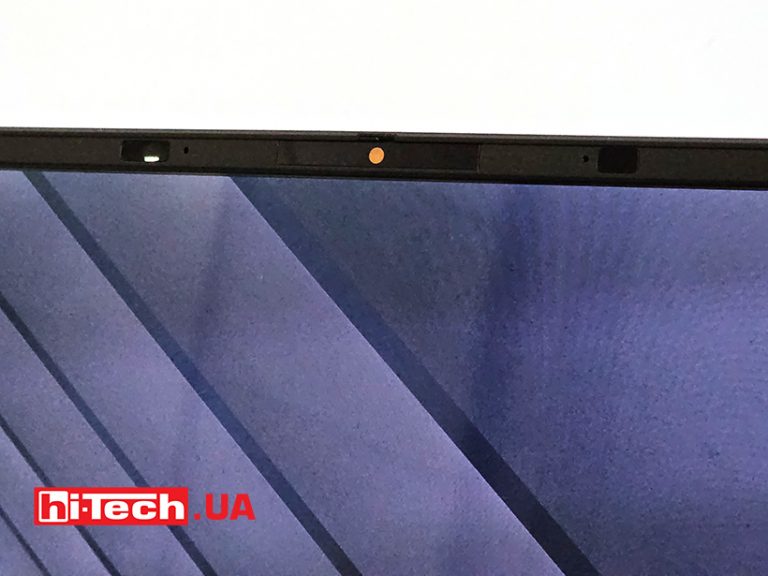
Despite the fact that overall this is a very compact model, it is organized as effectively as possible. Very thin bezels surround the OLED screen. A web camera and sensors are placed at the top to recognize a tired or not-so-good user.
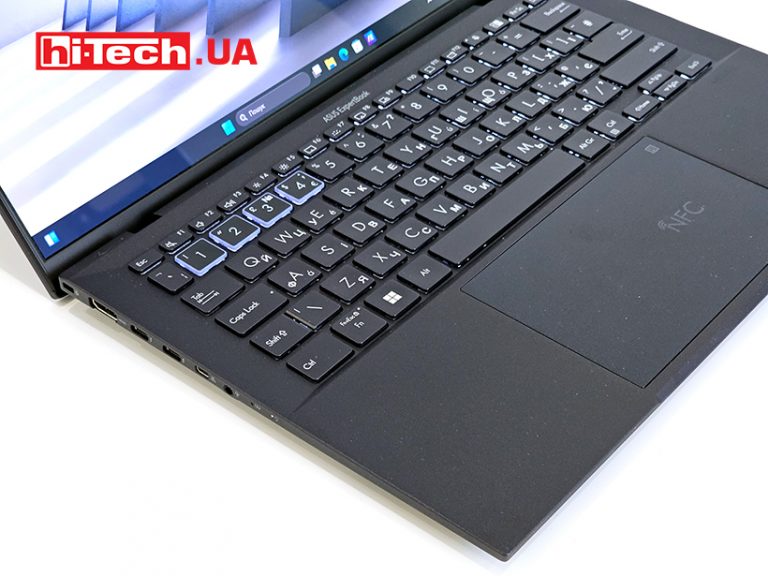
The keyboard occupies the entire width of the panel, but has enough distance between the buttons for fast typing. The first four digits of the physical buttons are visually highlighted. It will be possible to program additional functions of the MyASUS program on them.
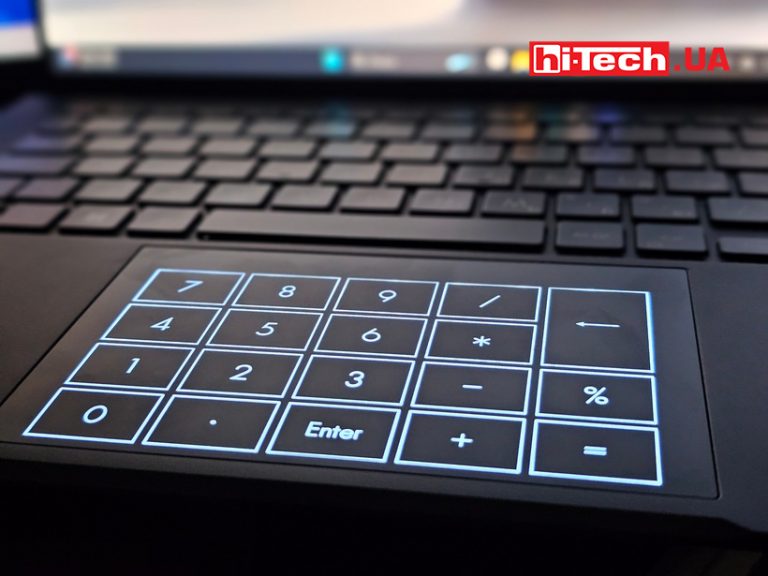
The touchpad is also quite large. By holding your finger in the upper right corner, it displays numbers for quick use of the calculator.
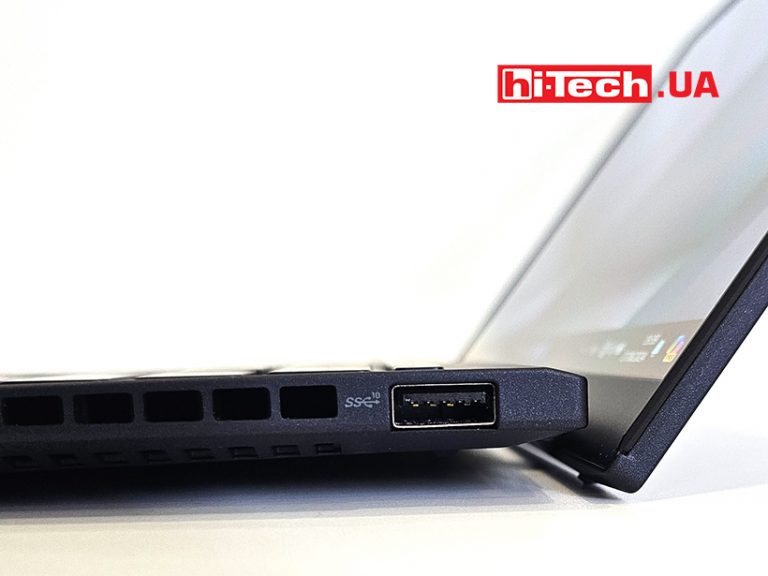
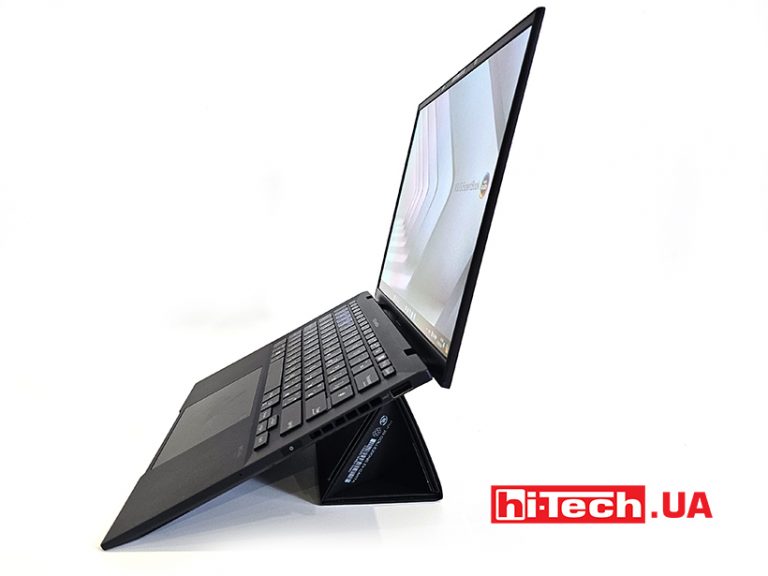
The lid can be opened to a horizontal position. There are rubber spacers on its lower end, as it acts as a body lifter above the table. If this is not enough, you can use the complete box to fold it into a stand.
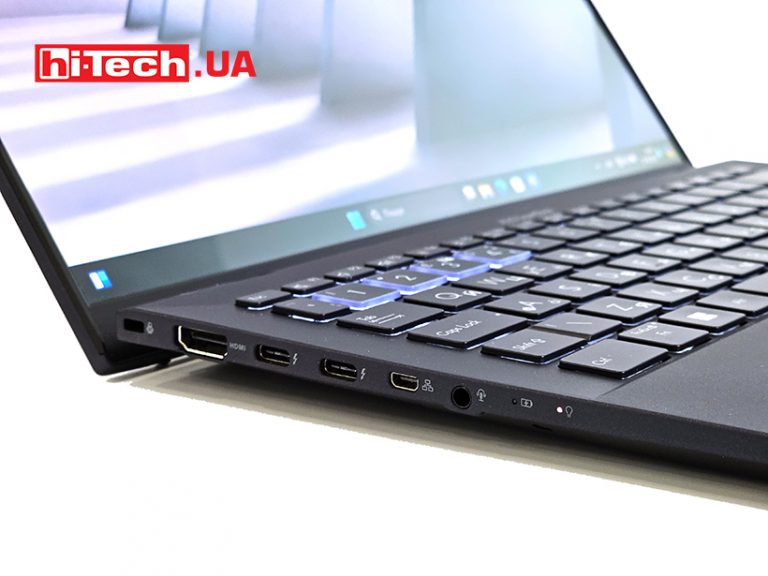
Connectors and part of the ventilation grilles on the side faces. On the left – the largest concentration of them – for Kensington Castle, a large HDMI, two USB-C with support for connecting monitors and power transfer. A micro version of HDMI is also used to connect an Ethernet cable. The adapter is included.
There is also an audio jack and work LEDs. It is interesting that 3.5 mm was left, although there are already models where it was abandoned in favor of saving space inside the laptop case. It is quite deep and interferes with installing the keyboard on the entire width of the panel.
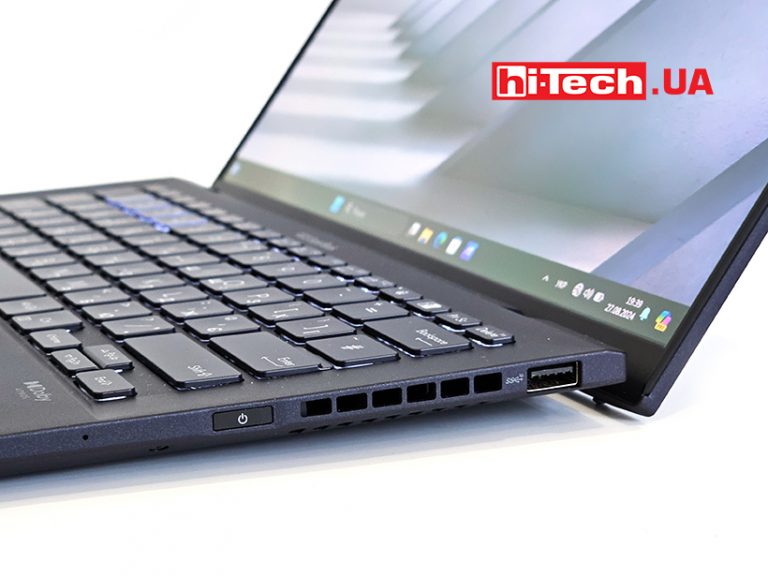
On the right side, there is less power button, which also has a fingerprint scanner, and a standard USB. There are wide air vents between them. The separation of ports is a good solution – it will be possible to connect the mouse just here and the plug will not interfere with the hand.
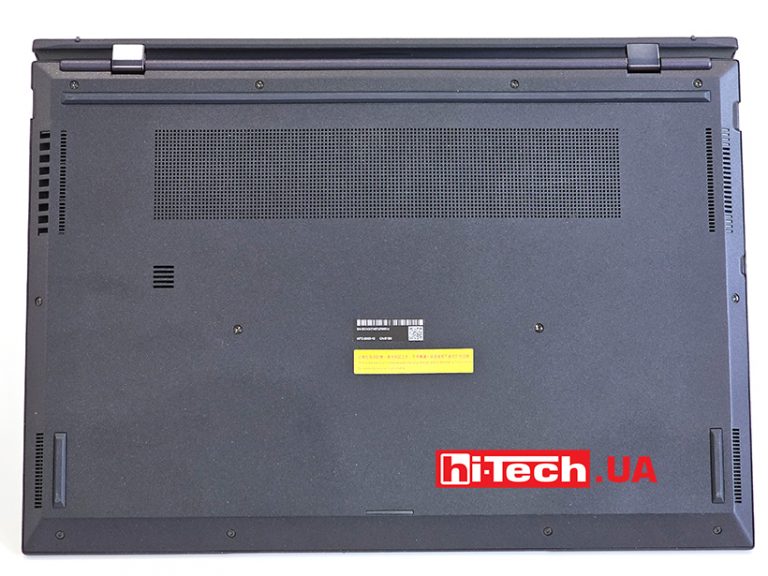
On the bottom there are large enough air intake grills. There are a couple more on the sides on beveled edges. There is nothing more on the belly, except for a pair of speakers in the corners. The rubber feet raise the case enough to ensure good airflow.
Equipment
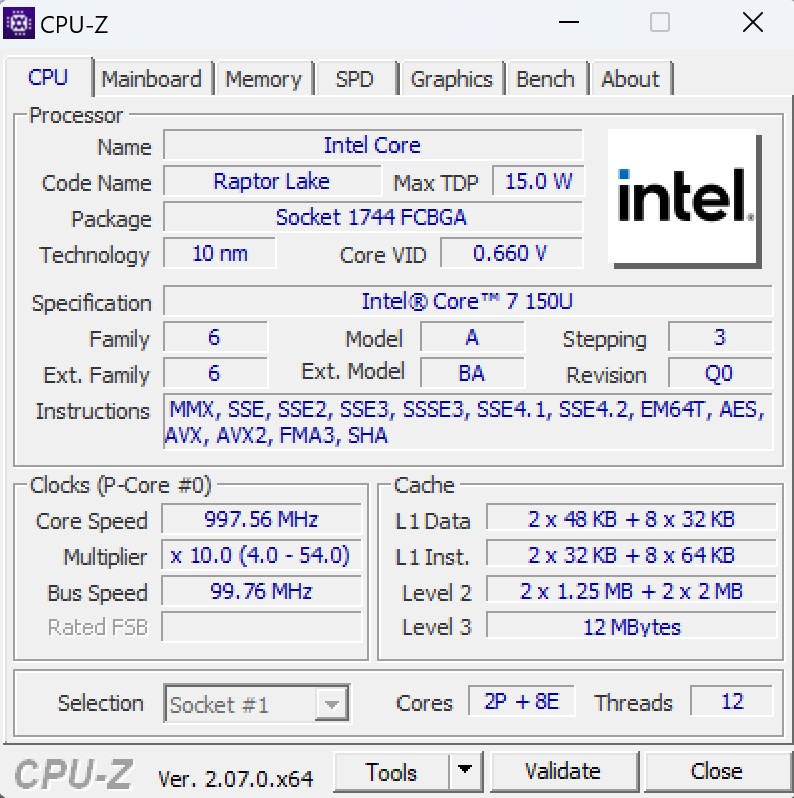
The installed Intel Core 7 150U processor belongs to the Raptor Lake-U Refresh (RPL-U) series. This is an energy-efficient solution for laptops with a BGA-1744 socket. It has 10 cores and supports running 12 threads. The structure includes 2 high-performance cores (P-cores, Golden Cove) and 8 E-cores, Gracemont). The processor is manufactured using the advanced Intel 7 process (10 nm SuperFin).
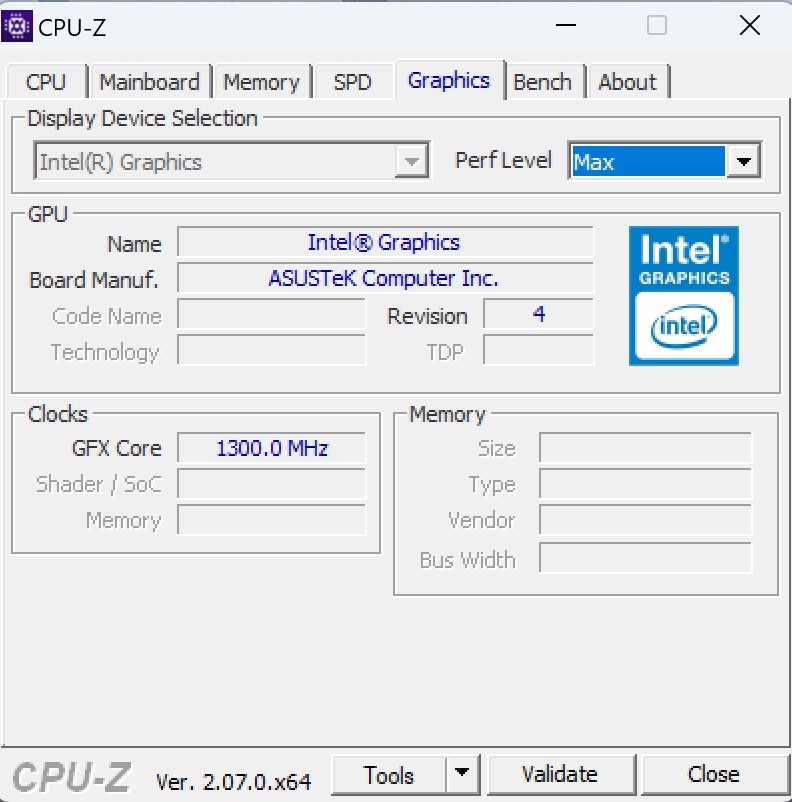
The base frequency is 1800 MHz, but support for Turbo Boost technology allows automatic overclocking to 5400 MHz. The chip has integrated Intel Iris Xe Graphics (96EU), and the size of the level 3 cache is 12 MB. The TDP value is between 12 and 15 watts. Due to similar clock frequencies, the performance of this solution is only slightly higher than the previous Core i7-1365U. It supports vPro Essentials management features. Intel Trusted Execution, Active Management, and Virtualization technologies are supported for enhanced security, reliability, and remote manageability.
The installed display is as good as possible for content and work with graphics. The characteristics of the OLED panel are as follows: peak brightness – 400 cd/m², coverage of the DCI-P3 range: 100%, contrast ratio 1000000:1, VESA HDR True Black 500 and Pantone certification. The response time is 0.2 ms. The refresh rate is 120 Hz. We have already seen such a screen in the unusual ASUS Zenbook Duo 2024 laptop. And he had two of them.
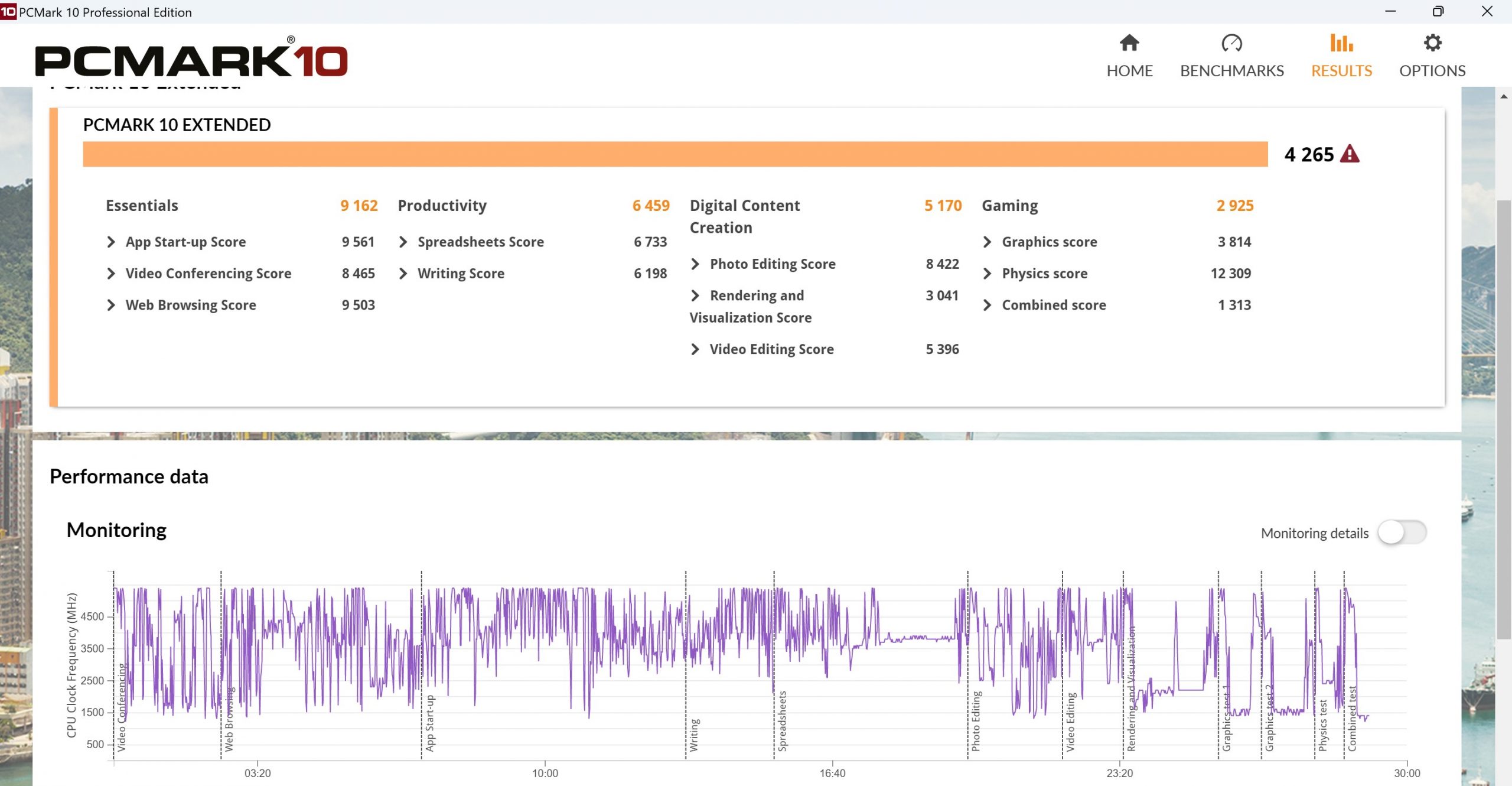
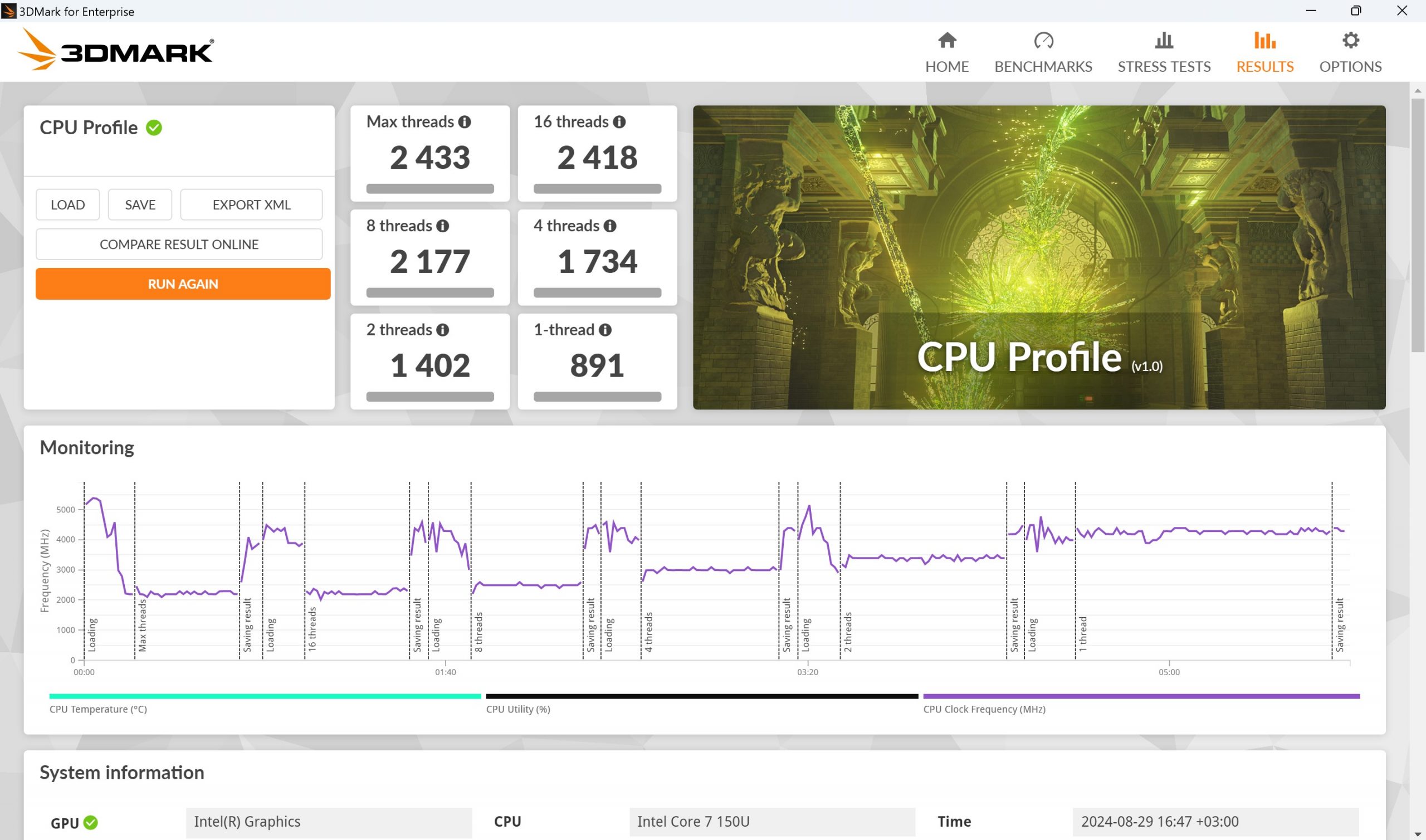
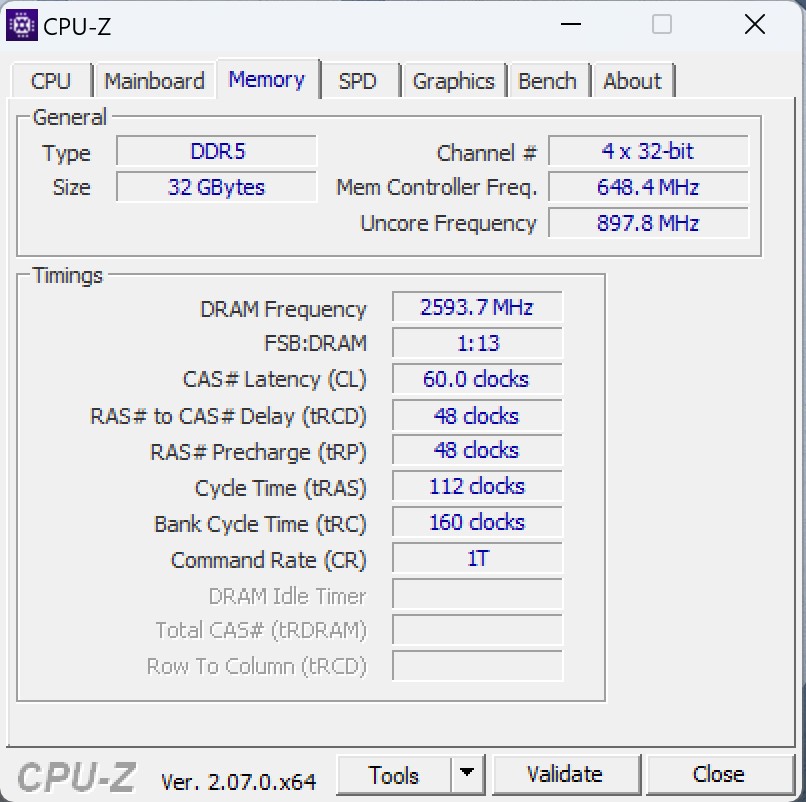
The company decided to supply Ukraine with the top amount of RAM – 32 GB. As an ultimate offer, it is possible to order all 64 GB. Thus, 16 GB is becoming less relevant for flagship devices.
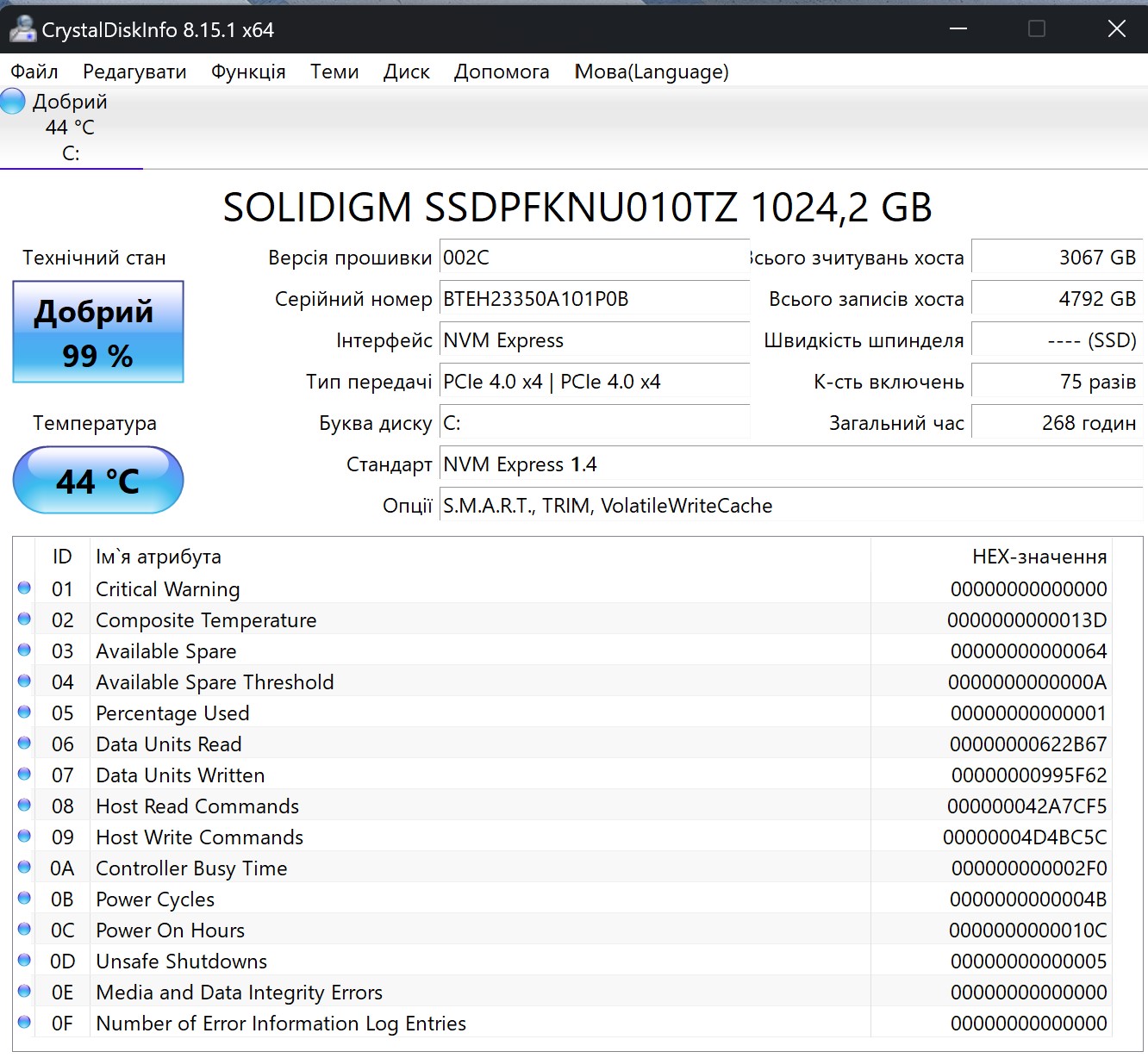
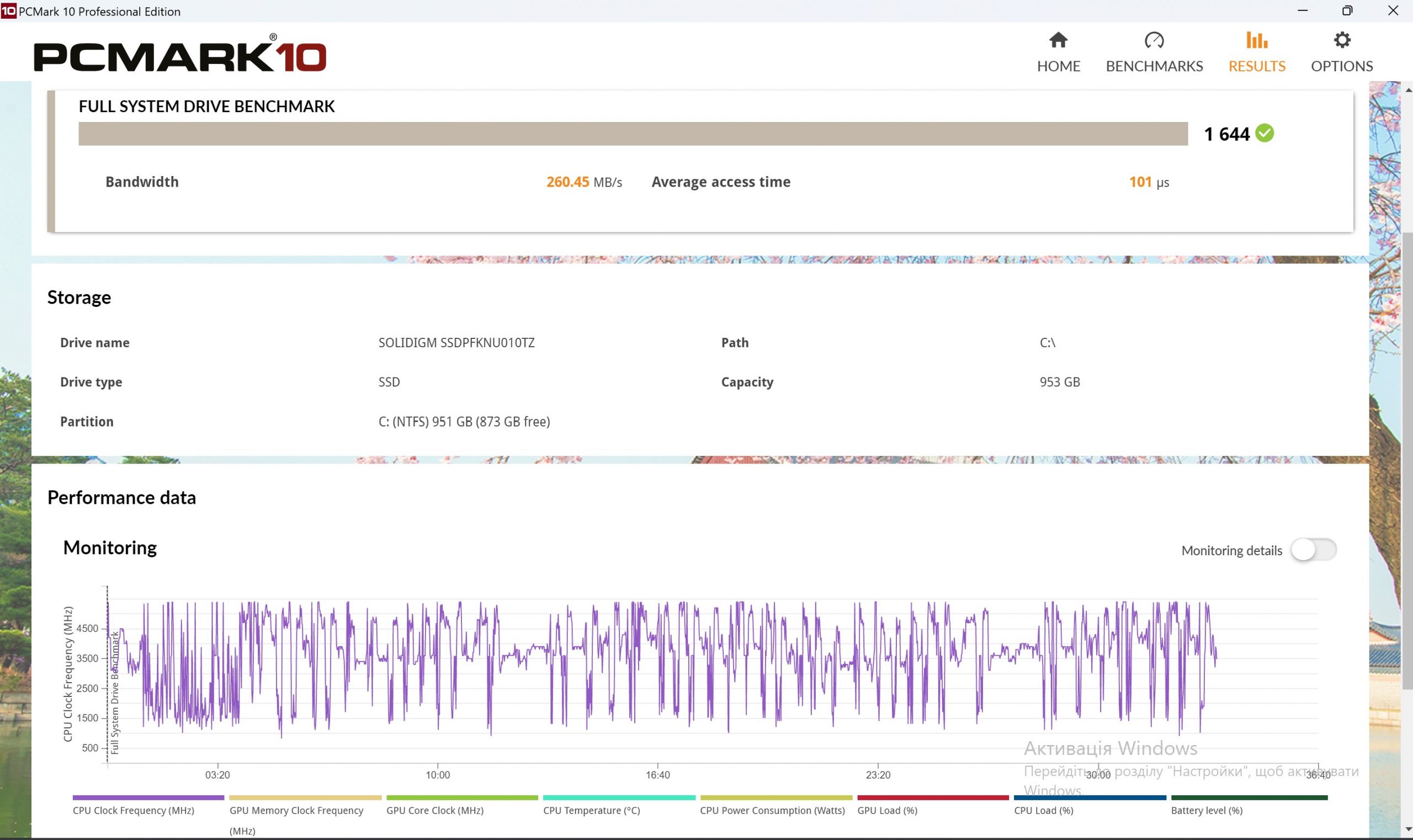
Data storage is an M.2 solid-state drive with PCIe 4.0 x4. It has a capacity of 2 TB and is manufactured by Solidigm. Currently, it is a subsidiary brand of SK Hynix, which was formed after the purchase of the NAND manufacturing unit from Intel for $9 billion. The portfolio of devices includes drives for users and for data centers. SSD performance is excellent, as is usually the case with one of the fastest solutions on the market.
Among other things, there is also a module with infrared sensors for the operation of the user’s face recognition function. Other functional additions include a fingerprint scanner and TPM 2.0 module support.
Impressions
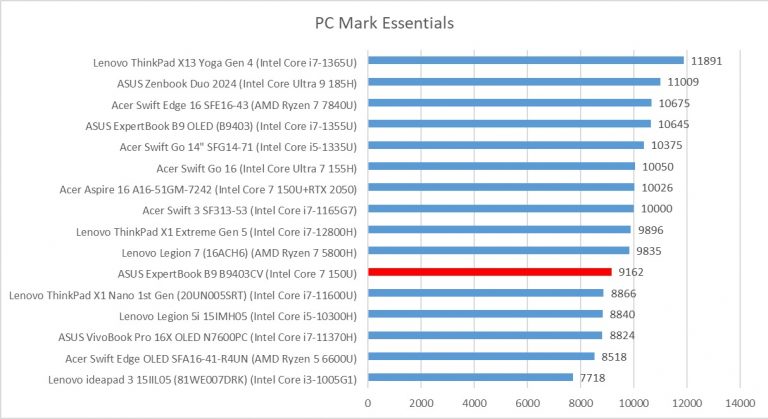
Surprisingly compact and light laptop ASUS ExpertBook B9 B9403CV turned out to be quite prepared for various tasks. The case is branded and resistant to scratches and light impacts. There’s a whole host of interfaces along with business add-ons like fingerprint sensors and facial recognition.
The updated Intel Core 7 150U processor, although it belongs to the class of efficient energy consumption, does not fall flat on its face in terms of performance. And more importantly, allows the laptop to work for more than 10 hours from the battery. This is with an average brightness level of the display backlight and active Wi-Fi. A full day of work without a power supply can allow some office models.
A set of connectors will satisfy any request. Not sure that even a card reader will be important to the target audience of these devices. In terms of equipment and ergonomics, this laptop can confidently be called one of the best corporate solutions. The question, of course, remains only in cost.
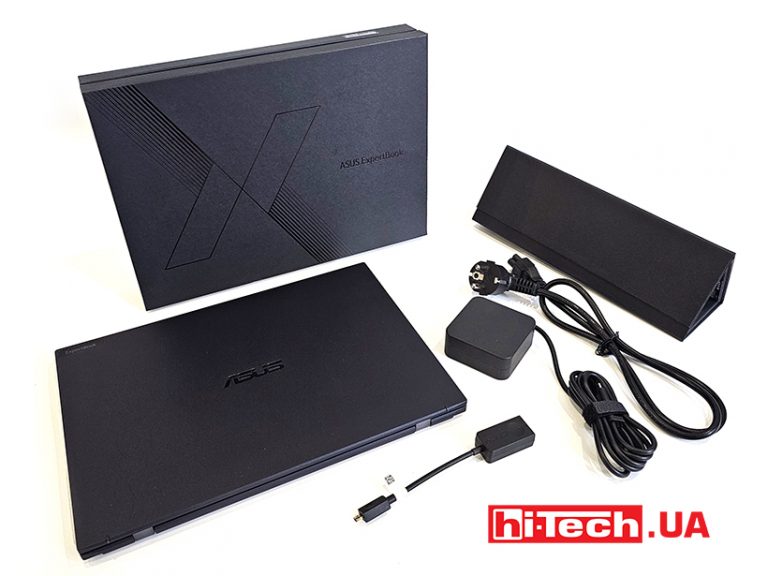
Features of ASUS ExpertBook B9 B9403CV
| Display: | 14”, OLED, 2880×1800, 16:10, 400 cd/m² |
| Processor: | Intel Core 7 150U, 1.8 GHz (12 MB cache, up to 5.4 GHz, 10 cores, 12 threads) |
| Video adapter: | Intel Graphics |
| RAM: | 64GB, LPDDR5X |
| Accumulator: | 2048 GB, Solidigm, SSD M.2 NVMe, PCIe 4.0 x4 |
| Connectors: | · 2 × USB Type-C Thunderbolt 4 (PD + DP)
· 1 × USB Type-A 3.2 Gen 1 · 1 × HDMI 2.1 · 1 × microHDMI (RJ45) · 1 × 3.5 mm audio · 1 × Kensington |
| Webcam/Microphone/LAN: | 1080p/yes/no |
| Memory card reader: | no |
| Dactyloscopic sensor: | yes |
| Wireless communications: | Wi-Fi 6E (802.11ax), Bluetooth 5.3 |
| Protection: | MIL-STD 810H |
| Keyboard lighting: | white |
| Battery: | 63 Wh, 3-cell Li-ion |
| Additionally: | Windows Hello, TPM 2.0, Ethernet-Micro HDMI adapter |
| Operating system: | Windows 11 Pro |
| Dimensions: | 311×215×1.69mm |
| Laptop weight: | 0.99 kg |
| Provider: | Representation of ASUS in Ukraine |
| Price: | approx $2150 |
Rating:
+ ergonomics
+ performance
+ equipment
– no card reader
Read also:
- Laptop test Acer Swift Go 16 (SFG16-72 -7669): full schedule
- Laptop test ASUS Zenbook S 13 OLED (UX5304V) : solid top
- Laptop tests and reviewLenovo ThinkPad X13 Yoga Gen 4 : in all directions
- Transformer laptop review ASUS ExpertBook B7 Flip: multi-purpose


Don't miss interesting news
Subscribe to our channels and read announcements of high-tech news, tes





Oppo A6 Pro smartphone review: ambitious

 0
0 
Creating new mid-range smartphones is no easy task. Manufacturers have to balance performance, camera capabilities, displays, and the overall cost impact of each component. How the new Oppo A6 Pro balances these factors is discussed in our review.
Poco M8 Pro smartphone review: give us more
0 
Poco M8 Pro 5G immediately catches the eye with its size and the manufacturer’s desire to offer more than you’d typically expect from a device in this price range. It’s not just another mid-range device.
Top 10 smartphones of 2025 according to Counterpoint: 7 iPhones and 3 Samsungs iPhone Samsung smartphone statistics

The budget Samsung Galaxy A16 5G became the most popular among Android smartphones, while the flagship Galaxy S25 Ultra took ninth place for the second time
Realme 16 5G and Realme 16 Pro 5G smartphones unveiled – IP69K protection, large batteries and 200 MP cameras Realme smartphone

Realme has introduced the Realme 16 5G and Realme 16 Pro 5G smartphones. When creating them, engineers focused on design, autonomy, and increased autonomy.