

WD Blue SN5000 – Western Digital’s new 500GB-4TB M.2 2280 M.2 2280 SSD
26.06.24
Western Digital has added a new line of WD Blue SN5000 solid state drives to its range.
These M.2 2280 NVMe SSDs support the PCI Express 4.0 x4 interface and are available in capacities from 500 GB to 4 TB. These drives have a controller of Western Digital’s own development, which has an external DRAM buffer. Models up to 2TB use 3D NAND TLC memory chips, while the 4TB version is based on 3D NAND QLC chips.
According to the specifications, the new WD Blue SN5000 SSDs promise sequential read speeds of up to 5500MB/s and write speeds of up to 5000MB/s, as well as up to 730k/900k IOPS (read/write) for maximum performance. The TBW (Total Bytes Written) indicator varies from 300 to 1200 TB depending on the capacity of the SSD.
Prices for new products in foreign stores start at $80 for a 500 GB model and $90 for a 1 TB model. SSDs with a capacity of 2 and 4 TB cost from $150 and $290, respectively.
Don't miss interesting news
Subscribe to our channels and read announcements of high-tech news, tes

Oppo A6 Pro smartphone review: ambitious

 0
0 
Creating new mid-range smartphones is no easy task. Manufacturers have to balance performance, camera capabilities, displays, and the overall cost impact of each component. How the new Oppo A6 Pro balances these factors is discussed in our review.
Oppo Reno 15 5G smartphone review: confident
0 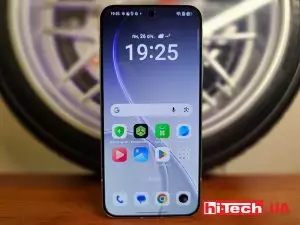
The Oppo Reno15 smartphone emphasizes design, a high-quality display, versatile cameras, and good battery life. Let’s take a closer look.
monobank will make payments by IBAN free of charge bank events in Ukraine

Experts associate the decision with increased competition in the Ukrainian fintech sector. Users expect transparent conditions and the absence of additional fees
WhatsApp will now allow you to send scheduled messages messenger update WhatsApp

To create a scheduled WhatsApp message, the user needs to enter the text, select the date and time of sending, after which the system will automatically deliver it to the recipient.