

Logitech G309 and Logitech G515 TKL double test
30.08.24
Let’s talk about two new Logitech devices. Literally new – their release took place recently. Mouse Logitech G309 remarkable optics – mechanical Lightforce hybrid switches and good autonomy.
While the keyboard Logitech G515 TKL received low-profile mechanical switches, built-in stabilizers and good noise and vibration isolation. Switches are so quiet that it is easy to scare them with membrane switches.
Read about our impressions of the devices on our website.
Logitech G309 gaming mouse
Design
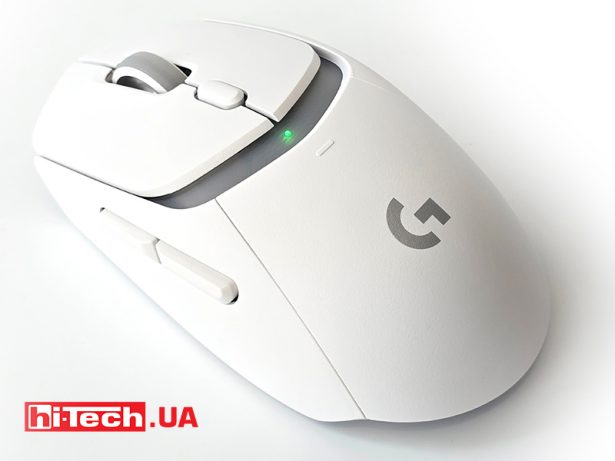
The Logitech G309 mouse has a concise design, symmetrical shape and good ergonomics. Despite the lack of any complex “anatomical” shapes, it is comfortable in most scenarios. Unlike the more “figured” G502, for example, the G309 does not try to repeat the curves of the palm or conveniently “substitute” the body skirts on all sides. This is the most universal solution, in which only additional side buttons have asymmetry.Otherwise, the mouse is suitable for use by both right-handed and right-handed people.
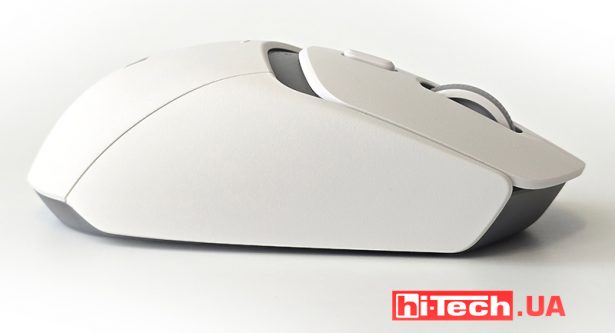
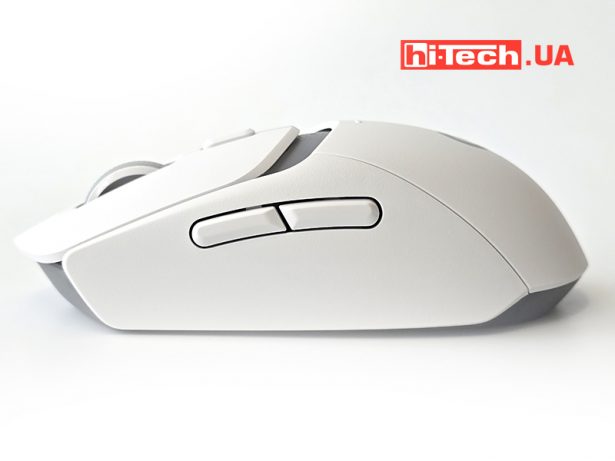
The main buttons are separated from the body. They do not extend beyond the width of the mouse and have a small indentation from the back. The claw-like grip will be the most organic and convenient. Given the small overall length of the mouse and the short main buttons, a large palm will most likely even be raised above the body, rather than resting on it.

The scroll wheel is moved closer to the front, and the resolution button is placed just behind it. Both are conveniently clickable during use.It is convenient to switch the DPI value during the game.

How does the mouse not have such a backlight. LEDs for indicating operation are installed on the case. One on top – in the gap between the keys and the back.And on the “button” there are two connection activity LEDs.
Equipment
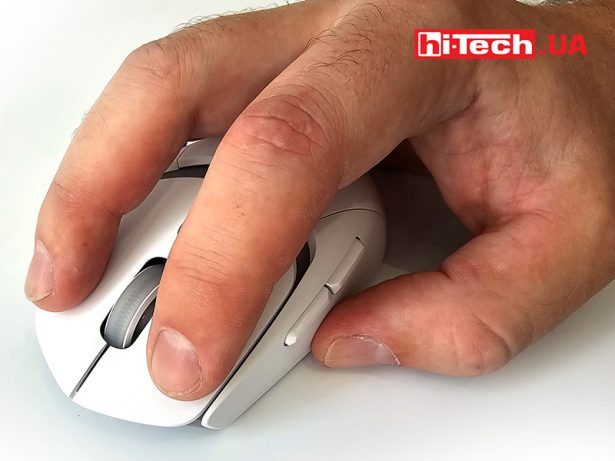
The Logitech G309 uses Lightforce hybrid opto-mechanical switches in the main buttons. They have a gentle click, there are no backlashes or displacements. They are pressed with optimal effort. As stated by the manufacturer, accidental double-clicking is extremely rare.
There is a certain free movement due to the flexibility of the plastic of the button petals themselves.It is small in view of the short buttons, so we did not experience false or late activations.

The side keys are also short-travel, but are pressed much more softly, they seem to be embedded in cotton wool.
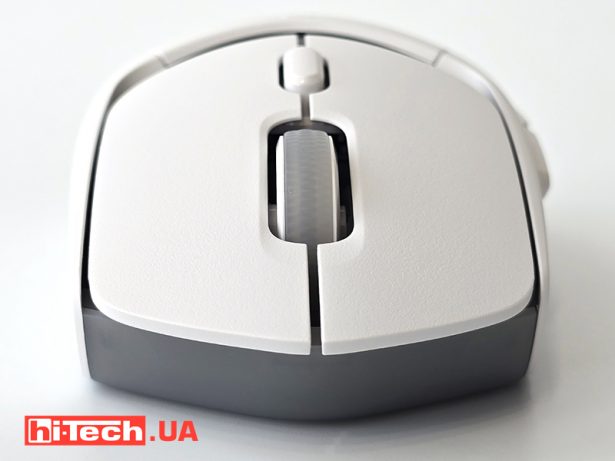
The wheel is pressed only from above and, judging by the key map, only one switch is installed below it. However, pressing the wheel to the right also triggers the button, while pressing the wheel to the left does not click. It’s hard to say if it’s a bug or a feature.
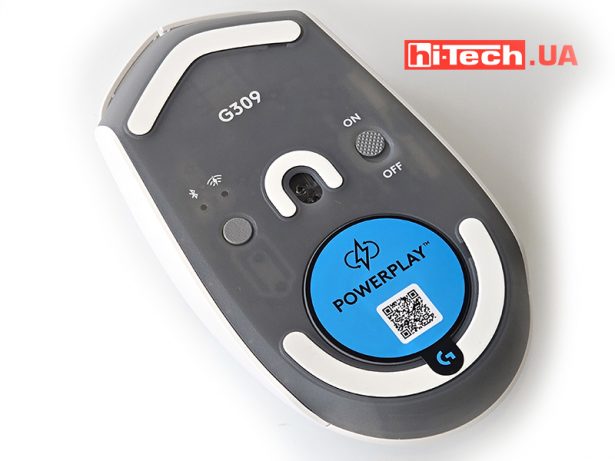
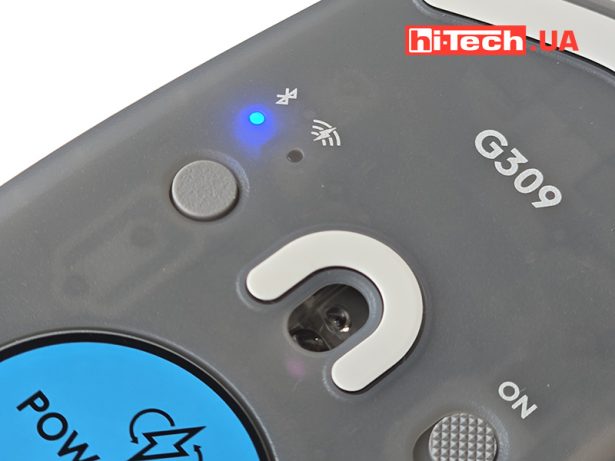
At the base of the mouse there are two buttons – the power slider and changing the connection types – Bluetooth and 2.4 Hz radio. The latter includes a compact receiver. It can be hidden under the round hatch. In the compartment there are also contacts for wireless charging from the branded mat.
There are only three glides on the “belly” of the mouse. Two large ones – above and below, and a small horseshoe near the sensor. They slide perfectly on good rugs from different brands.
The HERO 25K sensor used is a proprietary Logitech technology. In addition to high values of resolution and speed, we would note, as the main thing for a wireless mouse, the use of an intelligent power management system. It adjusts the frequency depending on the movement of the mouse to reduce power consumption.
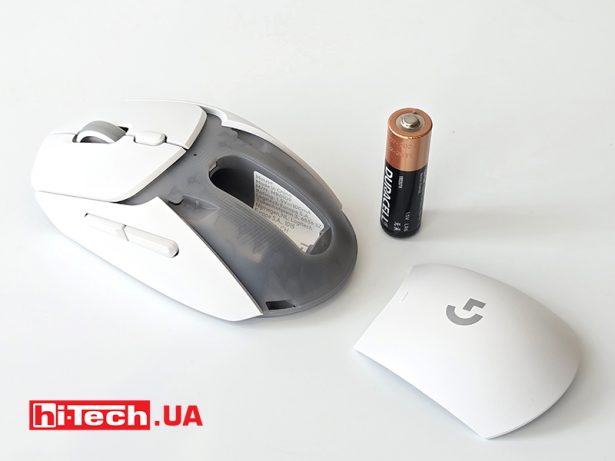
The autonomy here is truly “Logitech” – 300 hours for radio communication and 600 hours for Bluetooth. This is 74 or 37 days if you play for 8 hours every day. And this despite the fact that the mouse is powered by one AA battery. By the way, it is included in the set.
Even more interesting is that the mouse can actually boast of literally infinite autonomy. Powerplay technology when used with a branded mat will allow you to power the mouse via wireless charging – the same contacts on the back. This function, for example, is also available in the G502 model.
It would be interesting to test the operation of such charging. At a minimum, check how it works while playing and moving the mouse on the mat. Find out what height of separation can be covered by such wireless charging, because there is no built-in mouse battery.
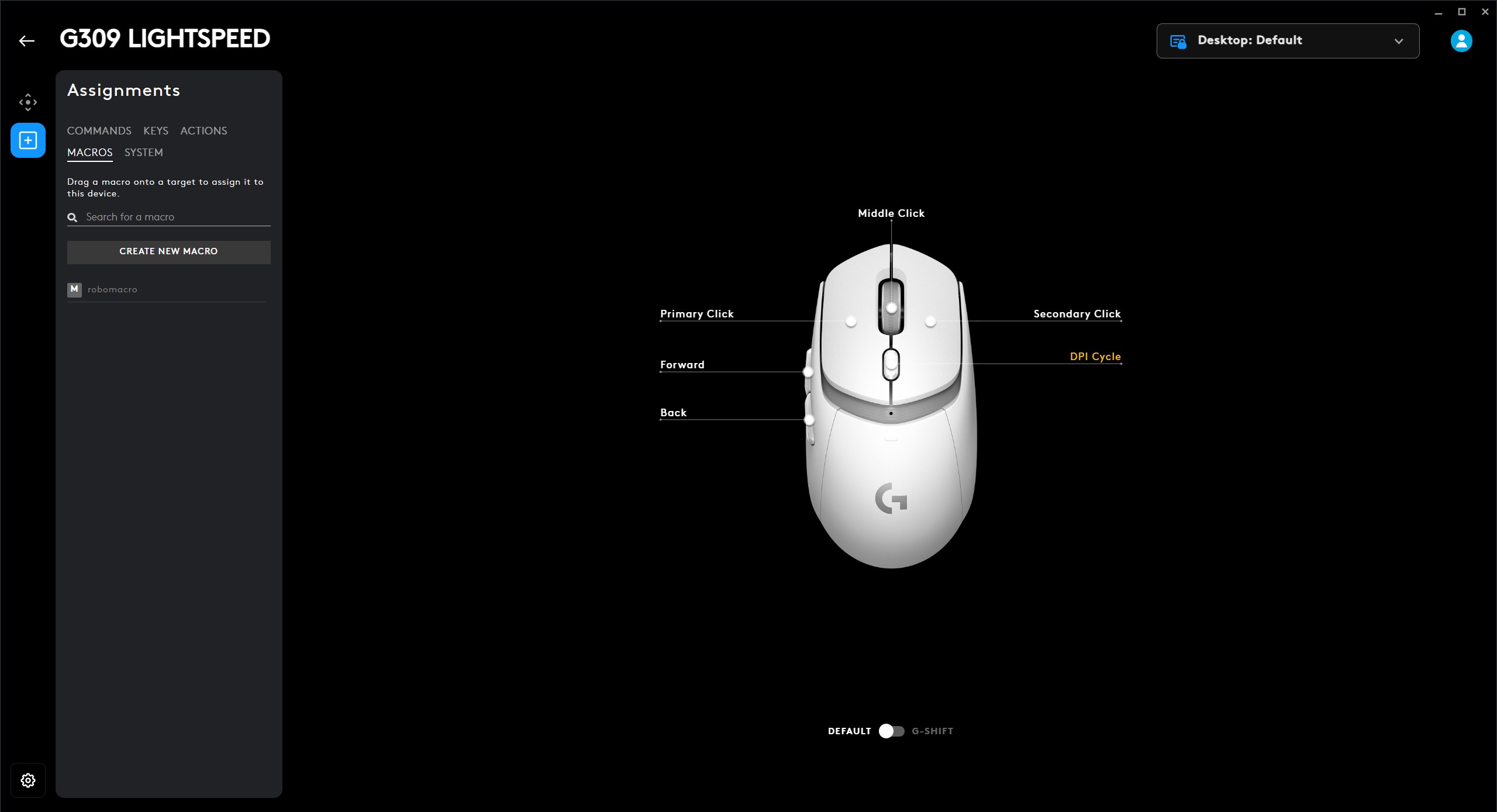
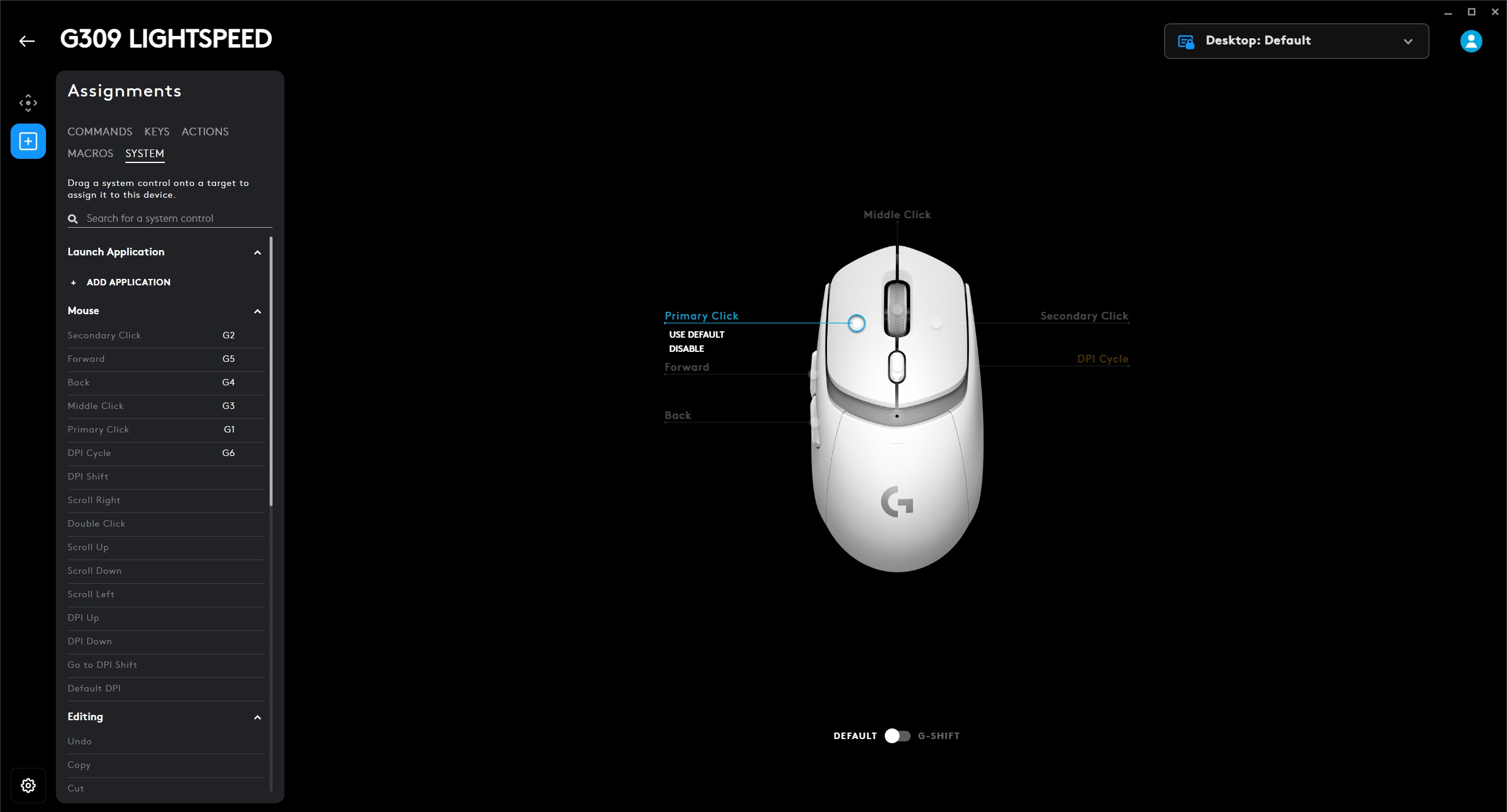
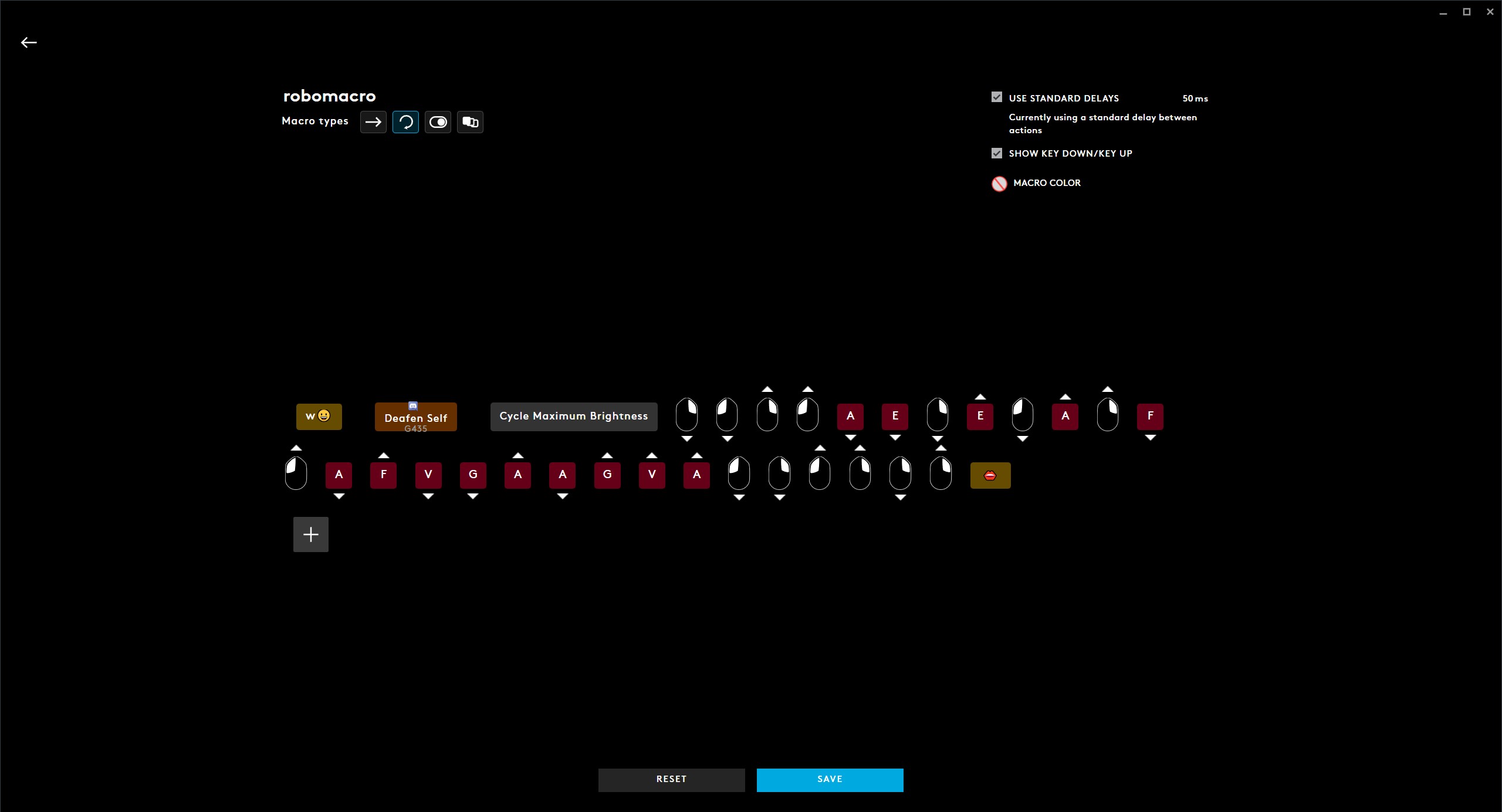
The Logitech G309 mouse can save up to 5 settings profiles in the built-in memory. The Logitech G Hub has eight presets, each of which pulls up five different DPI values that can be toggled with a button on the body. You can create your game profile. You can also assign commands to different mouse buttons or disable them altogether. All are programmable – both the main buttons and additional ones, including the wheel.
Don't miss interesting news
Subscribe to our channels and read announcements of high-tech news, tes

Oppo A6 Pro smartphone review: ambitious

 0
0 
Creating new mid-range smartphones is no easy task. Manufacturers have to balance performance, camera capabilities, displays, and the overall cost impact of each component. How the new Oppo A6 Pro balances these factors is discussed in our review.
Logitech G G325 headphones review: reliable and long-lasting
0 
Logitech G has released a new gaming headset that offers good ergonomics, stable connectivity, and high battery life at a very affordable price. Let’s talk about the Logitech G G325 in more detail
Enthusiasts have found a way to use YouTube as cloud storage for any files YouTube

A project has appeared on the GitHub platform that offers a way to store files on YouTube as videos without losing data. The development, called yt-media-storage, actually turns video hosting into storage, using the features of processing and uploading content to the service.
Norwegian electronics store will give GTA 6 to those who give birth on the day the game is released games GTA

Norwegian electronics retailer Komplett has announced an unusual promotion dedicated to the release of Grand Theft Auto VI. The company has promised to give a free copy of the game to all families whose children are born on the official release date – November 19, 2026.