

BitLocker is failing again. Microsoft warns of possible data loss in Windows 11 and 10
07.11.25
The new BitLocker issue primarily affects the business version of Windows 11 and Windows 10, but as a recent incident has shown, it could theoretically affect regular users as well.
When booting, the system may suddenly ask for a BitLocker encryption key, and if it is not there, access to the data on the disk will be impossible. The bug was discovered after the October Windows updates. Usually, the BitLocker key is automatically saved to the Microsoft account, but if this does not happen, only the user can enter it. In Windows 11 Enterprise, encryption is activated automatically, although the function is also available in other editions.
“After installing Windows updates released on October 14, 2025 or later, some devices may experience problems restarting or starting,” Microsoft confirmed on the Microsoft 365 Business and Windows 11 Enterprise support page (not available to all users).
According to the company, the failure most often occurs on devices with Intel processors. The WindowsLatest edition suggests that on some Intel-based PCs with Modern Standby mode, the update incorrectly “suspended BitLocker on a single reboot,” causing the system to lose access to the encrypted drive. Reports from system administrators confirm the reality of the problem, which Microsoft has already acknowledged.
“We have three Azure virtual machines running Windows 11 24H2 that stopped booting after the update — they got stuck at the BitLocker recovery stage,” one Reddit user reported. Today, the issue was only observed on HP Pro Mini 400 G9 desktops. These same devices have previously caused difficulties when enrolling in Intune – constant TPM errors, and it seems that Intel TXT is to blame,” another added.
To check if BitLocker is enabled on your computer, open a command prompt as administrator (via the Start menu search) and enter the command: manage-bde –status
The command will show the status of all drives. If encryption is not used, the system will display a message that the drive is not encrypted.
In Windows 11 Enterprise, BitLocker is enabled by default, and in Pro and Home editions, it is often disabled. However, Microsoft recommends that you check your settings to avoid possible data loss after future updates.
Don't miss interesting news
Subscribe to our channels and read announcements of high-tech news, tes

Oppo A6 Pro smartphone review: ambitious

 0
0 
Creating new mid-range smartphones is no easy task. Manufacturers have to balance performance, camera capabilities, displays, and the overall cost impact of each component. How the new Oppo A6 Pro balances these factors is discussed in our review.
Logitech G G325 headphones review: reliable and long-lasting
0 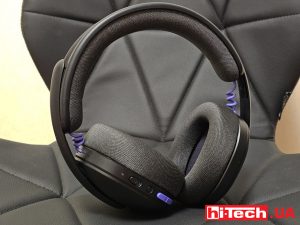
Logitech G has released a new gaming headset that offers good ergonomics, stable connectivity, and high battery life at a very affordable price. Let’s talk about the Logitech G G325 in more detail
Apple to introduce budget smartphone iPhone 17e Apple world events

The Apple event is scheduled for March 4 at 3:00 PM Central European Time and will be held simultaneously in several cities around the world – New York, London, and Shanghai.
In China, physical buttons in cars will become a mandatory safety requirement car china

China’s Ministry of Industry and Information Technology (MIIT) is preparing new regulations for automakers that will require the use of physical controls for key vehicle functions