

Best 27-, 32-, and 34-inch monitors: right choice for gaming or work
13.11.25
In the modern monitor segment, users have a wide choice of models for gaming, graphics, and multimedia. Devices under consideration range from classic 27-32″ screens with high refresh rates to ultra-wide 34″ models with curved panels for an immersive experience. Most monitors support modern frame rate synchronization standards, HDR technologies, and a wide color gamut for accurate image reproduction. Some models feature QD-OLED or IPS panels with resolutions up to 3440×1440 pixels, targeting professional users and gamers who value speed and detail. This article will help you compare monitor specifications, features, and ergonomics to choose the best option for your specific needs. You can buy these and many other monitors in the smartphones, TV and electronics section on Rozetka.
Recommendations for Choosing a Computer Monitor
A computer monitor is a very important device that can negate all the advantages of other equipment it’s connected to. You can have any powerful hardware and still not get a high-quality image. This is important for both work (word processing, spreadsheets, photo and video editing, website layout, and more) and, especially, for gaming. The problem is that for comfortable use in these two scenarios, the monitor must meet different requirements:
What’s Important in a Gaming Monitor
- High refresh rate (e.g., 144Hz and above) and low response time.
- Support for Adaptive Sync technologies (NVIDIAG‑Sync or AMDFreeSync) to eliminate screen tearing.
- A good panel (IPS/VA/OLED) with a fast response time and corresponding image quality.
What’s important in a monitor for work
- A panel with good color reproduction and stable viewing angles (IPS is better) for comfortable working with text, tables, and graphics.
- A resolution sufficient for image clarity (e.g., QHD or 4K) with an appropriate diagonal size to avoid graininess.
- Ergonomics: height adjustment, tilt, swivel; USB-C or DisplayPort/HDMI connectivity is a big plus for convenience.
- Minimum glare, comfortable for long-term use, comfortable size.
What’s important for a versatile monitor for both gaming and work.
- Matrix – IPS or OLED (sharp text, accurate colors);
- High refresh rate (from 140Hz), fast response time (smooth image changes in games);
- Resolution – at least QHD (2560×1440);
- Brightness ≥300 nits, contrast ≥1000:1;
- HDR (High Dynamic Range) support;
- Additional connections (HDMI 2.0+, DisplayPort 1.4, USB-C (with PD 65W+));
- Comfortable ergonomics (height, tilt, and swivel adjustments).
The Best 27-Inch Monitors of 2025
The smallest monitors don’t necessarily mean the cheapest. Fast panels, high-quality calibration, and relatively high resolutions are all found here. Besides budget models, you can find esports-grade monitors for shooters and MMOs with ultra-low refresh rates and high refresh rates.
27″ Samsung Odyssey G50D Monitor (LS27DG502EIXCI/RU) – for gaming
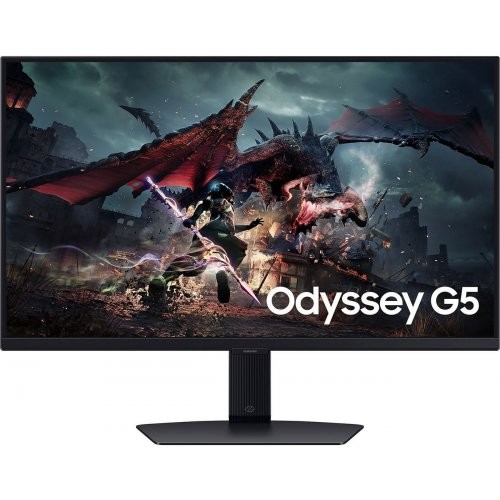
The 27″ Samsung Odyssey G50D monitor represents the entry-level series of gaming solutions with QHD resolution and high refresh rate. The screen is built on an IPS panel with a resolution of 2560×1440 pixels, supports refresh rates of up to 180 Hz, and a response time of approximately 1 ms. Monitor is also compatible with AMD FreeSync and NVIDIA G-SYNC Compatible technologies. The monitor’s stand features tilt, height, and swivel adjustments.
Panel’s brightness reaches approximately 350 cd/m², and the static contrast ratio is approximately 1000:1. Support for the DisplayHDR 400 HDR standard adds an additional premium touch, but doesn’t maximize dark scenes or deep blacks. The price and specifications make it attractive to users looking for a gaming monitor with good specs but don’t want to pay for flagship models.
+ High refresh rate of up to 180 Hz
+ Compatible with FreeSync and G-SYNC Compatible process.
+ Good brightness and color accuracy.
- Contrast and black levels leave much to be desired.
- HDR DisplayHDR 400 is implemented, but the effect is not very pronounced.
- Despite 180 Hz, slight blurring is noticeable during very fast scenes.
Asus ProArt Display PA278CV (90LM06Q1-B02370) Monitor – for Work
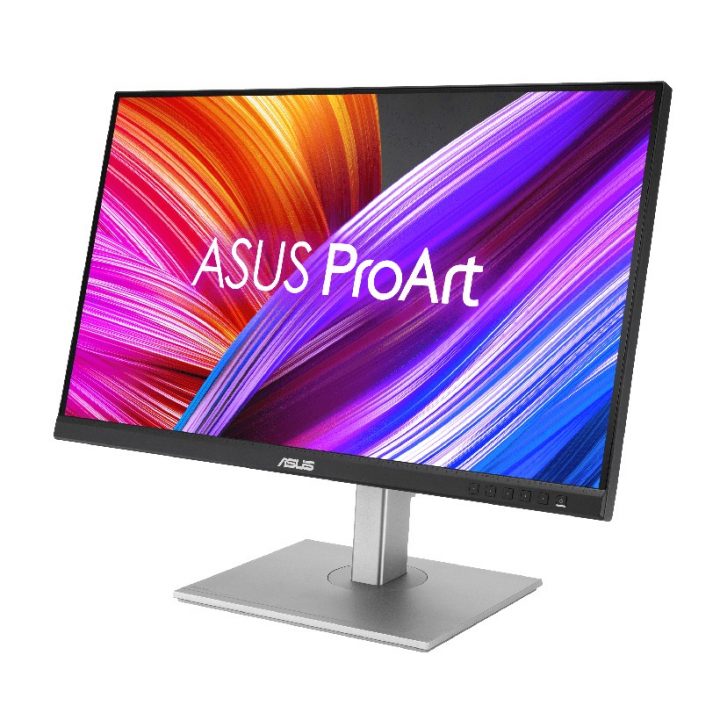
The 27-inch ASUS ProArt Display PA278CV monitor offers a 2560 x 1440 resolution on an IPS panel and 100% sRGB and Rec. 709 coverage, making it ideal for everyday use. Factory calibration ensures accurate color reproduction with a Delta E value of <2, ensuring images look as natural as possible right out of the box. A USB-C port supports video, audio, data, and power delivery up to 65W, allowing you to connect your laptop with a single cable. The ergonomic stand allows for height adjustment, tilt, swivel, and portrait orientation.
A refresh rate of up to 75Hz is suitable for work but not for gamers. Brightness is approximately 350 cd/m², and the contrast ratio is 1000:1, ensuring comfortable viewing in well-lit spaces. Adaptive-Sync support helps prevent screen tearing, but this model lacks HDR. Its port selection includes HDMI, two DisplayPorts, a USB-C port, four USB-A ports, and an audio jack, making it a convenient workspace centerpiece. In use, this monitor delivers crisp images, consistent colors, and a comfortable, versatile stand. It’s a reliable choice for designers, photographers, and office workers who value color accuracy and easy connectivity.
+ High color accuracy (ΔE < 2), 100% sRGB / Rec. 709
+ USB-C port with power delivery up to 65W and USB hub
+ Fully ergonomic stand
+ High resolution WQHD (2560×1440)
+ Adaptive-Sync support
- Refresh rate only 75 Hz
- 1000:1 contrast ratio – imperfect blacks
- No HDR mode
MSI MAG 274QRFW Monitor – A Versatile Display for Gaming and Work
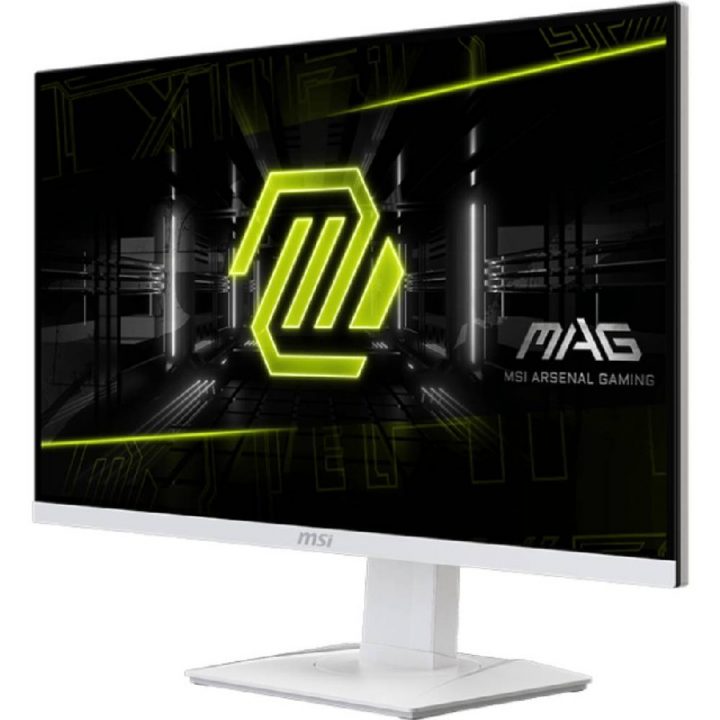
The MSI MAG 274QRFW monitor features a 27-inch diagonal display and a 2560×1440 (WQHD) resolution on a Rapid IPS panel, providing crisp images and flexible use. It supports a refresh rate of up to 180Hz and a 1ms gray-to-gray response time, providing a significant advantage for gaming sessions. Brightness is approximately 400 nits, the contrast ratio is 1000:1, and VESA DisplayHDR 400 certification adds HDR support. The monitor is compatible with Adaptive-Sync technology, eliminating screen tearing with supported graphics cards.
The stand offers height adjustment (up to 130mm), tilt, swivel, and full pivot functionality—convenient for comfortable work or gaming. Ports include HDMI 2.0, DisplayPort 1.4, and a 3.5mm audio jack, as well as a VESA 75×75 mount for bracket mounting. The monitor also features low blue light and Flicker-Free technology, which helps reduce vision loss during extended use. In real-world testing, the model demonstrated consistent gaming performance and was easily configured as a work monitor. However, in dark rooms, blacks felt less deep due to limited contrast. Overall, the MAG 274QRFW is a well-balanced gaming monitor with an attractive feature set for its price point.
+ Refresh rate up to 180 Hz and response time of 1 ms
+ Resolution 2560×1440 on 27″
+ Supports Adaptive-Sync and DisplayHDR 400
+ Ergonomic stand with height adjustment, tilt, and swivel.
- Contrast ratio 1000:1
- HDR effect is limited
- No built-in Speakers or a USB-C port with power delivery.
27-inch Monitor Comparison Chart
| Specifications | MSI MAG274QRFW | Samsung OdysseyG50D | ASUS ProArtPA278CV |
|---|---|---|---|
| Diagonal / Resolution | 27″ / 2560×1440 | 27″ / 2560×1440 | 27″ / 2560×1440 |
| Type Panels | RapidIPS | IPS | IPS |
| Frequency / Response Time | up to 180Hz / 1ms | up to 180Hz / 1ms | up to 75Hz / Standard |
| Brightness / Contrast | ≈400cd/m² / 1000:1 | ≈350cd/m² / 1000:1 | ≈350cd/m² / 1000:1 |
| HDR/Adaptive-Sync | DisplayHDR400/Adaptive-Sync | DisplayHDR400 / FreeSync + G‑SYNC Compatible | No HDR / Adaptive-Sync |
| Ports / Connection | DisplayPort1.4, 2x HDMI2.0, audio Jack | HDMI, DisplayPort | HDMI, 2x DisplayPort, USB-C (65W), USB hub |
| Stand / Ergonomics | Height Adjustment, Tilt, Pivot | Height Adjustment, Tilt, Pivot | Height Adjustment, Tilt, Pivot, Screen Orientation |
The Best 32-Inch Monitors of 2025
Medium-sized monitors are most often used for work. Spreadsheets, photo and video editing, and casual gaming are the most popular scenarios for these devices. Here, not only a high refresh rate is valued, but also the type of display. OLED displays have recently become popular. They offer perfect black levels, ultra-high brightness, and a low response time. They offer a versatile combination of work and entertainment, but at a high price. There are many such monitors on Rozetka, including those with OLED displays.
Gigabyte GS32QCA Monitor – A Versatile Display for Gaming and Work
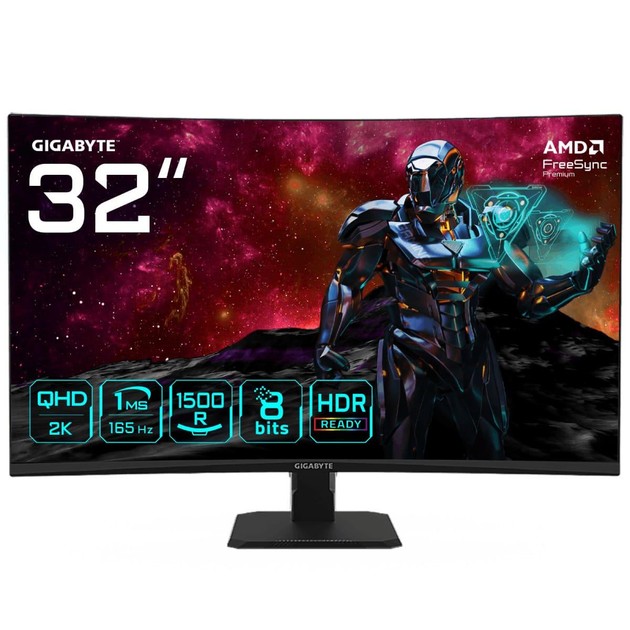
The Gigabyte GS32QCA monitor features a 31.5″ curved VA panel with a 1500R curvature radius, creating an immersive viewing experience. Its resolution is 2560×1440 pixels (QHD), refresh rate up to 180 Hz, and response time of 1 ms (MPRT), making it an attractive choice for gamers. The panel is claimed to cover approximately 120% of the sRGB color gamut and supports approximately 1.07 billion colors (10-bit depth), providing good color saturation. Brightness is typically around 250 cd/m², and the static contrast ratio is approximately 3500:1, which is typical for a VA panel.
The monitor supports Adaptive-Sync / FreeSync Premium technologies to minimize frame tearing and is HDR Ready. The case offers only -5°/+20° tilt and a 100x100mm VESA bracket, but limited ergonomics without height adjustment or swivel. Port selection includes two HDMI 2.0 ports, one DisplayPort 1.4 port, and a 3.5mm headphone jack. There are no USB hubs, speakers, or USB-C ports. In real-world use, the model displays smooth transitions and good color reproduction, but in dark environments, blacks appear somewhat grayer due to the panel’s contrast ratio. The monitor has a stylish design and sufficient capabilities for gaming and multimedia, but still skimps on some premium features. The Gigabyte GS32QCA is a balanced option with an emphasis on gaming performance, but it may be a compromise for professional color work or compact workspaces.
+ Up to 180Hz refresh rate and 1ms response time
+ 1500R curvature adds immersive viewing experience to games and videos.
+ The panel includes approximately 120% sRGB and 10-bit color depth.
+ Adaptive-Sync / FreeSync Premium support
- Limited ergonomics – tilt only, no height or swivel adjustment.
- Curved panel may not be suitable for work tasks.
- Professional color grading or video editing may require monitors with better HDR performance.
Asus 31.5″ ROG Strix XG32VC Monitor – A Versatile Work and Gaming Experience
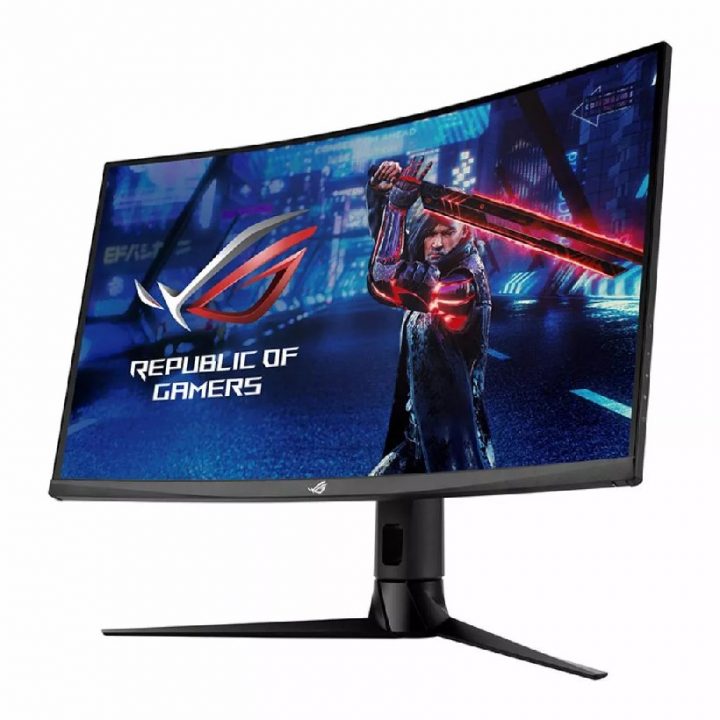
The ASUS ROG Strix XG32VC monitor features a 31.5-inch curved (1800R) VA panel with a resolution of 2560 x 1440 pixels, providing significantly more screen real estate than standard Full HD monitors. A refresh rate of up to 170 Hz and a 1 ms response time (MPRT) ensure smooth transitions in fast-paced games without noticeable blur. The panel boasts a brightness of approximately 400 nits, a contrast ratio of approximately 3000:1, and a color gamut of approximately 125% sRGB/90% DCI-P3, delivering vibrant and rich images.
The monitor is DisplayHDR 400 certified, supports USB-C (with DP Alt Mode and 15W power delivery), and includes a USB hub with two USB 3.0 ports. It’s compatible with AMD FreeSync Premium Pro and NVIDIA G-SYNC Compatible technologies, reducing frame tearing during gameplay. Ergonomics are excellent: the stand offers height adjustment of up to 100 mm, tilt of -5° to +20°, swivel (pivot) of ±25°, and supports a 100×100 mm VESA mount. The package also includes support for ELMB Sync (motion blur reduction) and eye-protection technologies such as Flicker-Free and Low Blue Light. A possible drawback is its weight—approximately 9.3 kg with the stand, requiring a sturdy surface for installation. For working in a dark room, the black level isn’t as perfect as in models with premium IPS or OLED panels. Nevertheless, the model impresses as a powerful gaming monitor with a good balance between price and features.
+ High refresh rate up to 170 Hz and 1 ms response time
+ 31.5″ curved panel (1800R)
+ USB-C connection + USB hub + ergonomic stand with adjustments.
+ Wide color gamut (≈125% sRGB) and DisplayHDR 400.
- USB-C power supply only 15 W
The iiyama G-Master GB3271QSU-B2 monitor is a versatile monitor for gaming and work
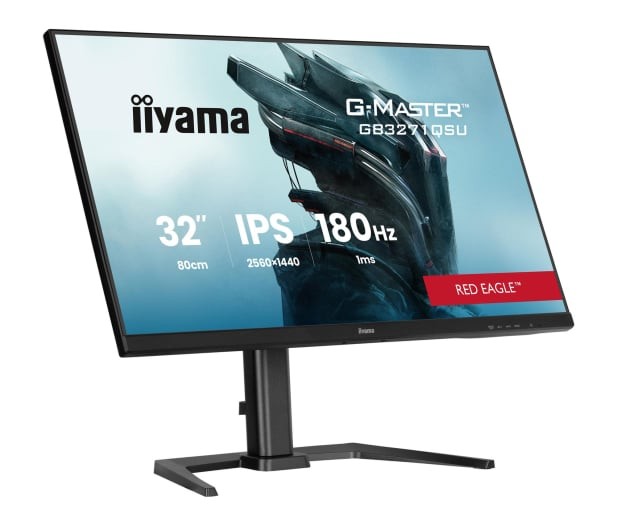
The iiyama G-Master GB3271QSU-B2 monitor, with a 31.5″ diagonal and WQHD resolution (2560×1440), offers ample screen real estate for gaming and work. Its IPS panel offers a response time of up to 1 ms (MPRT) and a refresh rate of up to 180 Hz, ensuring smooth images. Brightness typically averages around 400 cd/m², and the static contrast ratio is approximately 1200:1, providing a balanced image in a room with normal lighting. The monitor is compatible with Adaptive-Sync/FreeSync Premium technology, which helps prevent screen tearing during gaming. A USB hub and multiple video interfaces (HDMI, DisplayPort) enhance its versatility for both PC gaming and productivity.
Ergonomics include height adjustment, tilt adjustment, and a 100×100 mm VESA mount, allowing for optimal desktop placement. However, contrast isn’t exceptional—in a dark room, blacks may appear slightly grayer than in models with a VA panel or OLED display. The monitor is also quite heavy, requiring a sturdy stand or bracket. In real-world use, the model demonstrates good performance in mid-to-high-end gaming, and is also suitable for video or graphics work requiring a large display. The GB3271QSU-B2 is an interesting choice for users who want a large screen with a high refresh rate at a reasonable price, but don’t require ultra-premium contrast.
+ High refresh rate of up to 180 Hz and 1 ms response time
+ Universal connectivity and USB hub
+ Adaptive-Sync / FreeSync Premium compatible
- Contrast ratio of approximately 1200:1
- No premium HDR or local dimming
- Some versions may display a limited 144 Hz display via HDMI.
32-inch Monitor Comparison Chart
| Specifications | Gigabyte GS32QCA | ASUS ROG Strix XG32VC | iiyama G-Master GB3271QSU-B2 |
|---|---|---|---|
| Diagonal / Resolution | 31.5″ / 2560×1440 | 31.5″ / 2560×1440 | 31.5″ / 2560×1440 |
| Panel Type | VA | VA | IPS |
| Curvature | 1500R | 1800R | Flat / None |
| Frequency / Response Time | Up to 180Hz/1ms (MPRT) | Up to 170Hz/1ms (MPRT) | Up to 180Hz/1ms (MPRT) |
| Brightness / Contrast | ≈250 cd/m² / 3500:1 | ≈400 cd/m² / 3000:1 | ≈400 cd/m² / 1200:1 |
| HDR / Color Gamut | HDR Ready / ~120% sRGB, 10-bit | DisplayHDR400 / ≈125% sRGB, 90% DCI-P3 | No HDR / Standard sRGB |
| Ports / Connectivity | 2x HDMI 2.0, DisplayPort 1.4, 3.5 mm audio | HDMI, DisplayPort, USB-C (15W), 2x USB 3.0 | HDMI, DisplayPort, USB hub |
| Stand / Ergonomics | Tilt -5°/+20°, VESA 100×100 mm | Height adjustment 100 mm, tilt -5°/+20°, swivel ±25°, VESA 100×100 mm | Height adjustment, tilt, VESA 100×100 mm |
The Best 34+ Monitors
Large monitors are even more versatile, not only in terms of their intended use but also in terms of capabilities. They typically feature well-configured screens and well-designed mounting options. The widescreen format itself allows for working with multiple applications or windows simultaneously. They provide a wow effect in games, more creative space, and the ability to comfortably work with text and spreadsheets simultaneously. If you need a perfect picture, organic light-emitting diode (OLED) panels are also available.
LG UltraWide 34WQ60C-B Monitor – A Versatile Solution for Work and Play
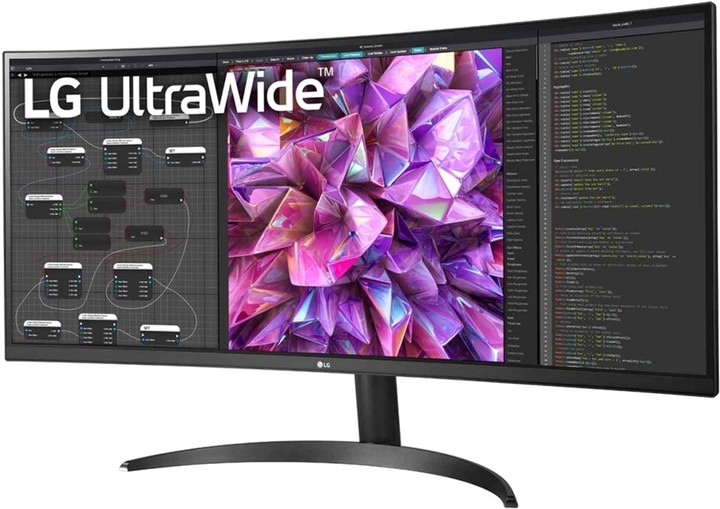
The LG UltraWide 34WQ60C-B monitor features a 34-inch curved IPS panel with a 3440×1440 resolution and a 21:9 aspect ratio, providing a wide field of view for multitasking. The model boasts approximately 99% sRGB coverage, making it suitable for color work, and supports HDR10. With a nearly borderless, three-sided design and curvature (likely 1800R or 3800R depending on the version), the monitor creates a more immersive viewing experience. Features include Reader Mode, Flicker Safe technology to reduce eye fatigue, and Black Stabilizer for improved visibility in dark scenes.
The monitor has two HDMI inputs and one DisplayPort, as well as a 100×100 mm VESA mount for wall or bracket mounting. Its most significant limitation is its refresh rate, which is a standard 60 Hz, making it less appealing to gamers accustomed to 144 Hz and higher. Contrast ratio is typically around 1000:1, meaning blacks may not appear perfectly deep in a dark room. In real-world use, the monitor performs well for content creation, multimedia, and office tasks, but is not optimized for dynamic gaming. Keep in mind that due to its curvature and 21:9 aspect ratio, it will require more desk space. Overall, the LG UltraWide 34WQ60C-B is a smart choice for those looking for a widescreen display with good color reproduction and performance benefits, but who don’t have high gaming refresh rate requirements.
+ Large 34″ curved screen in 21:9 format
+ 3440×1440 resolution and ~99% sRGB coverage
+ Supports HDR10 and eye comfort features (Reader Mode, Flicker Safe).
+ Two HDMI and one DisplayPort + VESA mount
- Contrast ratio of ~1000:1
- Lacks support for high refresh rates (144Hz and above) and local dimming.
- No USB-C charging port.
Dell AW3425DW (210-BRTW) Monitor – A Versatile Display for Gaming and Work
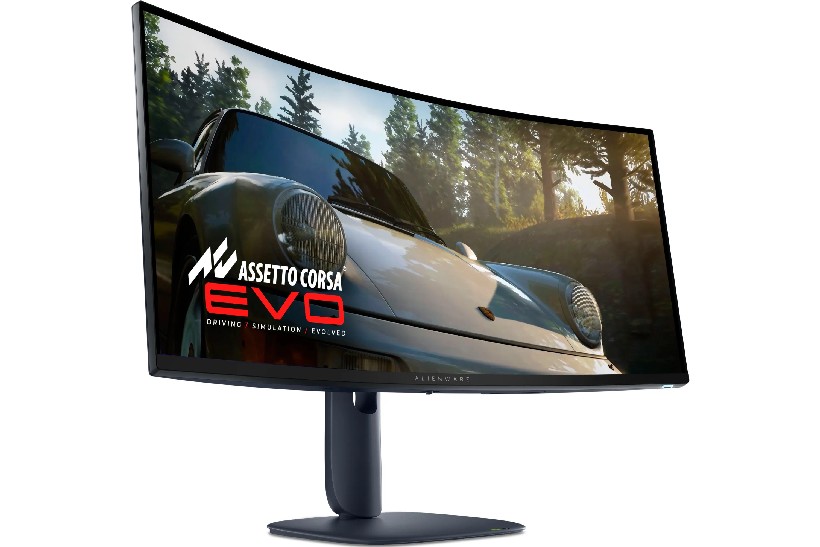
The AW3425DW monitor features a 34.2-inch curved QD-OLED panel with a 3440 x 1440 resolution in a 21:9 aspect ratio, creating a spacious gaming or workspace. A refresh rate of up to 240Hz and an ultra-low 0.03ms Gray-to-Gray response time ensure maximum fluidity and minimal lag in fast-paced scenarios. The model supports variable refresh rate technologies—NVIDIA G-SYNC Compatible, AMD FreeSync Premium Pro, and VESA AdaptiveSync—to optimize graphics card compatibility and reduce screen tearing. HDR10 support and a 1,500,000:1 contrast ratio deliver deep blacks and vibrant colors thanks to OLED technology. The panel’s 1800R curvature deepens immersion in gaming or video viewing.
The monitor’s stand allows for height, tilt, swivel, and pivot adjustments, creating a comfortable configuration for a variety of scenarios. Connectivity includes one DisplayPort 1.4, two HDMI 2.1 ports, one USB-C (with 15W charging), and a USB hub. Brightness is typical – 250 cd/m² with peak values of up to 1000 cd/m² in HDR scenes, which is already good for an OLED panel in this class. In real-world use, the monitor demonstrates excellent color saturation, fast gaming response, and comfortable ergonomics – however, in brightly lit rooms, blacks sometimes take on a purple tint, and the lack of built-in audio speakers or a separate headphone jack may require a separate audio solution. Overall, the AW3425DW is a solid choice for gamers and enthusiasts looking for an ultrawide monitor with a premium panel and excellent performance.
+ 34.2″ QD-OLED panel with 21:9 aspect ratio and 240 Hz refresh rate.
+ Minimal response time (0.03 ms) and support for flexible frame rates.
+ Deep contrast of OLED technology, wide color gamut.
+ Wide range of ports, including HDMI 2.1 and USB-C.
- Brightness of 250 cd/m² in SDR
- High price compared to other 34″ models.
Philips 34M2C6500/00 Monitor – A Versatile Display for Gaming and Work
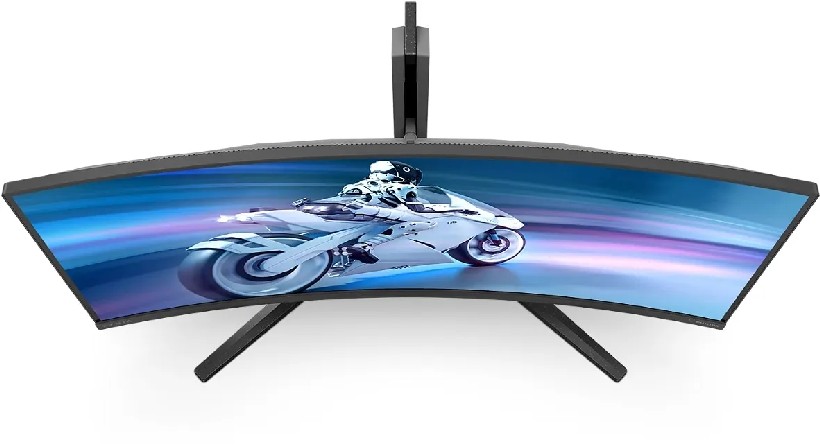
The Philips 34M2C6500/00 monitor features a 34-inch curved 21:9 panel with a 3440 x 1440 resolution and QD-OLED technology, offering a combination of advantages. Its refresh rate reaches approximately 175 Hz and response time is as fast as 0.03 ms, ensuring exceptionally smooth images in fast-moving scenes. The panel boasts a static contrast ratio of approximately 1,000,000:1 and color gamut coverage of up to ~99% DCI-P3 or over 148% sRGB, delivering rich and detailed images. The monitor is DisplayHDR True Black 400 certified and supports AMD FreeSync Premium Pro/Adaptive-Sync technologies, helping to reduce screen tearing.
The ergonomic stand allows for height, tilt, and swivel adjustments, while the VESA mount allows for bracket mounting. The 21:9 aspect ratio and 1800R curvature provide an immersive experience for gaming and multimedia, although professional work with straight lines may experience some challenges. Ports include a DisplayPort, two HDMI ports, a USB hub with multiple ports, and a headphone jack. In real-world use, this model excels in excellent color reproduction and truly pronounced black levels in dark scenes, but its ultra-wide format may require more desktop space. This combination of features makes the Philips 34M2C6500/00 an attractive choice for gaming, multimedia, and multi-window management—as long as you’re prepared to compromise on 16:9 gaming compatibility and professional color performance.
+ Very high refresh rate of ~175 Hz and response time of ~0.03 ms.
+ Rich color gamut (>148% sRGB) and deep contrast.
+ DisplayHDR True Black 400 certification and FreeSync Premium Pro support.
- Typical brightness of approximately 250–300 cd/m² is lower than some competitors.
- The 21:9 aspect ratio and curvature may be inappropriate for dual-window work or montages.
34-inch Monitor Comparison Chart
| Specifications | LG UltraWide 34WQ60C-B | Dell AW3425DW | Philips 34M2C6500/00 |
|---|---|---|---|
| Diagonal / Resolution | 34″ / 3440×1440 | 34.2″ / 3440×1440 | 34″ / 3440×1440 |
| Panel Type | IPS | QD-OLED | QD-OLED |
| Curvature | 1800R / 3800R | 1800R | 1800R |
| Frequency / Response Time | 60Hz / Standard | Up to 240Hz / 0.03ms GTG | 175Hz/0.03ms |
| Brightness / Contrast | ≈250cd/m² / 1000:1 | ≈250cd/m² (SDR) / 1,500,000:1 (OLED) | ≈250–300cd/m² / ~1,000,000:1 |
| HDR / Color Gamut | HDR10 / ~99% sRGB | HDR10 / Wide Color Gamut OLED | DisplayHDR True Black 400 / 148% sRGB |
| Ports / Connectivity | 2x HDMI, 1x DisplayPort, VESA 100×100 mm | 1× DisplayPort, 2× HDMI2.1, USB-C 15W, USB Hub | DisplayPort, 2x HDMI, USB Hub, Audio |
| Stand / Ergonomics | Curved, VESA 100×100 mm | Height adjustment, tilt, swivel, VESA 100×100 mm | Height adjustment, tilt, swivel, VESA 100×100 mm |


Don't miss interesting news
Subscribe to our channels and read announcements of high-tech news, tes


Oppo A6 Pro smartphone review: ambitious

 0
0 
Creating new mid-range smartphones is no easy task. Manufacturers have to balance performance, camera capabilities, displays, and the overall cost impact of each component. How the new Oppo A6 Pro balances these factors is discussed in our review.
Acer Nitro Lite 16 (NL16-71G) laptop review: versatile and attractive
0 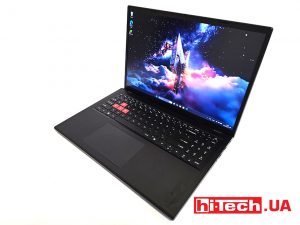
The 2025 Acer Nitro Lite 16 features an interesting case design, gaming accents, and proven components. Let’s take a closer look at its features.
Lenovo at MWC 2026: Updated ThinkPad T14 Gen 7, T16 Gen 5 and X13 Detachable with Intel Core Ultra laptop Lenovo MWC
At the Mobile World Congress 2026 in Barcelona, Lenovo introduced an updated ThinkPad line for the corporate segment
Apple Studio Display XDR 2026 gets a professional HDR screen with 5K resolution Apple computer HDR world events
At the heart of the Apple Studio Display XDR is a 27-inch 5K Retina XDR panel with mini-LED backlighting and 2,304 zones of local dimming.