

The Steam Game Recording feature has become available to all users
12.11.24
Steam has launched public access for the Game Recording feature, which is now available to all users of the platform. This feature lets you record gameplay in the background, and provides easy video editing and sharing tools.
Main features:
- Background Recording: Gameplay is automatically recorded for up to 120 minutes. Manual activation of recording using a hotkey (default Ctrl+F11) is also supported.
- Video Editor: A simple built-in editor lets you add tags and indicators to videos to mark important moments, such as boss battles.
- Video export: Videos can be exported in MP4 format. There are several recording quality profiles, although there are no deep settings.
- Compatibility: The feature works with GeForce and Radeon graphics cards that support hardware video encoding, as well as with Steam Deck. On systems without modern GPUs, the encoding will be done by the CPU.
- Content Manager: A special manager will be available to manage screenshots and videos.
This feature will help Steam users easily record and share vivid gaming moments with friends or on social networks.
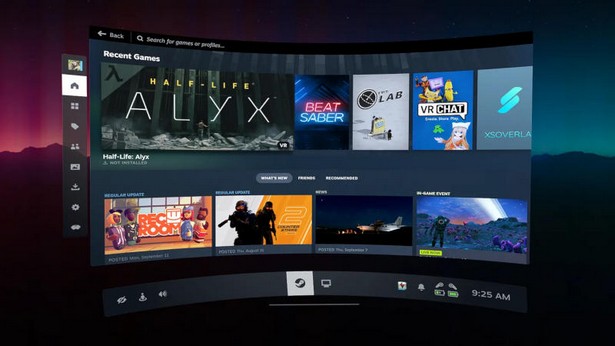
Steam has officially launched a family library feature called Steam Family Groups. The function allows you to share games with loved ones.
After joining a family group, all its members get access to each other’s games. within the family library.
One of the key points is that if one of the party members gets banned in the game, it can affect the owner as well.
Steam Family Groups also support parental controls. Adults can manage children’s playtime, access to games and monitor their activity.
Adults can leave a family group at any time, but you must wait a year after leaving the previous one to create or join a new one.
Don't miss interesting news
Subscribe to our channels and read announcements of high-tech news, tes

Oppo A6 Pro smartphone review: ambitious

 0
0 
Creating new mid-range smartphones is no easy task. Manufacturers have to balance performance, camera capabilities, displays, and the overall cost impact of each component. How the new Oppo A6 Pro balances these factors is discussed in our review.
Oppo Reno16 Pro 5G smartphone review: well-heeled
0 
Oppo Reno16 Pro 5G looks like a balanced smartphone, in which the manufacturer tried not to make a single characteristic the defining one. It has many advantages. Let’s tell you what
Tesla Cybertruck Prices Hike Again as Artificial Hype Continues

Tesla has once again raised the price of its Cybertruck electric pickup by $5,000. We explore the reasons behind the price hike and the company’s strategy for managing demand.
OpenAI Uncovers Secret Scheme: ChatGPT Used as Disinformation Tool

OpenAI has identified a network of accounts that used ChatGPT to promote the fake “International Burke Institute.”