

Microsoft will preload File Explorer in Windows 11
28.11.25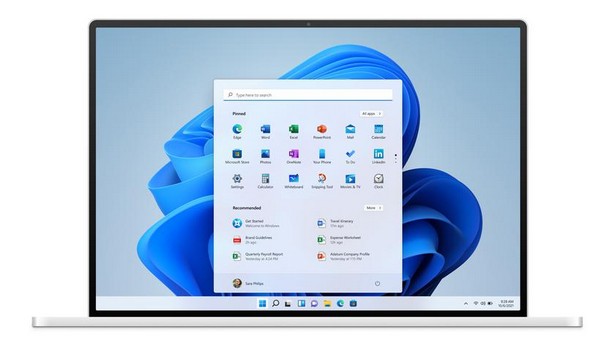
After the release of the November update of Windows 11, Microsoft began testing a new mechanism to speed up the system. It involves preloading the explorer in the background, due to which its window should open faster. The company included this feature in a fresh test build and explained that it seeks to reduce the delay that many users notice when launching Explorer “from scratch”. According to the developers, the change should not affect the normal operation of the operating system – the program will respond instantly.
In Windows 11, the slow start of Explorer has long been discussed. Often the interface appears with a delay of a second or more (oh horror!, ed. note). Preloading is designed to eliminate this delay and open the window immediately after the request.
The function has been disabled. If the user does not want Explorer to remain in memory all the time, in the folder settings you can disable the Enable window preloading for faster launch times option – it is located in the Explorer settings in the View section.
Windows 11 Explorer update
At the same time, Microsoft has redesigned the Explorer context menu. Commands for working with files are now grouped more compactly: tools such as image rotation and compression have been moved to a single menu item, which makes the interface less cluttered.
This is not the first time that the company has acknowledged problems with Explorer’s performance. Developers and tech enthusiasts have repeatedly pointed out that it runs slower than in Windows 10, the support for which has already ended. Recently, Windows President Pavan Davuluri confirmed on social networks that the team continues to work on optimization outside of high-profile AI projects.
How Windows Background Explorer Will Help
Microsoft explains that preloading is not a classic autostart. Although the explorer.exe process always starts with the system, it is responsible for the taskbar, Start menu, and desktop. But Explorer itself as an application is currently not working. The new feature changes exactly this: Windows 11 will keep it in the background to ensure the fastest possible opening.
Initial tests show that after activating preloading, Explorer does open faster, while RAM consumption almost does not change, and the system remains stable. At the same time, the innovation does not affect the speed of navigating between folders – this aspect has not yet been reviewed.
The background launch feature is in the testing phase. The mass release is scheduled for early 2026, around the time when the Windows 11 26H1 update is expected, which most PCs are unlikely to receive.
Don't miss interesting news
Subscribe to our channels and read announcements of high-tech news, tes

Oppo A6 Pro smartphone review: ambitious

 0
0 
Creating new mid-range smartphones is no easy task. Manufacturers have to balance performance, camera capabilities, displays, and the overall cost impact of each component. How the new Oppo A6 Pro balances these factors is discussed in our review.
Acer Nitro Lite 16 (NL16-71G) laptop review: versatile and attractive
0 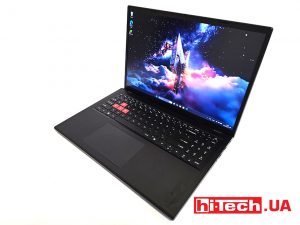
The 2025 Acer Nitro Lite 16 features an interesting case design, gaming accents, and proven components. Let’s take a closer look at its features.
Meta will buy AMD AI processors for $100 billion AMD artificial intelligence Facebook server

As part of the agreements, Mark Zuckerberg’s company plans to purchase AMD MI450 artificial intelligence accelerators for its data centers over five years.
LG UltraGear evo (52G930B-B) – 52-inch gaming monitor for $2,000 games LG monitor

The color gamut of the LG UltraGear evo (52G930B-B) monitor is stated at 95% DCI-P3—sufficient for both gaming and basic color work.