

Windows 11 will allow to check your internet speed directly in the system
17.09.25
Microsoft has added a new feature to the Windows 11 taskbar that allows you to quickly check your Internet connection. This was reported by insider @phantomofearth. The innovation is currently available to users on the Canary, Developer, and Beta channels.
The same option has also appeared in the Internet connection window via the context menu of quick settings. When you click the button, a tab opens in the browser, where the speed test is immediately launched.
However, the feature has limitations – Windows 11 performs the check exclusively through Bing, and the ability to choose another service is not yet provided.
Also in Windows 11, the standard Scissors program is gradually transforming from a simple screenshot tool into a full-fledged tool for working with images and videos. If earlier it could only take screenshots, and recently received support for recording video with voice, now Microsoft is testing new features that can make Scissors an alternative to third-party utilities.
As reported by Windows 11 Canary, version 2022.2507.14.0 with enhanced features has been released. The program has learned to automatically detect the active window and record its contents – previously, users had to manually select a rectangular area, which often resulted in cropped or too wide frames. Now you can switch between “area” and “window” modes, although the window still needs to be activated to start recording.
In addition, the user Phantomofearth noticed another innovation – the annotation panel. So far, it only works separately, but it already allows you to make marks: draw with a pencil or marker over screenshots.
In the current public version of Windows 11, “Scissors” supports screenshots of the entire screen, a selected area or an arbitrary shape, as well as video recording with the ability to capture system sound and a microphone. However, many users still don’t know about the video recording feature, and it doesn’t exist at all in Windows 10.
Don't miss interesting news
Subscribe to our channels and read announcements of high-tech news, tes

Oppo A6 Pro smartphone review: ambitious

 0
0 
Creating new mid-range smartphones is no easy task. Manufacturers have to balance performance, camera capabilities, displays, and the overall cost impact of each component. How the new Oppo A6 Pro balances these factors is discussed in our review.
Acer Nitro Lite 16 (NL16-71G) laptop review: versatile and attractive
0 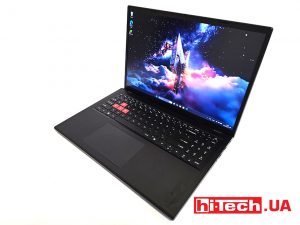
The 2025 Acer Nitro Lite 16 features an interesting case design, gaming accents, and proven components. Let’s take a closer look at its features.
Ukrainian Company DeViro Unveils New SOKYRA Interceptor Drone DeViro interceptor drone SOKYRA

Ukrainian defense company DeViro has presented the SOKYRA interceptor drone, capable of reaching speeds of 240 km/h with an operational range of 45 km.
XGIMI Z6X – projector for watching movies on the ceiling projector

Main update of the Xgimi Z6X is the built-in swivel stand. The body can be tilted up to 150 degrees, which makes it easier to project onto the ceiling.