

Microsoft to remove Paint 3D graphics editor in November due to “unpopularity”
13.08.24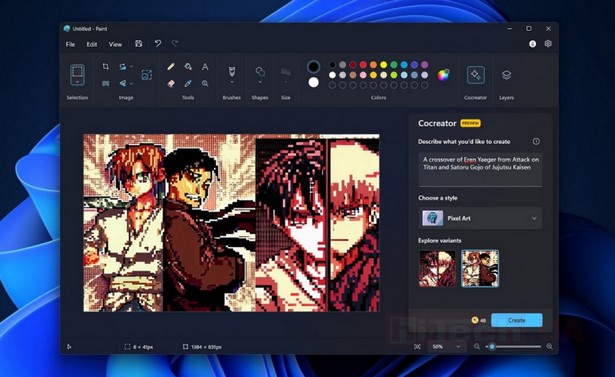
Microsoft has announced the end of support and removal of Paint 3D from the Microsoft Store. According to a message received by some users, from November 4, 2024, Paint 3D will no longer be available for download and will no longer receive updates. This decision comes eight years after the launch of the program in October 2016, when Paint 3D was introduced as a modernized version of the classic Microsoft Paint.
Initially, Paint 3D was positioned as an application with an emphasis on three-dimensional modeling, offering users the ability to create and edit 3D objects. However, despite supporting features such as layers, transparency effects, background removal, and working with PNG, the program failed to gain popularity among users. While Paint 3D offered advanced features, many users continued to prefer classic Paint for its simplicity and speed.
The situation with Paint 3D looks especially ironic considering that the classic Paint, which was almost replaced by Paint 3D, continues to be relevant. Microsoft recently added features to classic Paint that were previously exclusive to Paint 3D, such as layers and background removal. Moreover, Paint gets a “second life” with the integration of an image generator based on artificial intelligence, which makes it even more attractive to users.
At the end of last year, Microsoft introduced a new integrated DALL-E 3 generative artificial intelligence tool in Paint for Windows 11 users. This feature, accessible through the Cocreator sidebar in Paint, allows you to create images directly in the program and use the capabilities of ChatGPT from OpenAI
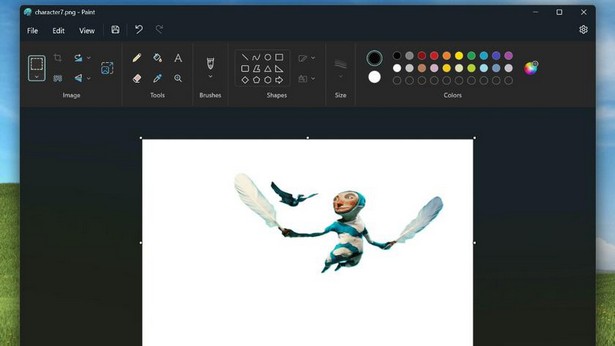
And before that Microsoft start testing a new Paint tool that allows you to remove backgrounds from images.
To use the tool, just click the “Remove Background” button on the toolbar. The background will automatically be selected and cut around the object. Additionally, Microsoft provides the ability to manually select the background area for later removal.
This feature is usually used for quick image editing, such as cropping, resizing, and adding notes. Some programs, such as Canva, restrict access to the background removal feature to payment restrictions, while Adobe Express requires an account before use, so many users may find the Paint alternative appealing.
Don't miss interesting news
Subscribe to our channels and read announcements of high-tech news, tes

Oppo A6 Pro smartphone review: ambitious

 0
0 
Creating new mid-range smartphones is no easy task. Manufacturers have to balance performance, camera capabilities, displays, and the overall cost impact of each component. How the new Oppo A6 Pro balances these factors is discussed in our review.
Poco M8 Pro smartphone review: give us more
0 
Poco M8 Pro 5G immediately catches the eye with its size and the manufacturer’s desire to offer more than you’d typically expect from a device in this price range. It’s not just another mid-range device.
US battery factories will be produce batteries for AI data centers instead of electric cars accumulator artificial intelligence data center

The reason was a sharp increase in demand for data centers due to the boom in artificial intelligence, while sales of electric cars slowed.
Google Translate has a chatbot mode powered by artificial intelligence Google

If you ask Google Translate a question in a certain way, the translator starts to behave more like a chatbot.