

Lenovo Yoga Tablet 2 Pro review. Tablet with a projector
09.01.15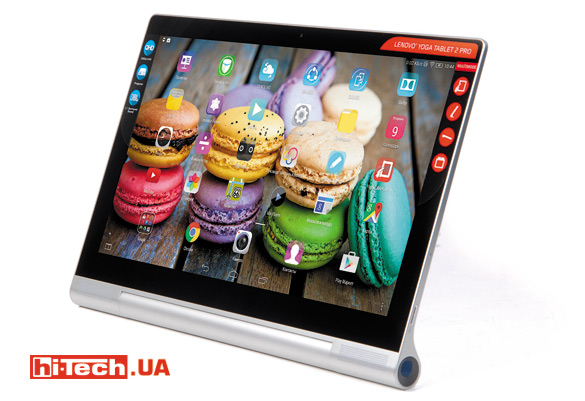
Large 13.3-inch screen – a non-standard solution for an Android tablet
To highlight this device in the Lenovo Yoga Tablet 2 line of tablets, the manufacturer added the prefix Pro to the name. In my opinion, this is completely justified, because the Lenovo Yoga Tablet 2 Pro is really significantly different from its counterparts.
Design
“This is a giant” – these are the thoughts that come to mind when you pick up this tablet. This is a really large tablet with a 13.3-inch screen, based on Android OS. You can also notice a rather thick frame around the screen, but this is justified here. Otherwise, such a tablet would be inconvenient to use.
Despite the large screen size, note how elegant the model looks in profile. At the same time, the tablet does not creak or crunch if you try to bend it a little. The construction feels very solid. The back of the case is plastic, although it may seem like it is metal.
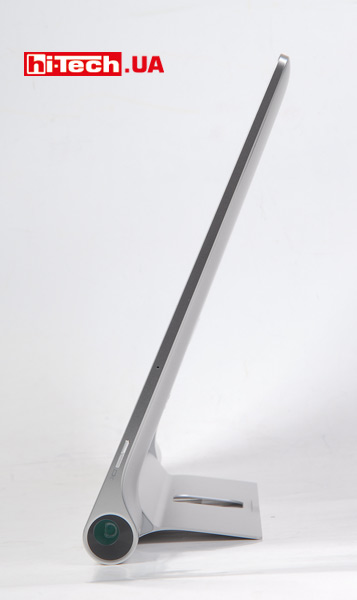
Lenovo Yoga Tablet 2 Pro
The special form factor of Lenovo Yoga Tablets with a side-mounted cylindrical battery pack and built-in storage allows them to be used in different modes, which the manufacturer calls “book” (hold in your hand by the battery pack), “keyboard”, “console” (placed on the surface vertically), as well as “picture”. The latter mode was added to the second generation Lenovo Yoga Tablet 2/PRO tablets. Due to the special hole in the stand, you can simply hang the tablet on a hook.
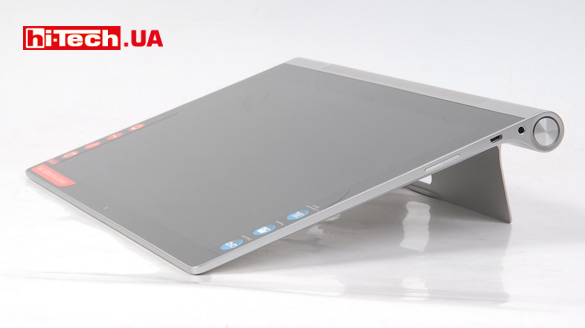
The interface complies with USB OTG specifications, that is, USB devices can be connected to the tablet
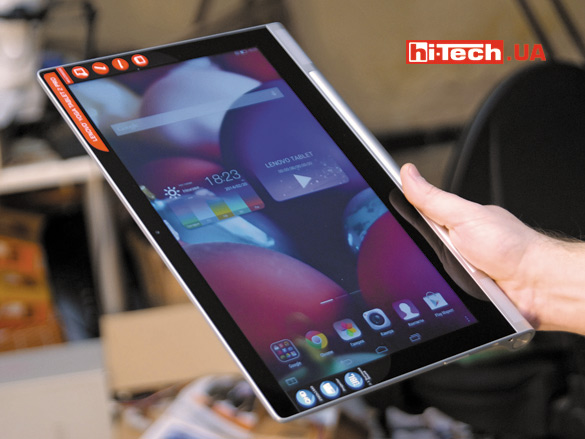
It is convenient to hold the tablet by the cylindrical thickening in portrait orientation (book mode)
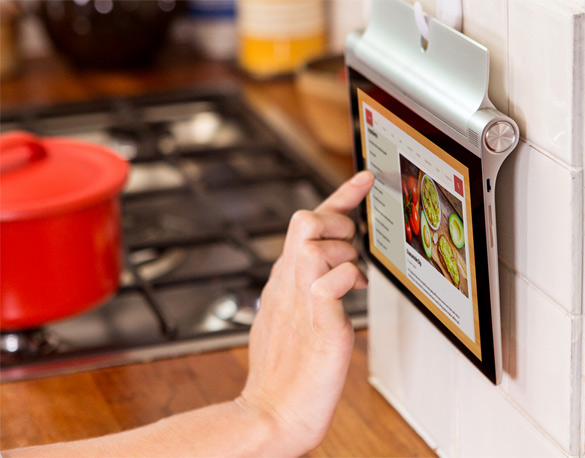
Picture mode
In the Lenovo Yoga Tablet 2 Pro, the edge of the stand is separated from the body by pressing a special button. This is convenient, but sometimes during operation I sometimes touched this button and the stand involuntarily snapped out.
The stand itself has a tight movement, which is good. It can be fixed to the required angle and thus adjust the tilt of the panel. Framed by an LED indicator, the power button is located at the end of the cylindrical thickening of the tablet. Although it is slightly recessed into the body, it is quite possible to accidentally press it with your palm while holding the tablet in your hands.
Screen
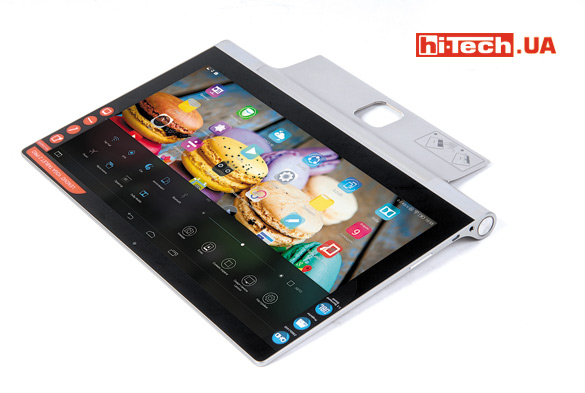
The Lenovo Yoga Tablet 2 Pro’s screen stands out not only for its large 13.3-inch diagonal, but also for its high screen resolution of 2560×1440 pixels. (pixel density 220 ppi). In my opinion, a lower Full HD resolution (1980×1080) would be enough here, but for many, a higher resolution will definitely be more interesting.
Thanks to the use of a high-quality matrix, in this case IPS, the screen has wide viewing angles. Overall, the image quality was pleasing. The measured maximum brightness level was 305 cd/m2. A worthy result.
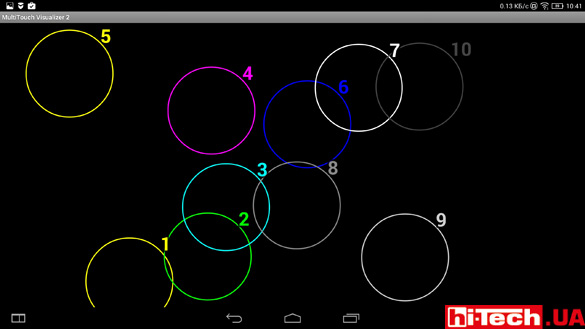
The screen can detect ten simultaneous presses
It will be convenient for two people to play on such a large screen (this means the use of special games for simultaneous play on the same screen by several players). There should be no problems with practicing multiple simultaneous clicks, since the multi-touch is ten-point. But the screen does not have Gorilla Glass protection or oleophobic coating.
Projector
What do you think of the idea of placing a projector in a tablet? While initially skeptical about this, after using the Lenovo Yoga Tablet 2 Pro for some time, I caught myself thinking that sometimes it could really come in handy.
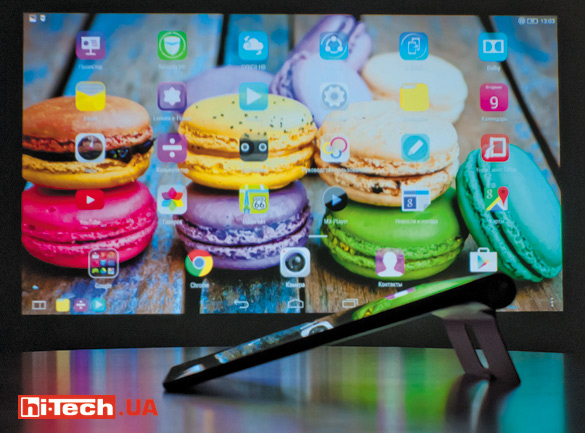
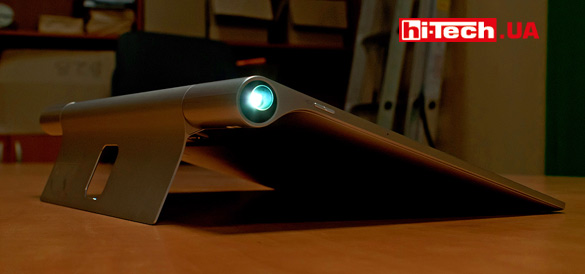
The built-in projector can easily provide a satisfactory image of approximately 50 inches in size
The capabilities of the built-in projector in terms of resolution (854×480) and brightness, of course, are quite modest and there is no need to compare this projector with individual devices. But, as for a mobile device, the result of its work pleased me. In good dark conditions, you can quite get a satisfactory picture with a diagonal of about 50 inches.
The projector is located on the opposite side of the tablet’s power button on a cylindrical thickening. It is activated by a separate button. Focusing occurs using a separate lever. I didn’t like the short stroke of this lever—it’s quite difficult to fine-tune the focus.
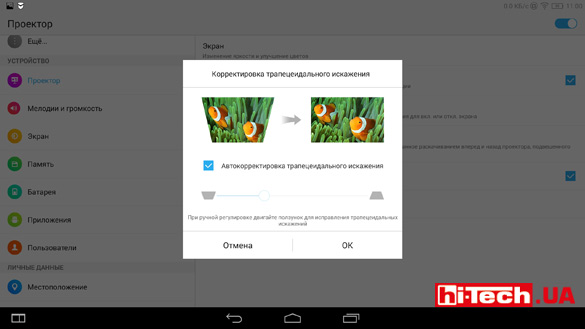
In the projector settings you can find brightness adjustment, as well as the ability to correct, including automatic, keystone distortion. This adjustment is necessary if the surface on which the image is being projected is not strictly perpendicular to the axis of the projector and the rectangular image turns into a trapezoidal one.
Sound
The sound provided by the Lenovo Yoga Tablet 2 Pro is definitely one of the advantages of the model. Moreover, this applies not only to the sound quality of the built-in speakers, but also to the sound quality provided by the JBL headphones that come with this tablet.
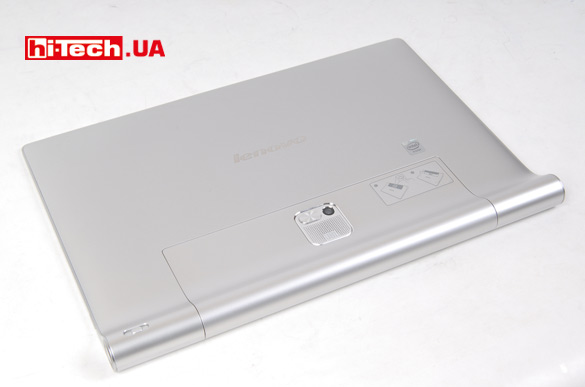
Next to the camera is a built-in subwoofer and a stand release button
According to the manufacturer, Lenovo Yoga Tablet 2 Pro is the world’s first tablet with a built-in subwoofer. The subwoofer is located on the back side of the case and is adjacent to the main chamber. By the way, it is its presence that provides a pretty decent sound. If you turn off the subwoofer (an option in the settings menu), then the sound from the stereo speakers alone, located in two corners of the tablet, is much simpler.
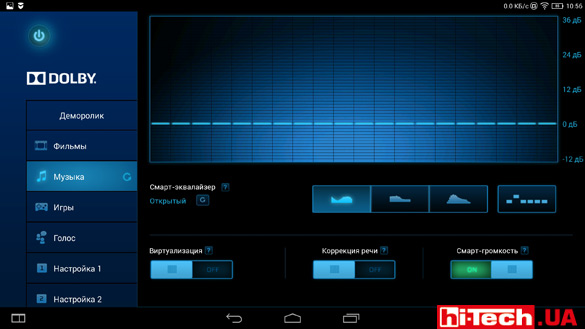
A significant contribution to the formation of sound is made not only by the hardware of the tablet, but by the software. A proprietary application allows you to customize the sound to your taste
The included headphones do not have control buttons, but were able to provide very decent sound with good bass. Yes, and they look good. These are not simple plugs that usually come with most smartphones and tablets and which you want to immediately replace with something more decent.
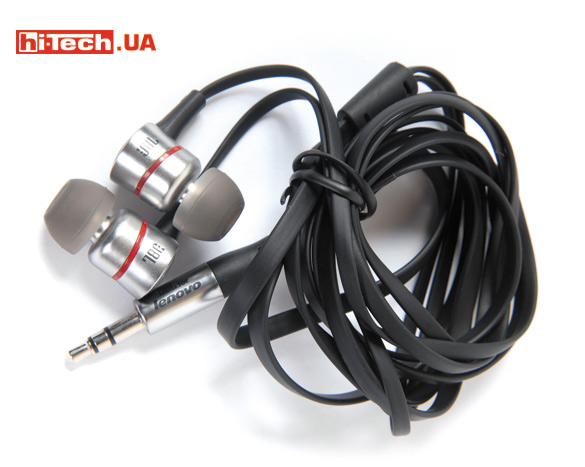
The supplied JBL headphones were very pleasing with their sound. It’s rare to see such a nice bonus on mobile devices.
Shooting
The tablet is equipped with a front 1.6-megapixel and main 8-megapixel cameras. I wouldn’t call the shooting quality the strong point of this model. By modern standards, the main 8-megapixel camera provides average image quality. By the way, in video shooting mode, the viewing angle is smaller than in photo shooting mode. There is no LED backlight, and the set of settings is relatively modest.
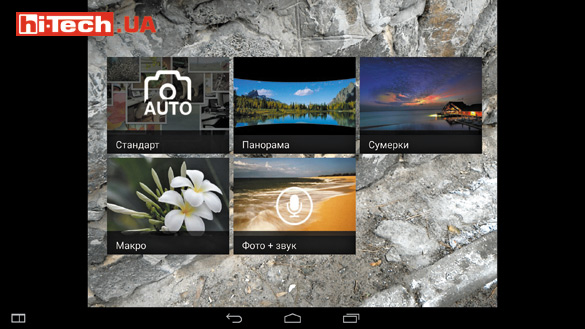
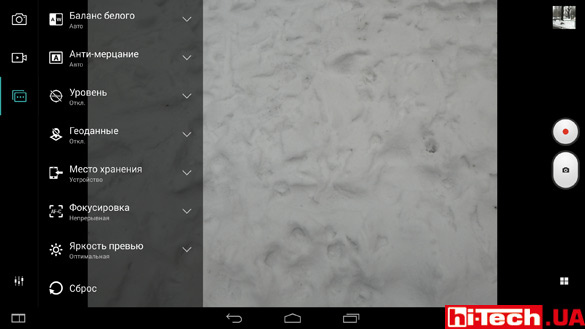
Examples of photos (click on the picture to download the original photos). The weather was not at all conducive to obtaining interesting photographs, but from the originals one can draw certain conclusions about the quality of the shooting.


Note the unusual placement of the main camera. This does not cause any particular inconvenience, but it does require some getting used to.
Performance
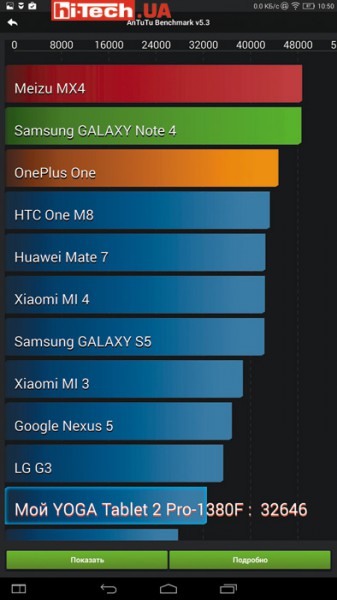
Lenovo Yoga Tablet 2 Pro. AnTuTu test results
Although the tablet does not break records in synthetic tests, the performance of the quad-core Intel Atom Z3745 processor installed here with 2 GB of RAM is enough for comfortable operation of the device, multimedia entertainment, games, etc. Only the most “heavy” games when using high quality settings graphics can cause slowdowns.

Autonomy
The cylindrical thickening of this tablet houses a battery with a capacity of 9600 mAh. The manufacturer claims up to 15 hours of battery life. An impressive figure, especially considering such a large tablet screen.
On the Lenovo website (www.lenovo.com/battery-info/) this 15-hour operating mode is described in more detail, and you can see that a rather gentle option for using the tablet in terms of energy consumption was chosen – with prolonged listening to music, reading at low display brightness.
According to my measurements, with continuous playback of a 720p movie, Wi-Fi turned off, using the built-in speakers with a subwoofer and the screen brightness set to about half, the tablet worked for 8 hours and 30 minutes.
It was interesting to know how long the tablet would last with the projector turned on. The conditions were similar, the same film was used, the settings remained the same, only the screen was turned off, and instead the built-in projector was working at maximum brightness. In this mode, the Lenovo Yoga Tablet 2 Pro worked for 5 hours. This is quite enough to watch several movies.
Overall, decent performance results, but, of course, you shouldn’t expect 15 hours of battery life in most cases.
Characteristics of Lenovo Yoga Tablet 2 Pro
| Screen size/format | 13.3″/16:9 |
| Screen resolution | 2560×1440 pixels |
| Operating system | Android 4.4 |
| Camera resolution | 8 megapixels. (main), 1.6 megapixels. (front) |
| Processor | Intel Atom Z3745, 1.86 GHz 4-core |
| RAM capacity | 2 GB |
| Built-in memory | 32 GB |
| Card reader | microSD |
| Sound | Stereo speakers with subwoofer |
| Interfaces | Bluetooth 4.0, USB 2.0, Wi-Fi a/b/g/n |
| GPS receiver/gyrosensor/light sensor | yes/yes/yes |
| Battery capacity | 9600 mAh |
| Additional features | built-in projector; optionally can be equipped with a built-in modem |
| Dimensions | 333×3.7-12.6×223 mm |
| Weight | 950 g |
| Supplier | Lenovo representative |
| Price | $700 |
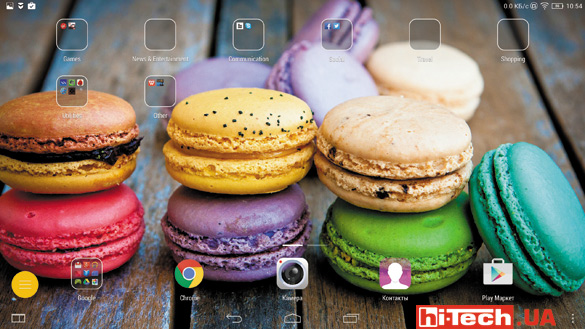
The tablet is equipped with a proprietary interface, which does not differ so much from the standard one. Of the main differences, I would note the absence of an application menu. All shortcuts are placed on the desktop like an iPad
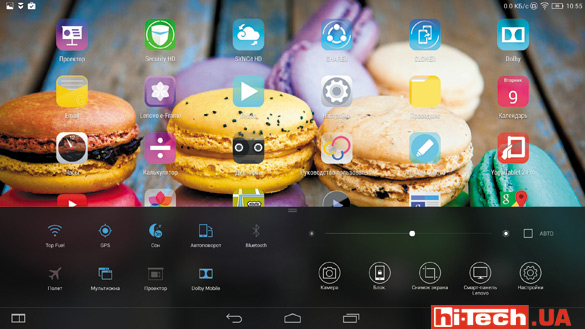
The external curtain, familiar to most Android devices, was greatly “lightened” in terms of functionality, but the manufacturer added a lower curtain, where numerous “switches” were moved
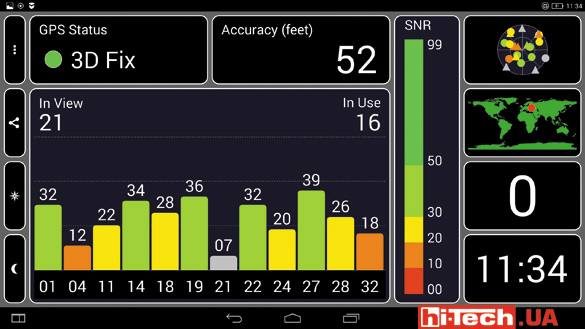
There were no complaints about the operation of the tablet’s GPS receiver
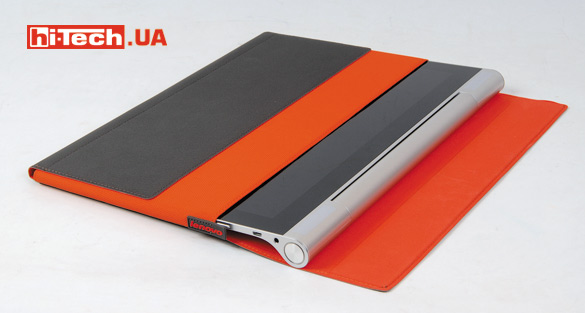
Accessories include a tablet case (sold separately). He looks impressive
Conclusions
Considering its size and almost a kilogram weight, I wouldn’t say that the Lenovo Yoga Tablet 2 Pro would be comfortable to take with you every day. Rather, this is a “home” tablet, for use at the table, on the sofa, etc. However, it is also well suited for travel, for example on vacation.
The tablet is endowed with a number of features that make it truly unique. Here I mean an unusually large screen, a built-in projector, and a subwoofer. The model turned out to be cool, interesting, with excellent multimedia capabilities, a functional stand and a completely reasonable price.
At the same time, however, I don’t think that the Lenovo Yoga Tablet 2 Pro will become very popular. This is rather a niche option for users with unusual requirements and lovers of non-standard devices.
Rating:
+ high screen resolution
+ interesting form factor
+ decent battery life
+ great headphones included
+ speaker sound quality
+ built-in projector
+ USB OTG and memory card slot
- small stroke of the projector focus control
- no backlight for the camera
- average shooting quality
- during use, accidental pressing of the power button and stand lock is possible

Don't miss interesting news
Subscribe to our channels and read announcements of high-tech news, tes




Oppo A6 Pro smartphone review: ambitious

 0
0 
Creating new mid-range smartphones is no easy task. Manufacturers have to balance performance, camera capabilities, displays, and the overall cost impact of each component. How the new Oppo A6 Pro balances these factors is discussed in our review.
Acer Nitro Lite 16 (NL16-71G) laptop review: versatile and attractive
0 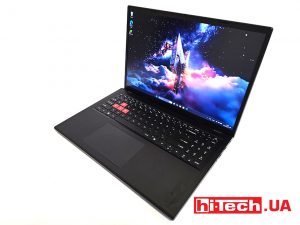
The 2025 Acer Nitro Lite 16 features an interesting case design, gaming accents, and proven components. Let’s take a closer look at its features.
HP: Memory and storage now cover third of the PC cost business HP memory drive ram
If in 2025 the cost of memory and storage devices accounted for 15-18% of the total cost of components, now the figure is approaching 35%.
Starlink Mobile 5G will provide connection speeds of 150 Mbps even in the Arctic internet SpaceX

SpaceX is preparing to launch its global 5G-enabled Starlink Mobile service. The US Federal Communications Commission (FCC) has approved the launch of up to 15,000 direct-to-cell (D2C) satellites.