

Steam is already testing new interface design
01.08.25
Valve has begun beta testing a new design for its Steam store. The updated interface is designed to make it easier to find games and navigate through a clearer top menu.
- The beta version introduces the Browse section, which allows you to quickly find best-selling, new, and discounted games.
- The Recommendations button suggests games based on the user’s library, playtime, and community recommendations.
- A separate Categories menu helps you browse popular genres and tags for a more personalized selection.
- The search function now shows the most popular queries, recently viewed games, and the user’s favorite genres.
- For advanced search Added an Advanced Search button with advanced filters.
The update comes amid criticism of Steam’s policy of removing a large number of games with adult content after changes in cooperation with Visa and Mastercard payment systems.
At the moment, the new interface is only available to participants in the Steam Client Beta program, who can leave feedback to improve and finalize the design.
Valve has released an update for Steam on Windows, which includes a new overlay for monitoring performance. It will allow users to better understand how powerful their PC is and how its characteristics affect the gameplay.
One of the key features is the ability to display both the real number of frames per second and frames generated using DLSS or FSR technologies. In addition, the overlay shows the minimum and maximum FPS values, as well as a frame rate graph over time. Additionally, data on the load on the processor and video card, as well as the use of RAM are displayed.
According to Valve, this data will help determine what exactly is slowing down the game – a weak central or graphic processor, or graphics settings that are too high and overloading the video memory or RAM.
The Steam overlay has four levels of detail:
- Only the current FPS indicator;
- Advanced display of FPS;
- FPS with CPU and video card load;
- Full mode – FPS, CPU load, GPU and RAM usage.
Don't miss interesting news
Subscribe to our channels and read announcements of high-tech news, tes

Oppo A6 Pro smartphone review: ambitious

 0
0 
Creating new mid-range smartphones is no easy task. Manufacturers have to balance performance, camera capabilities, displays, and the overall cost impact of each component. How the new Oppo A6 Pro balances these factors is discussed in our review.
Oppo Reno16 Pro 5G smartphone review: well-heeled
0 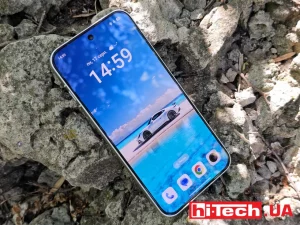
Oppo Reno16 Pro 5G looks like a balanced smartphone, in which the manufacturer tried not to make a single characteristic the defining one. It has many advantages. Let’s tell you what
Sony Xperia 10 VIII: Conservative Design Meets 5000 mAh Battery

Sony has introduced the Xperia 10 VIII, offering an improved OLED screen with 50% higher brightness and enhanced audio quality.
ChatGPT Locked Chats Spotted: PIN and Biometric Security

OpenAI is working on a Locked Chats feature that will allow users to hide individual ChatGPT conversations.