

Logitech G512 X 75 keyboard review: maximized sleekness
11.05.26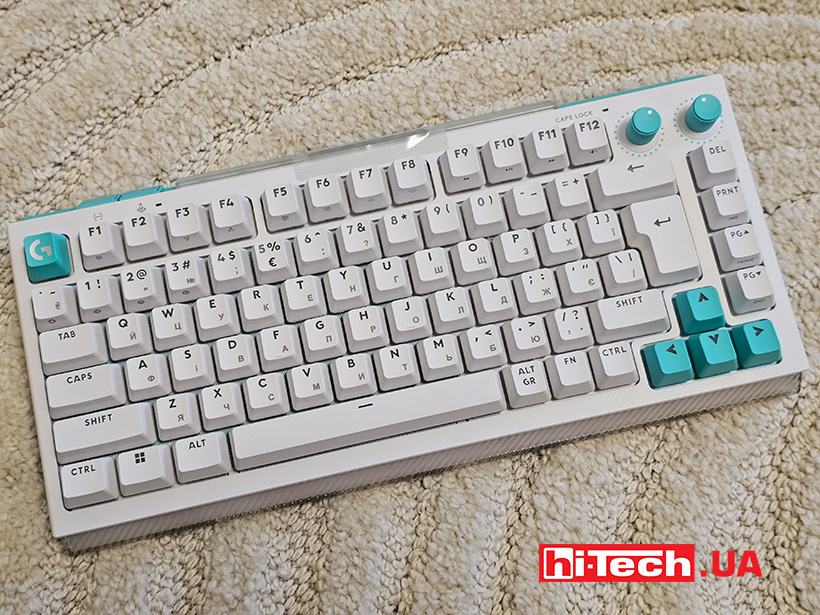
The gaming keyboard segment has been shifting towards flexible settings and personalization in recent years. The Logitech G512 X 75 model is one of those attempts to rethink the familiar concept of mechanics, adding analog capabilities to it. In the version with linear switches, it is aimed at those who appreciate smooth key travel and fast response without a tactile “bump”.
The 75% format speaks of compactness, but without radical compromises in functionality. In reality, the lack of an additional numeric keypad can hardly be called a compromise, this is the optimal format for gamers who know what they need. The key emphasis is not on size, but on the internal architecture and a whole set of functional features.
Construction and design
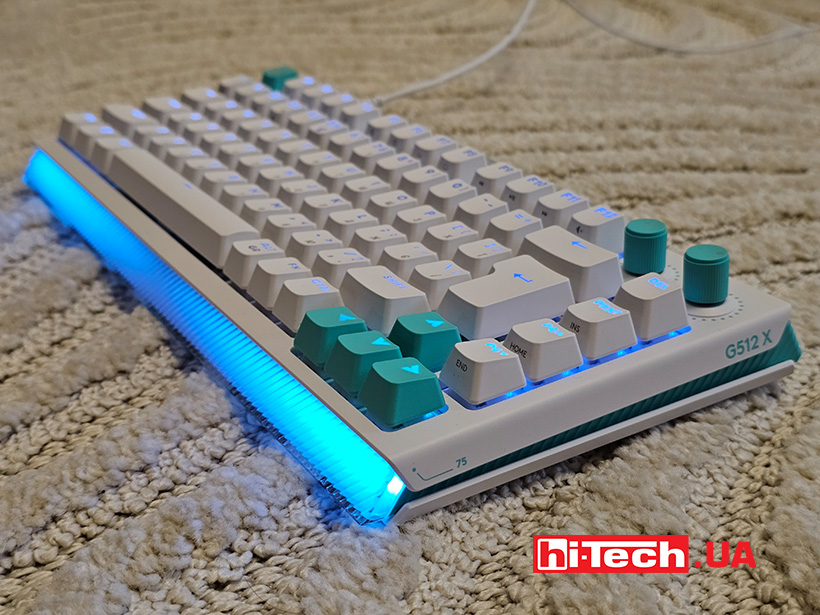
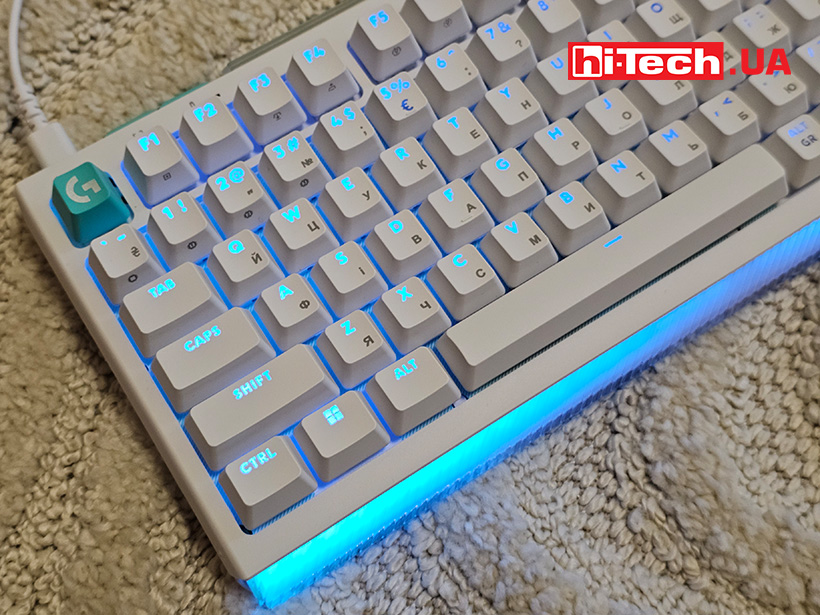
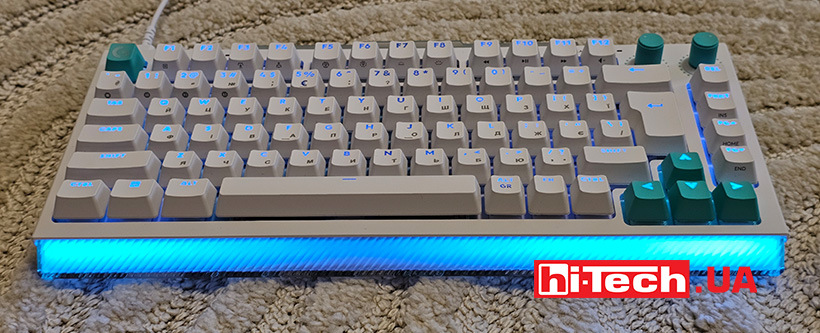
The appearance of the Logitech G512 X 75 is very interesting. The design of the case shows a futuristic combination of massive gaming design and minimalism in the lines. In addition to the usual array of keys, there are several additional buttons and controls that rotate. The backlight line on the front complements the bright backlight of the keys.
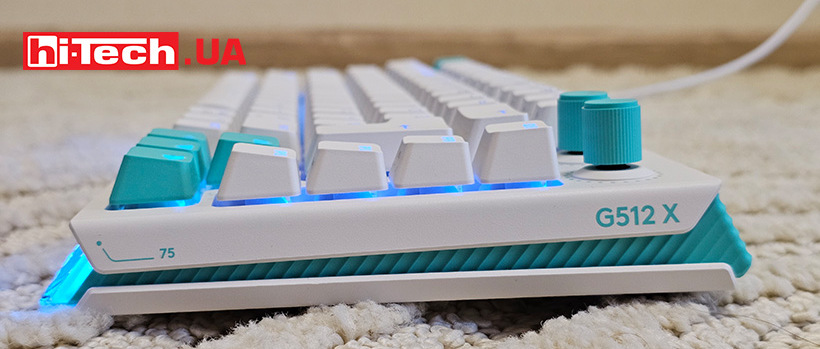
The basis is a rigid platform with a gasket mount, which partially dampens vibrations during typing. PBT keycaps with double molding are used, which are designed for long-term use without rapid wear of the characters.
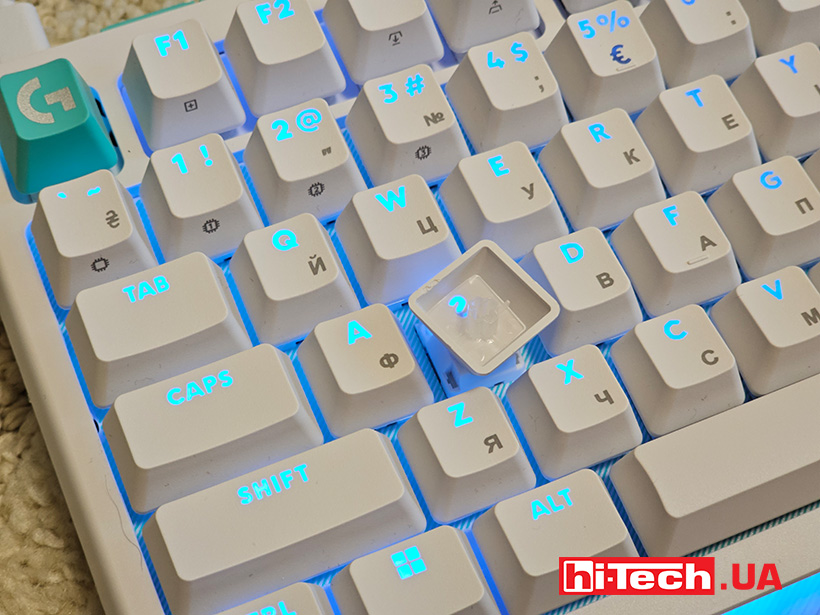
The keyboard is connected via a detachable USB-C cable and works exclusively in wired mode. In the upper part of the case there is a separate compartment for storing detachable switches. By default, there are nine of them out of the box. They are analog and we will talk about their features below. The keyboard itself is equipped with proprietary tactile switches.
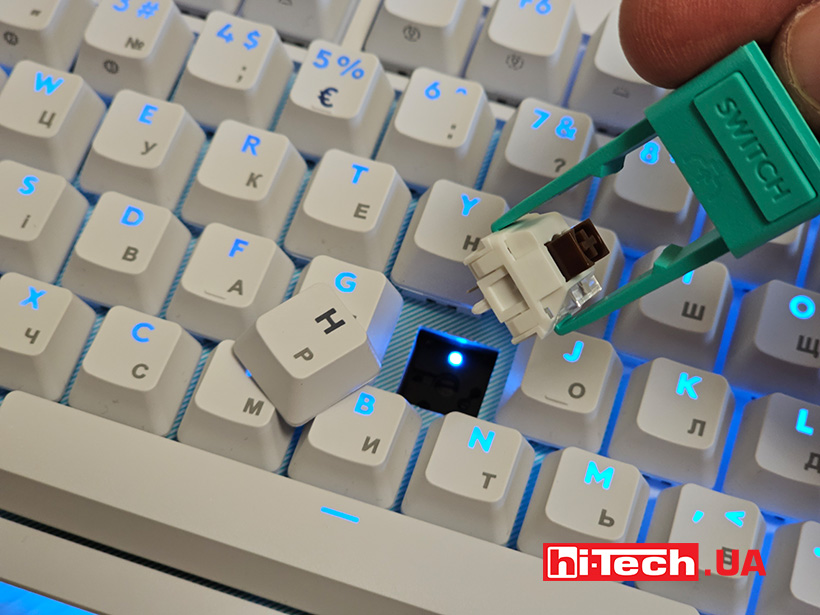
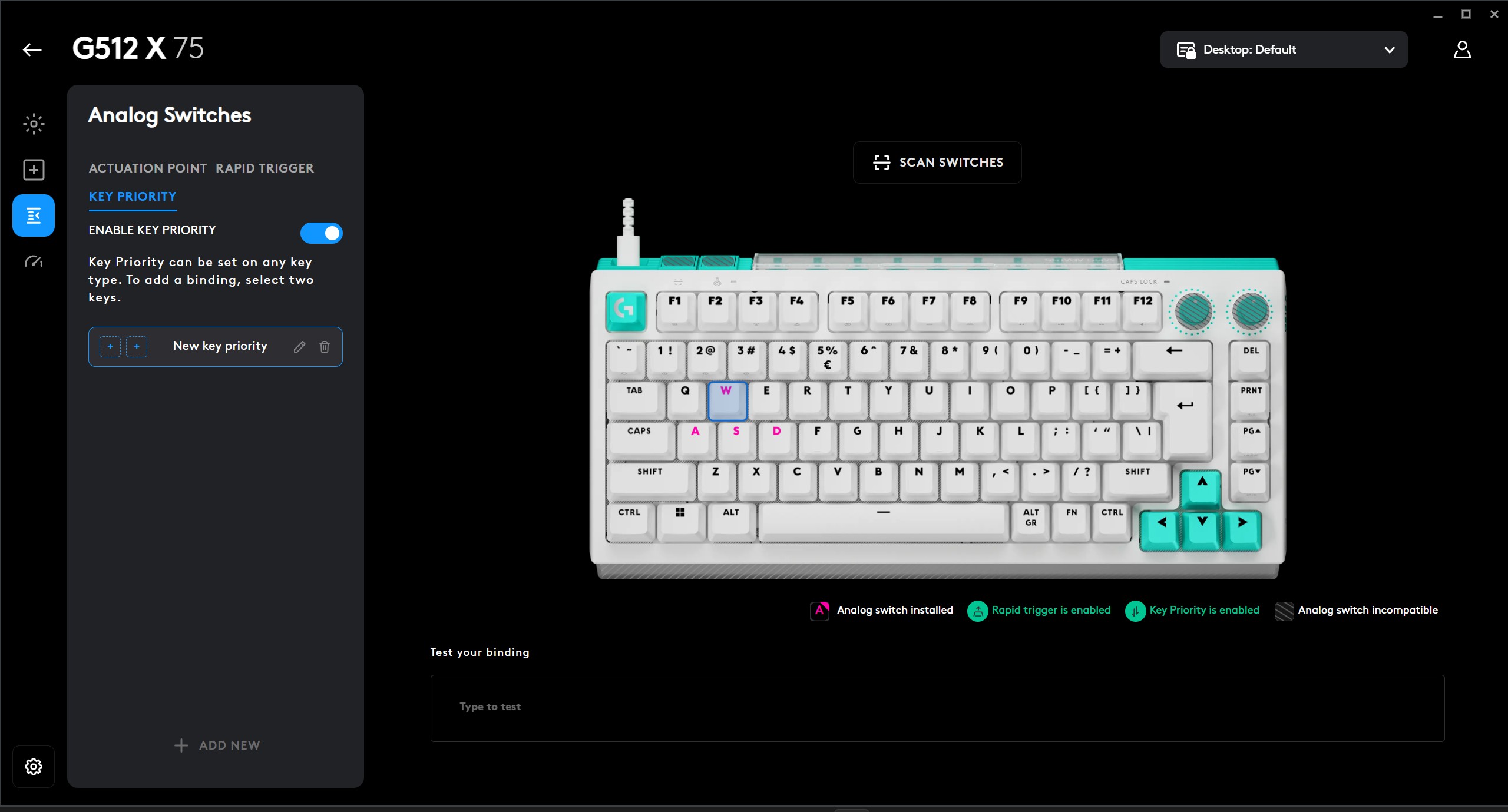
The keyboard is divided into zones where analog switches are supported, while the G Hub clearly displays the type of those already installed. Let’s not be afraid of the word “smart” when applied to this keyboard. Yes, this is achieved by combining sensors and software that are available to many manufacturers, but Logitech G was able to make this tandem as intuitive as possible.
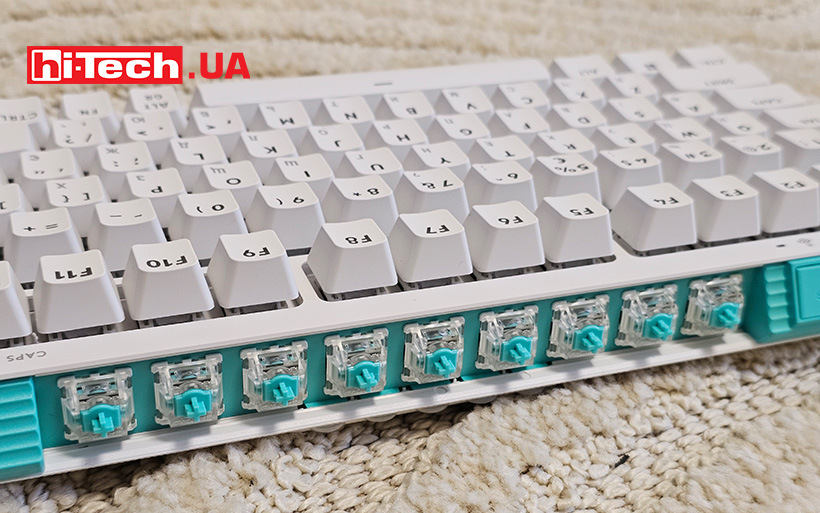
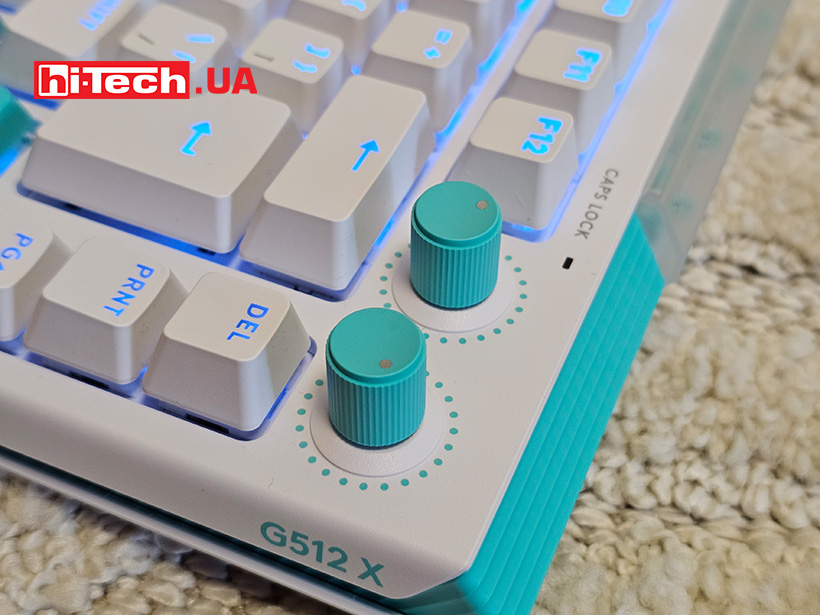
The accessory storage compartment is located on the end farthest from the player. Next to it on the left are two additional keys. And the adjustment cylinders are near the keys in the upper right corner.
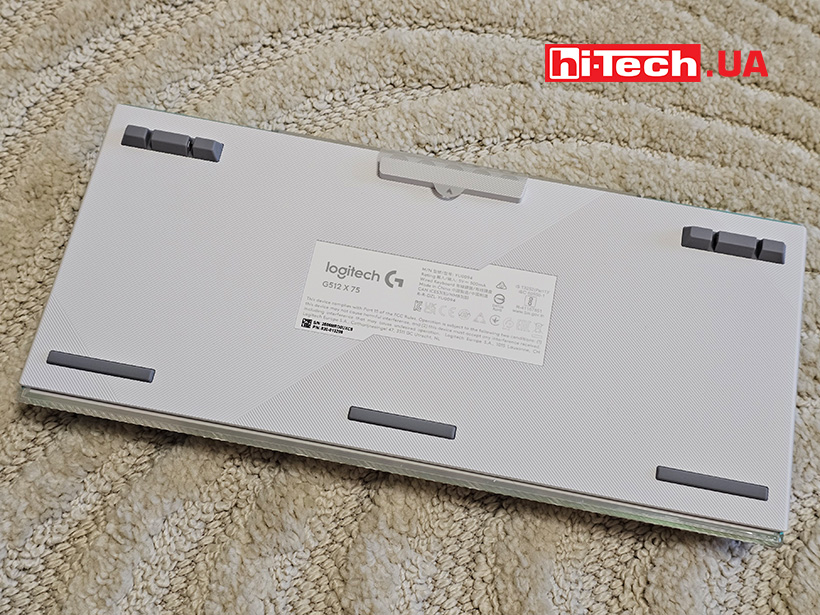
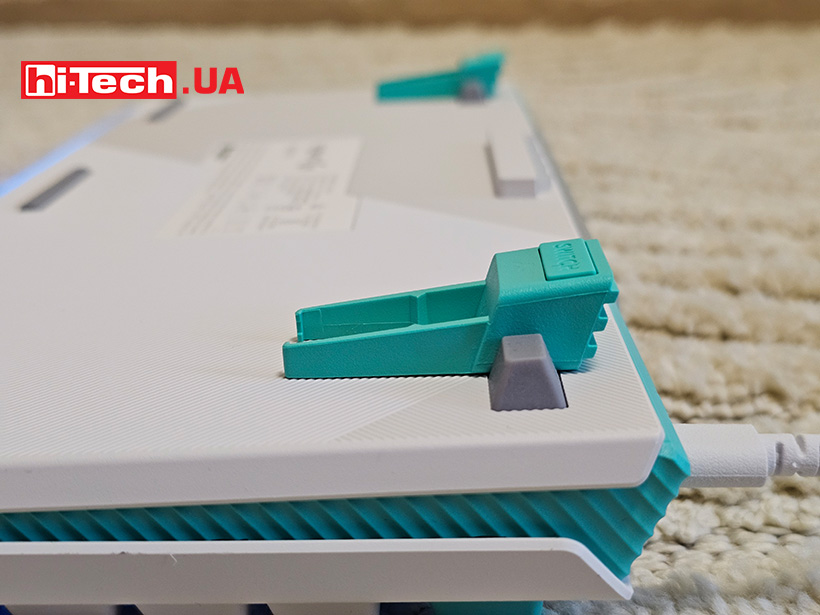
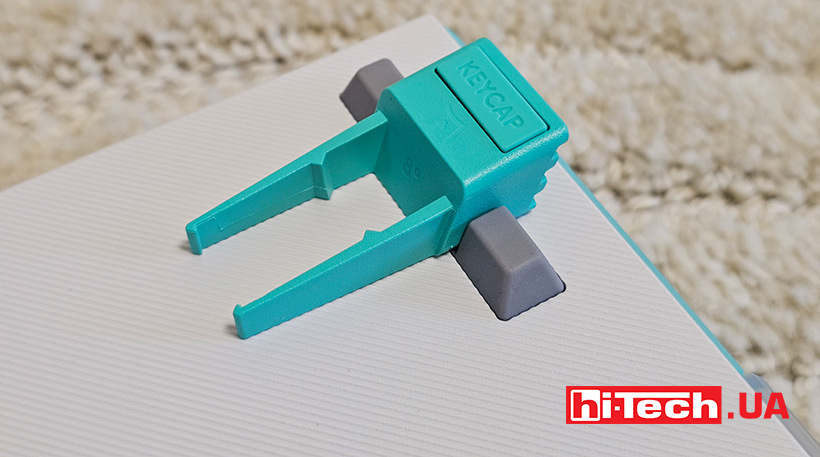
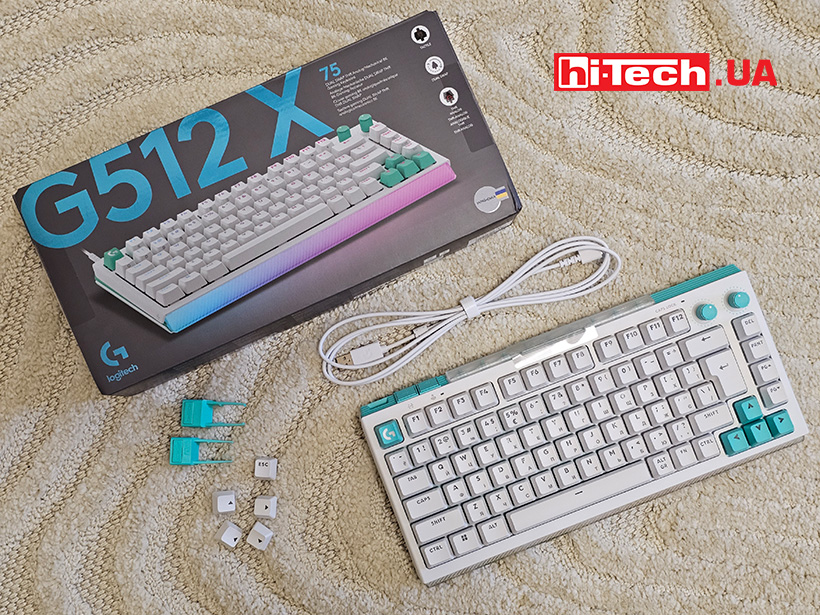
The tools for removing the keycaps are signed and have corresponding different grippers. And they can also be fixed directly under the keyboard – as… supports for the case to make it higher above the surface. Unexpectedly and functionally.
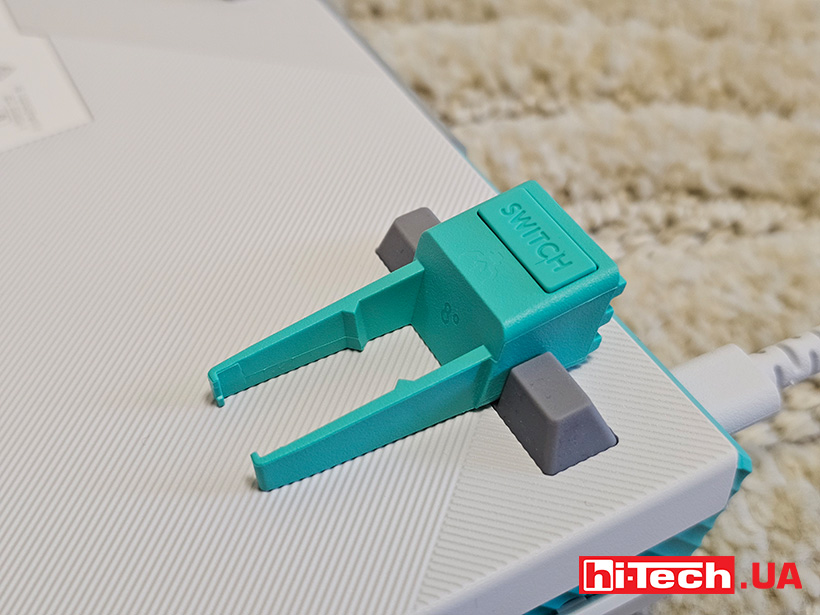
Feature in every key
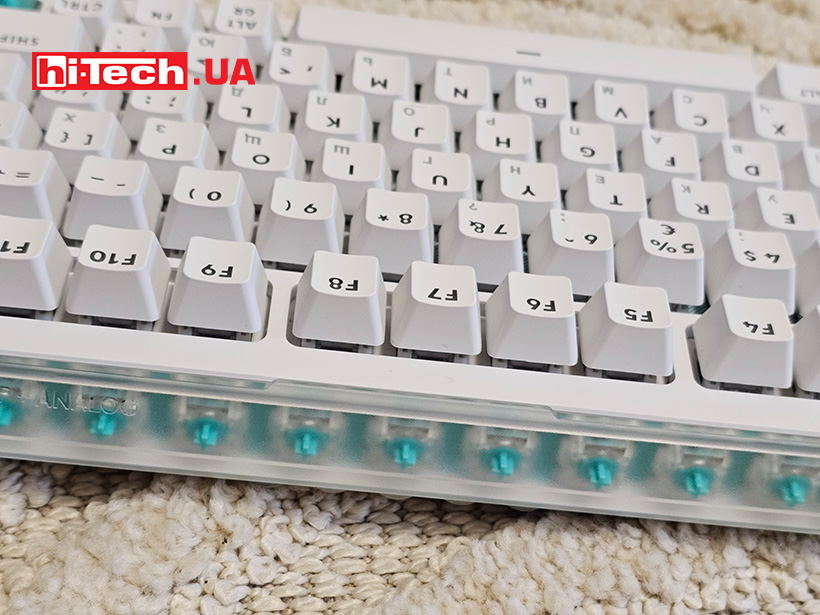
The G512 X 75 Linear keyboard version uses linear mechanical switches that move without additional tactile resistance or click. This provides a smooth and quieter stroke, suitable for both gaming and fast typing.
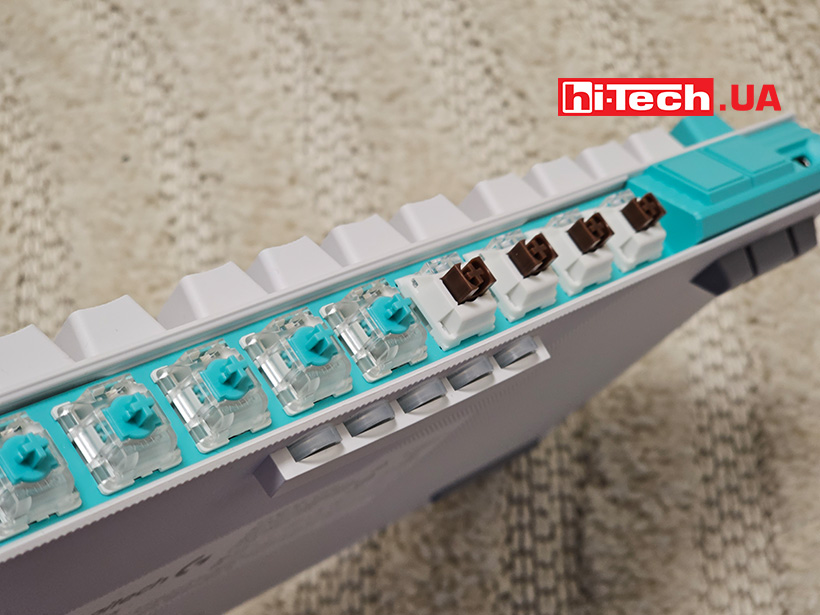
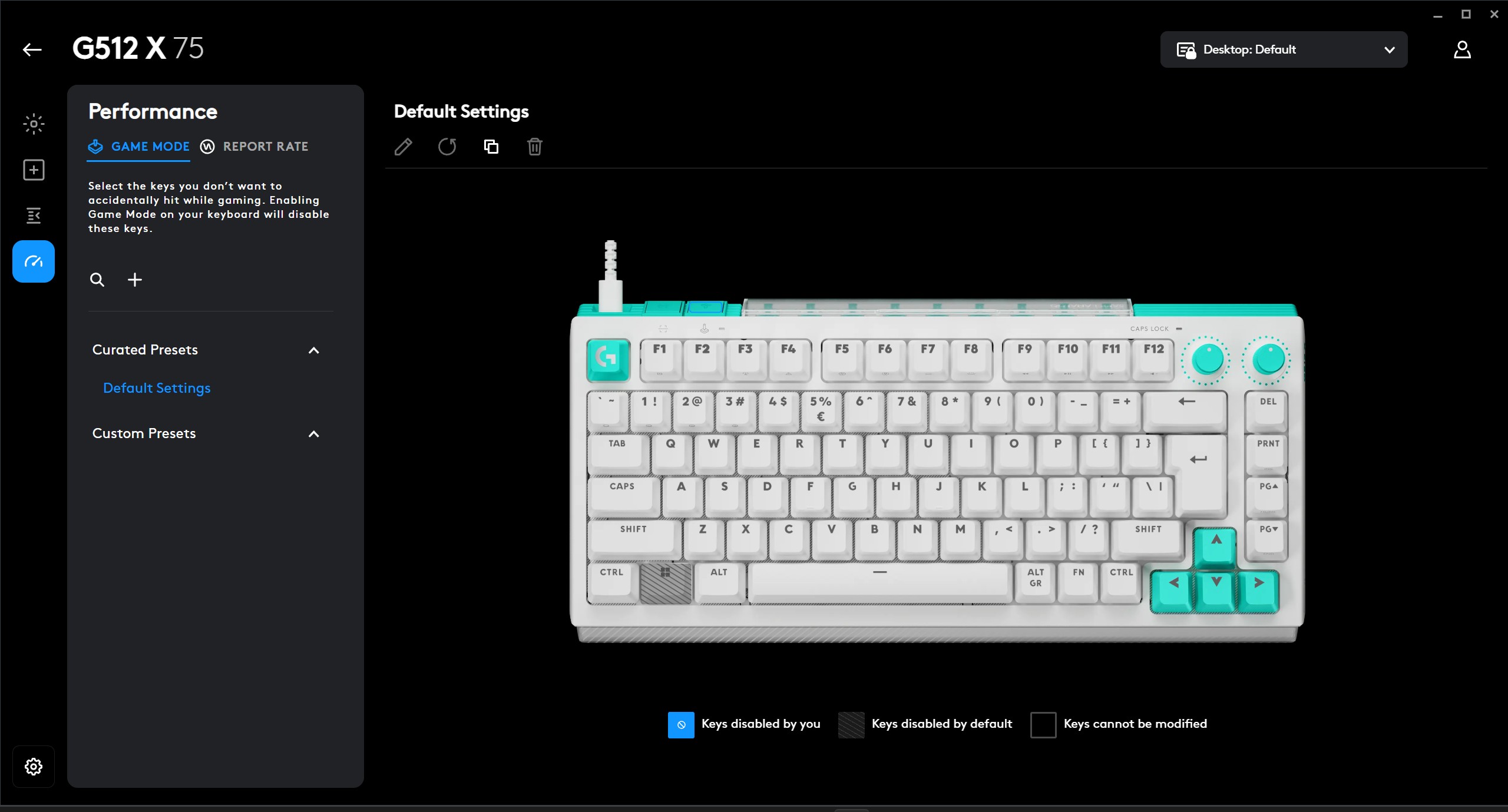
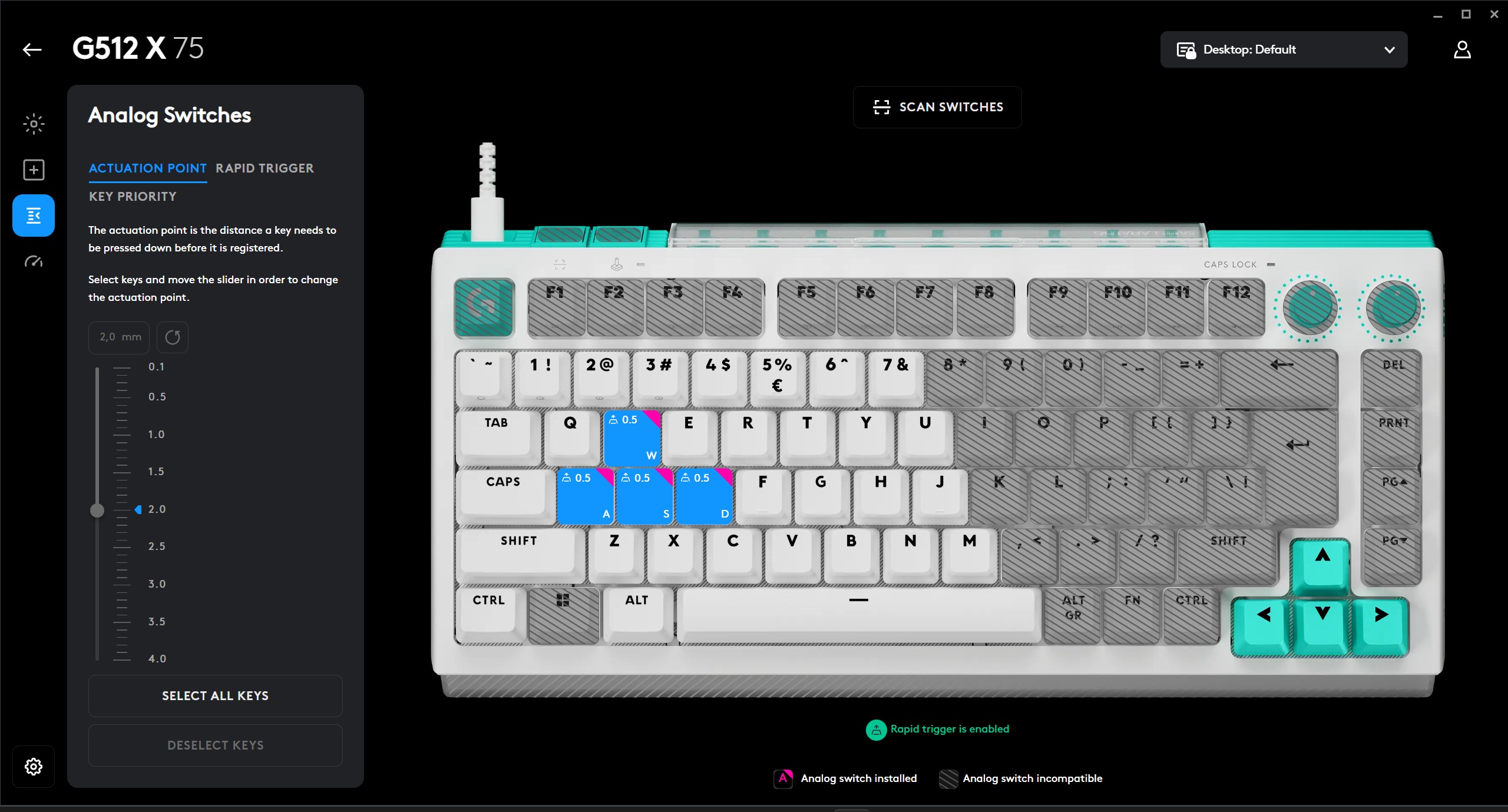
However, another notable feature of the model is the DUAL SWAP technology. It allows you to combine classic mechanical switches with magnetic analog switches within one keyboard. There are 39 buttons compatible with TMR analog sensors, and nine such switches are included in the kit. The keyboard area that supports the installation of analog switches is everything to the left and up to the “7”, “U”, “J”, “M” and spacebar buttons. In fact, these are the most frequently used buttons in games. The only exception is the “Windows” key, which players most often turn off altogether. In addition to the program, the area of the keys where you can insert analog switches is visually highlighted – on the base under the key caps.
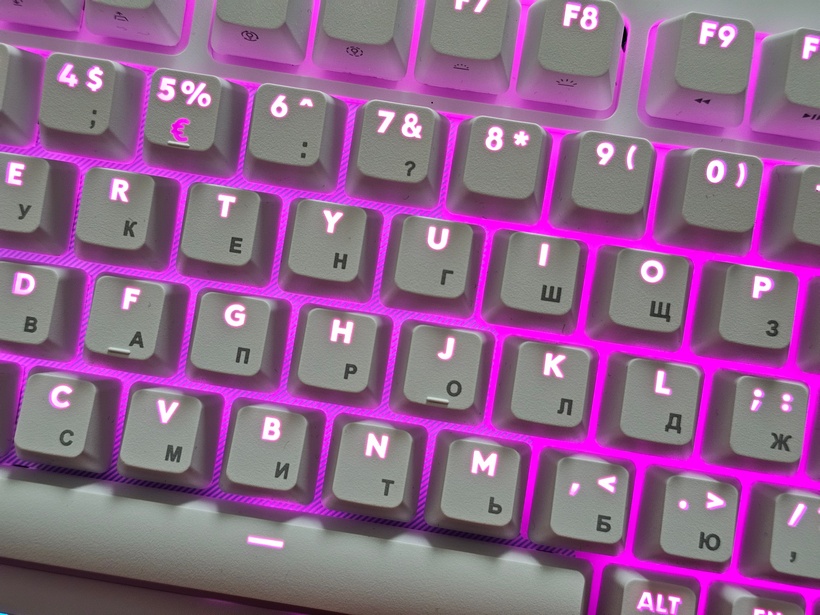
DUAL SWAP technology opens up non-standard usage scenarios. For example, the “W”, “A”, “S”, “D” keys can work as analog – with gradation of pressing force, while the rest remain classic digital. This approach is more typical for controllers, but here it is integrated into the keyboard.
The thumbwheels are by default responsible for adjusting the brightness of the key backlight and the audio volume. But in the G Hub they can be reassigned to smoothly adjust other parameters.
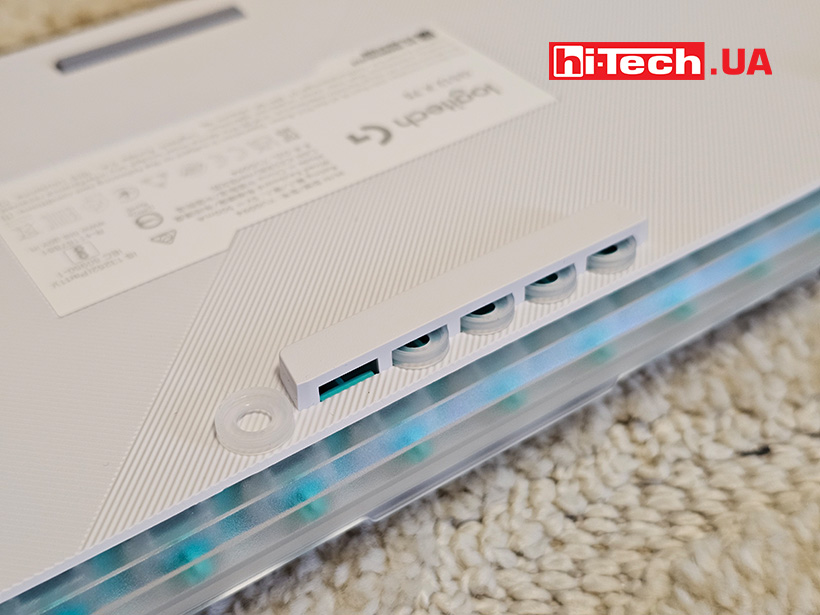
Something we haven’t seen in keyboards before – silicone spacers – SAPP rings. A kind of O-rings that allow you to tactilely separate the ranges of presses. In the utility, you can assign several functions when pressing one button. For example, in shooters, a button can make the character walk when initially pressed, and run when pressed further. So the spacer will allow you to tactilely feel the transition from one function to another.
The kit also includes interchangeable arrow and Esc keycaps, in case you don’t like the turquoise color. We would also add versions of the caps without symbols – we often encounter this tendency to minimize in appearance. The keyboard itself is available in two colors – black and white.
Precision and flexible settings
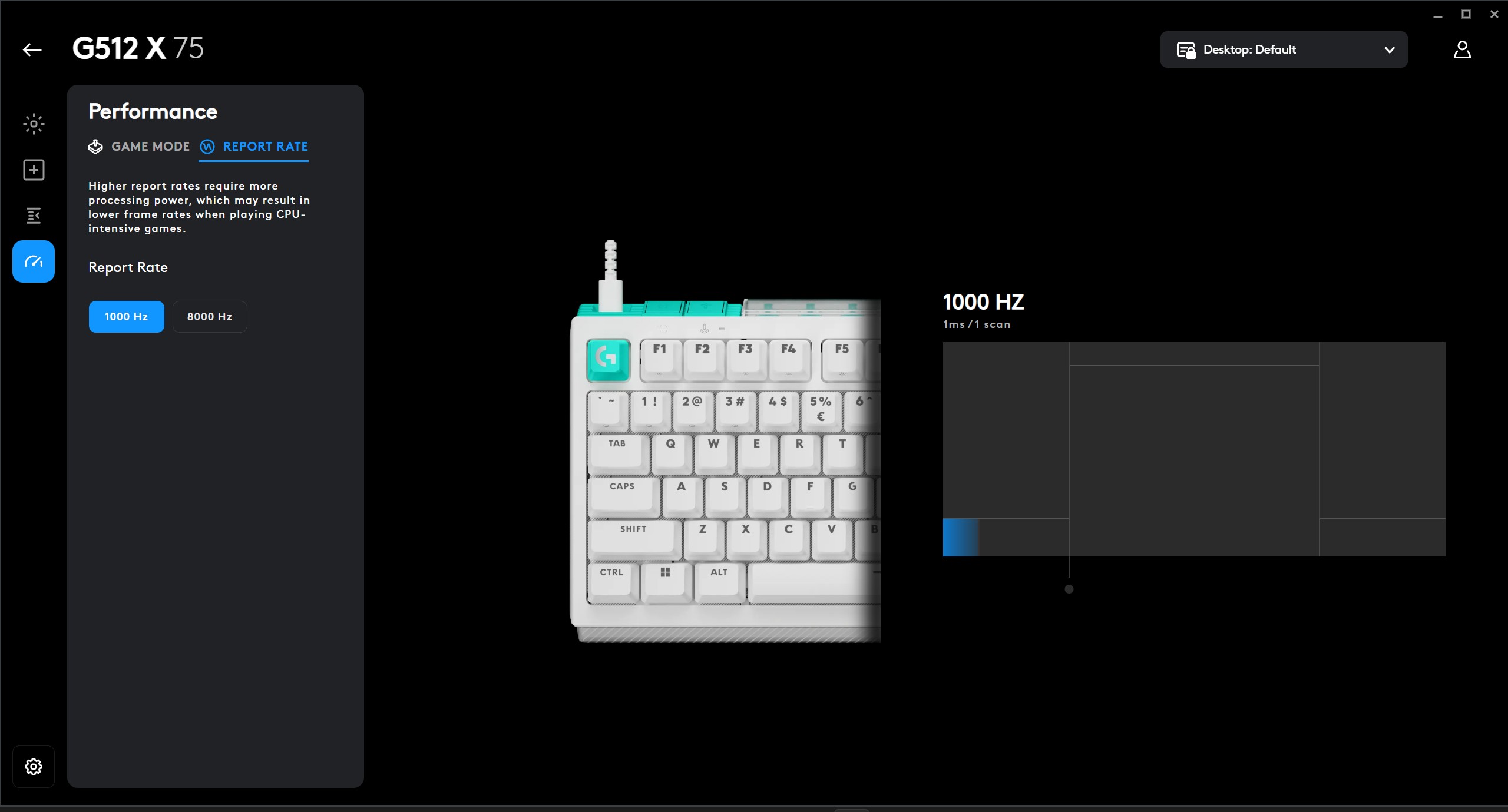
One of the key features is support for a polling rate of up to 8 kHz. This means minimal input lag — about 0.125 ms, which is important for dynamic games.
Analog switches allow you to adjust the actuation point in the range from 0.1 to 4.0 mm. This flexibility allows you to adapt the keyboard to different scenarios — from the fastest trigger to a deeper press for accuracy.
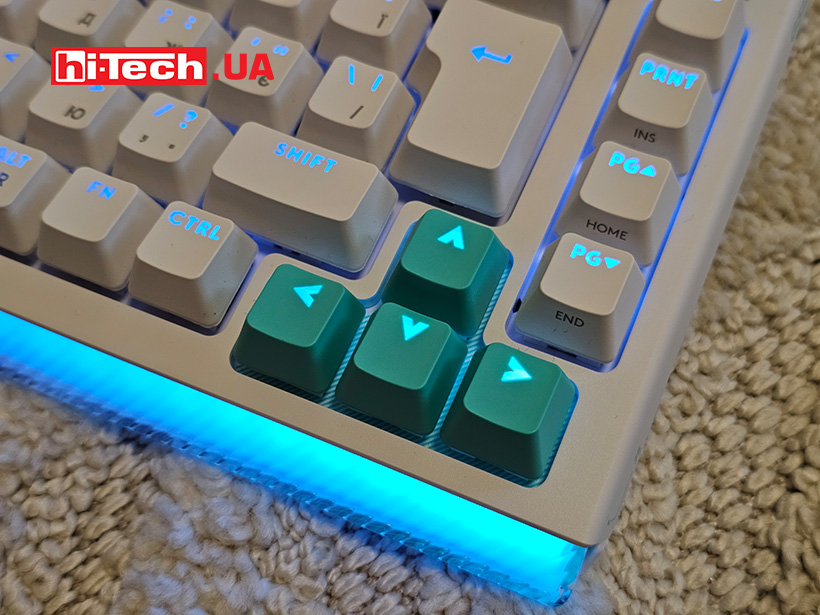
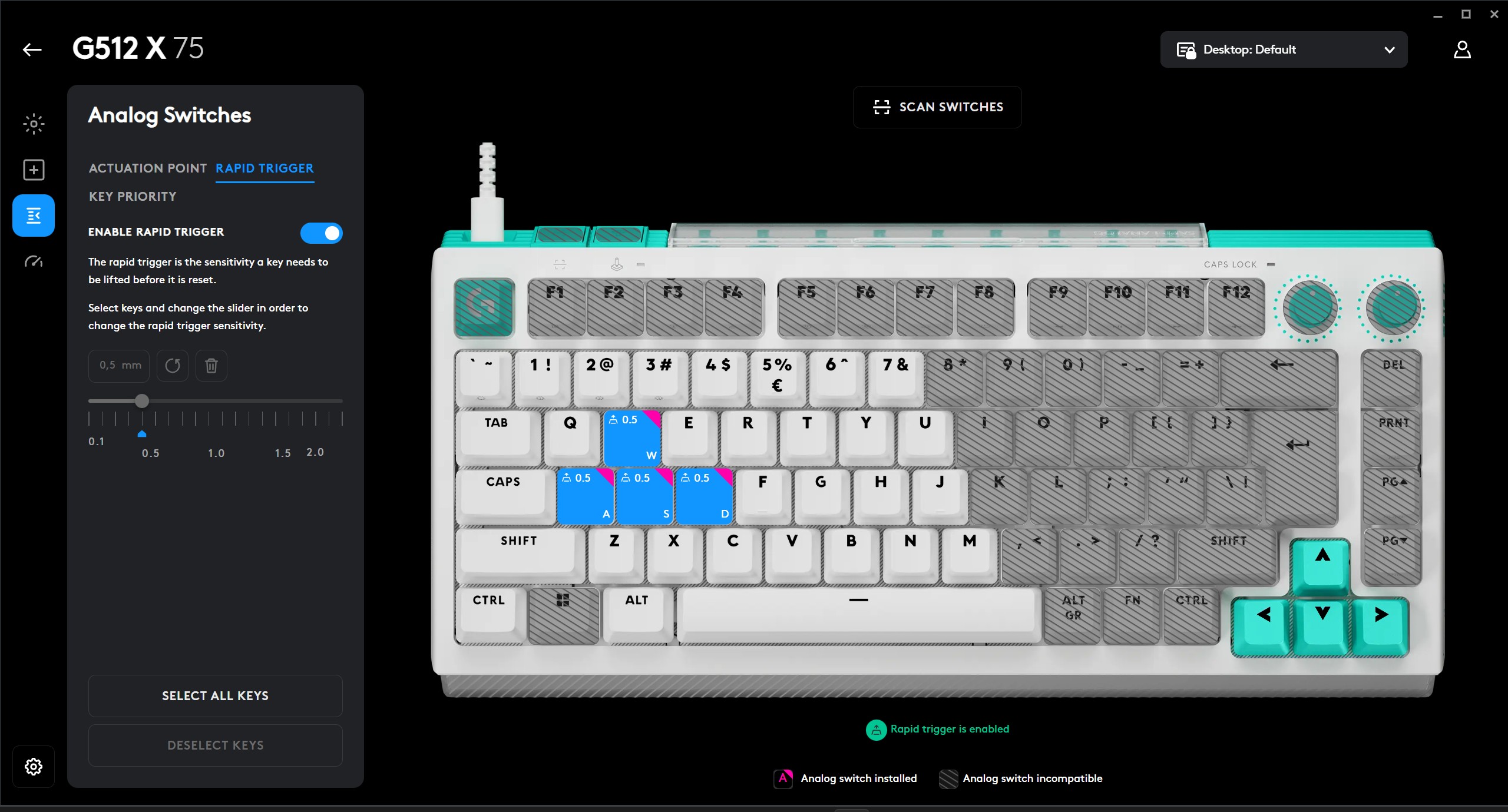
The Rapid Trigger function is responsible for instant reactivation without fully releasing the key, which is especially useful in shooters or rhythm games.
Additional buttons on top – activating game mode and scanning switches.
Game mode allows you to choose which keys will not work when pressed again for a certain period of time or disable some keys completely – such as the aforementioned “Win”.
A button to scan the installed analog switches. The keyboard will play an animation with the key backlight and briefly show which of the buttons are connected via analog switches.
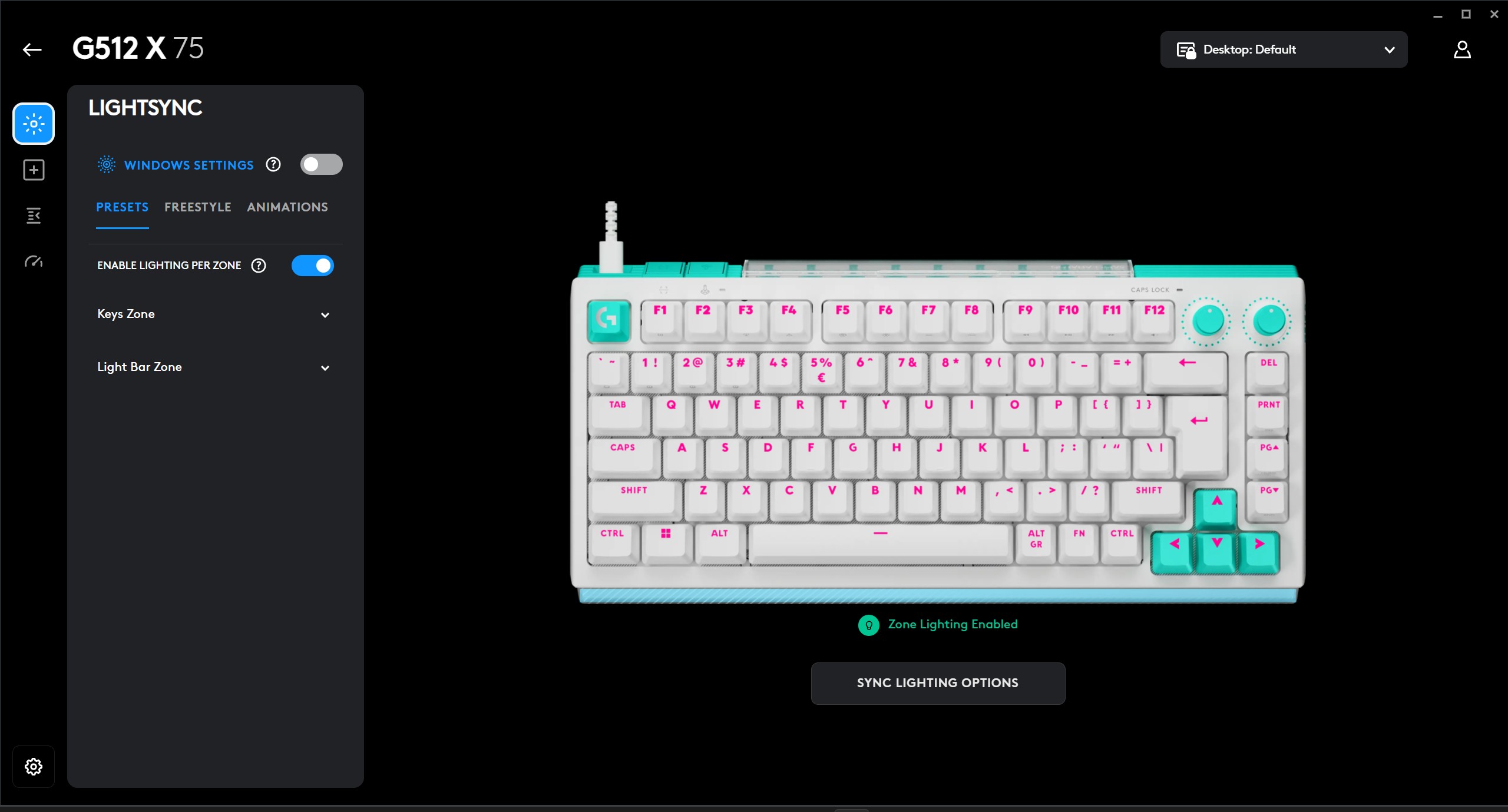
The keyboard is equipped with the LIGHTSYNC RGB system with the ability to individually configure each key and light panel. Up to 16.8 million colors and various effects are available.
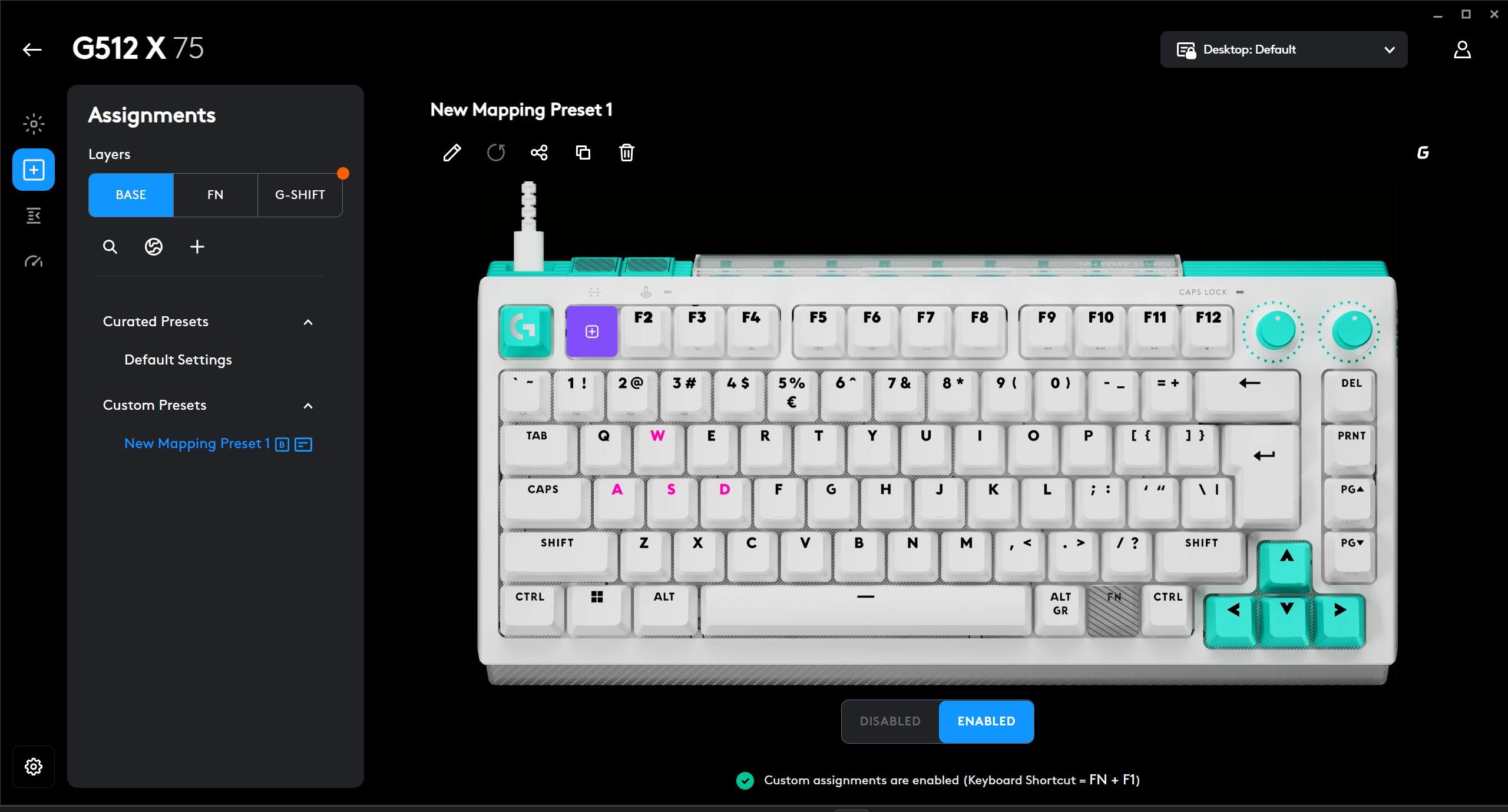
Configuration is carried out through the proprietary Logitech G Hub software. Here you can change the behavior of the keys, create macros, manage profiles and parameters of analog switches.
Impressions
The Logitech G512 X 75 Linear is not just another mechanical keyboard, but an attempt to combine two approaches to data input in one device. It offers high speed, flexible settings and an unusual hybrid concept.
At first glance, the Logitech G512 X 75 Linear seems experimental, but at the same time it is perfect. Linear switches provide smoothness, and the ability to combine with analog ones opens up a new level of control.
At the same time, the analog part does not cover the entire keyboard, but only certain areas, which may limit usage scenarios for those who expect a completely analog experience.
The compact 75% format looks balanced: functionality is preserved, but the workspace remains freer.
Perhaps the only thing missing is a palm rest. The case is quite tall and it would not interfere here.
The model is suitable for those who are ready to spend time on settings and experiments. In standard mode, it is high-quality mechanics with linear switches, but its potential is revealed precisely through the combination of technologies and fine-tuning for specific tasks.
Logitech G512 X 75 keyboard specifications
| Number of keys: | 81 + 2 adjustment wheels + 2 additional keys |
| Switches: | analog and mechanical |
| Connectivity: | USB Type-C |
| Polling frequency: | 8 or 1 kHz |
| Backlighting: | RGB with settings |
| Cable: | Detachable, 1.8 m |
| 400;”>Dimensions: | 330.2×155.2×46.6 mm |
| Weight: | 850 g |
| Compatibility: | Windows 11, MacOS 10.11 and above |
| Website link: | https://logitech.com.ua/g512-x-75-linear |
| Price: | 7999 UAH |
Rating:
+ design and ergonomics
+ analog switches
+ equipment
– no palm rest included
Read also:
- Keyboard review Gamakay TK68: assemble yourself
- Keyboard review Logitech G PRO X TKL RAPID: fine tuning


Don't miss interesting news
Subscribe to our channels and read announcements of high-tech news, tes






Oppo A6 Pro smartphone review: ambitious

 0
0 
Creating new mid-range smartphones is no easy task. Manufacturers have to balance performance, camera capabilities, displays, and the overall cost impact of each component. How the new Oppo A6 Pro balances these factors is discussed in our review.
In-Ear headphones Active Noise Cancellation: how Oppo eliminate noise
0 
In-ear headphones remain one of the most popular form factors due to their lightweight design. However, this design is considered one of the most challenging to implement active noise cancellation (ANC). We’ll explain how Oppo solved this problem.
vivo V80 Lite Surfaces With Massive 10,000mAh Battery

vivo is gearing up for the release of the V80 Lite 5G smartphone, which packs an impressive 10,000mAh battery. The official presentation is scheduled for September 3, with device design varying by market.
Nothing OS 5.0 Based on Android 17: When to Expect the Reveal?

Nothing is preparing to introduce its new Nothing OS 5.0 skin based on Android 17. Official details will be unveiled on August 25.