

Logitech MX Keys S Combo wireless keyboard and mouse set review: tactile hi-end
01.07.26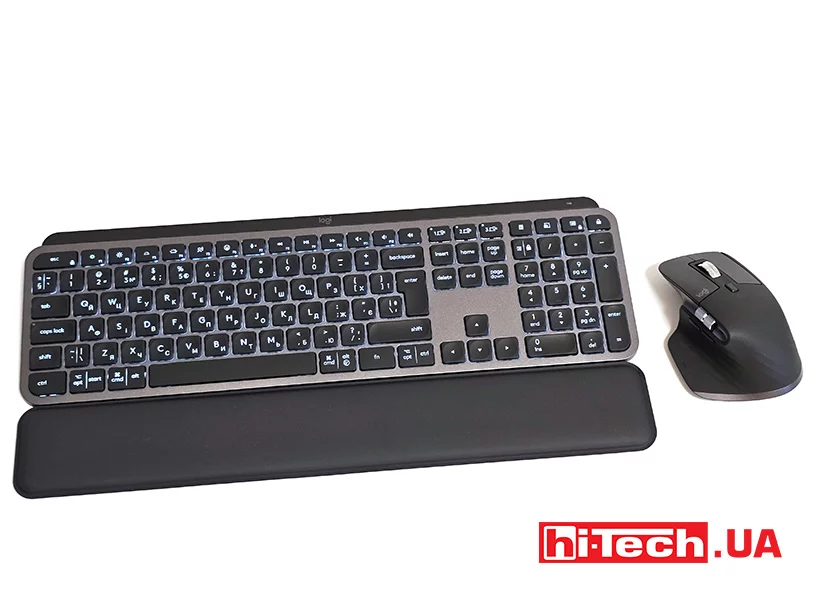
Peripheral kits often offer several devices that together cost significantly less. And such an offer is interesting not only for budget, but also for flagship devices. Logitech has offered a new version of the MX Keys S Combo.
The set includes the MX Keys S keyboard, the MX Master 3S mouse and the MX Palm Rest. The models are advanced and have many branded features. The stand favorably distinguishes this combination, because it rarely comes in a package even with flagship devices. The MX series from Logitech has long become a kind of benchmark among peripherals for professional use. It is aimed not at gamers, but at those who spend a significant part of the day at the computer: programmers, designers, analysts, editors, project managers and other specialists for whom comfort during work has a direct impact on productivity.
The set supports working with multiple devices at the same time, offers advanced customization options through the Logi Options+ software and is aimed at users who seek maximum comfort without having to select peripherals separately.
Design and ergonomics of the Logitech MX Keys S keyboard
The MX Keys S Combo gives the impression of a premium product even before connecting it to a computer. All components are made in a single style and look restrained. There are no bright accents, decorative lighting or elements characteristic of gaming models. On the contrary, the design gravitates towards the professional segment, where functionality and convenience are more important.
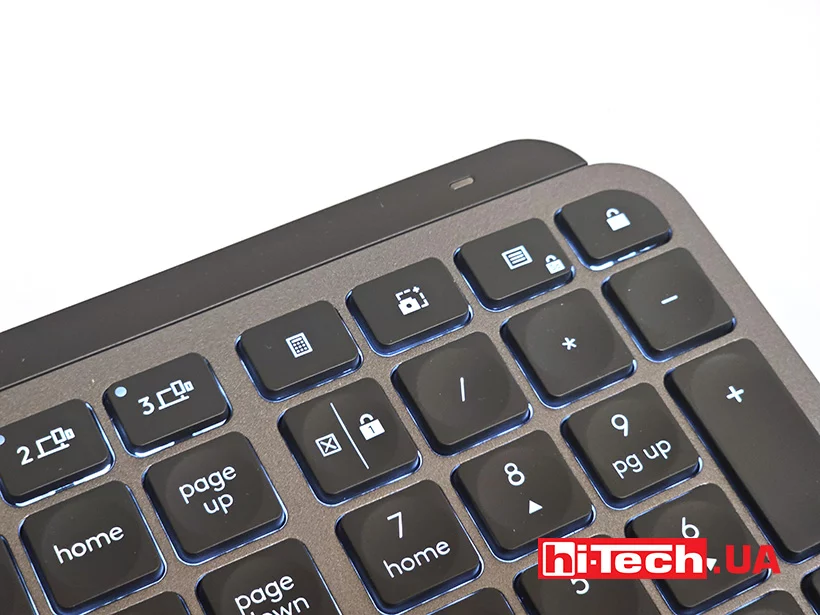
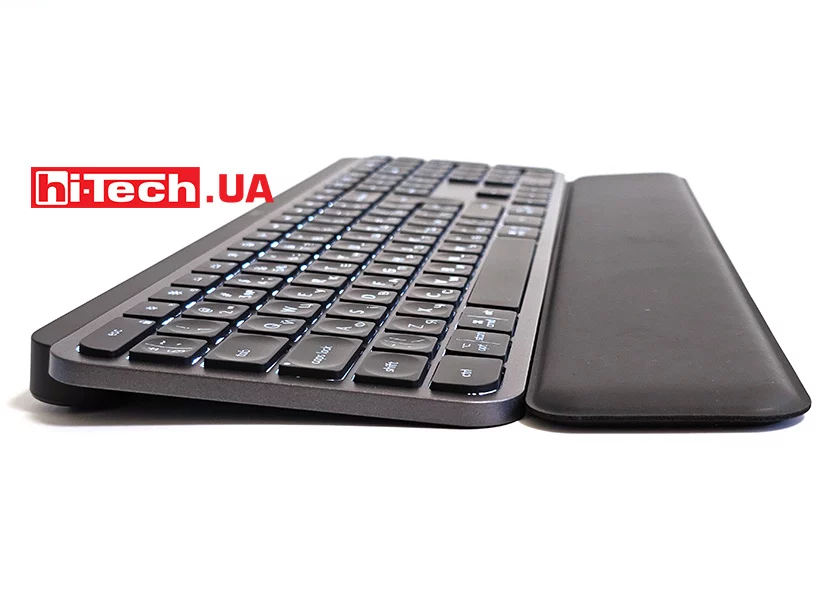
The MX Keys S keyboard has a thin body with a metal top plate. Thanks to this, it practically does not bend during operation and feels monolithic. Despite its small thickness, the device has sufficient weight for stable placement on the table.
The layout is full-size. There is a numeric keypad, separate navigation keys and a full set of function buttons. For users who work with spreadsheets, accounting programs or large amounts of data, this configuration will be an advantage.
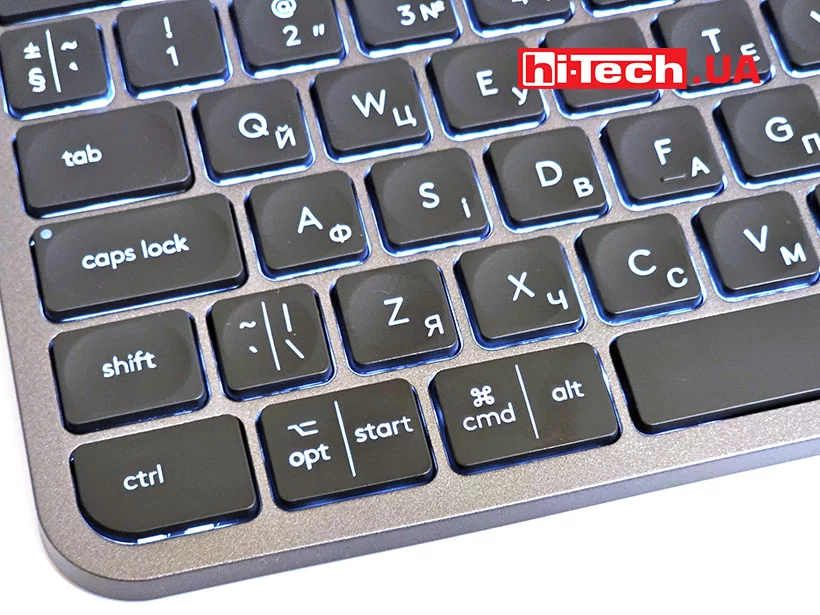
The keys have characteristic spherical recesses. This is one of the signature features of the MX series. The finger literally finds the center of the key without having to look at the keyboard. After a few days of use, typing becomes more comfortable, and the number of accidental presses decreases.
The key travel is small, but well balanced. The pressing is clear, with a pronounced tactile response. The keyboard feels like a high-quality business-class laptop solution, but with better stabilization of large keys and more predictable behavior when typing quickly.
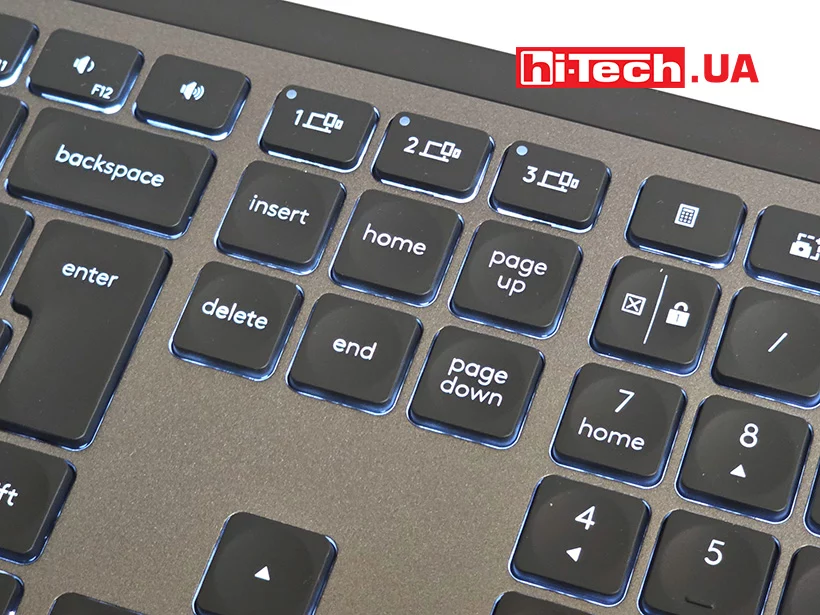
It is worth noting the automatic backlight system. Sensors detect the approach of hands to the keyboard and activate the backlight even before the first press. The brightness is automatically adjusted depending on the lighting in the room. This function seems like a trifle only at first glance, but with constant work in the evening it significantly increases comfort.
Additional comfort is provided by the complete wrist rest. It has a soft coating and sufficient area to support hands while typing. The accessory complements the keyboard well, allowing you to reduce the bending angle of your hands.
Design and ergonomics of the Logitech MX Master 3S mouse
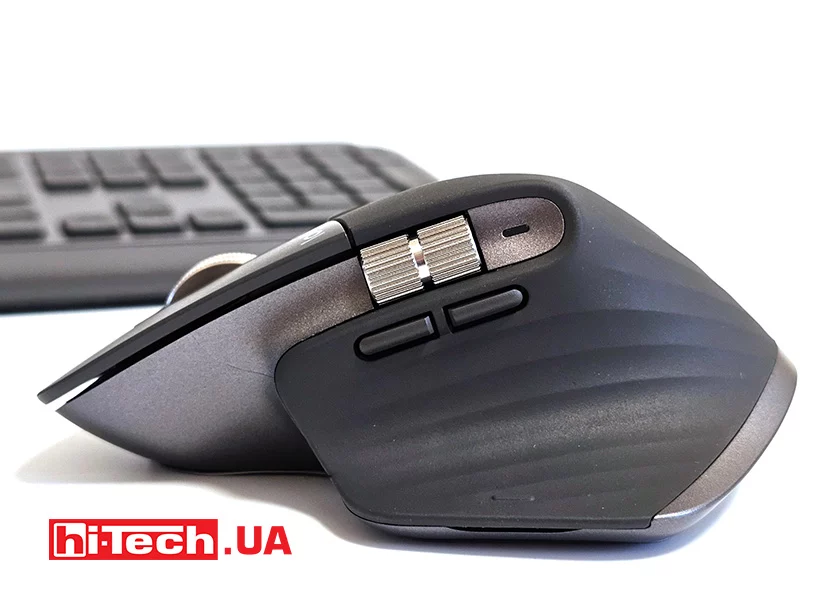
The Logitech MX Master 3S has long earned a reputation as one of the best manipulators for office and professional work.
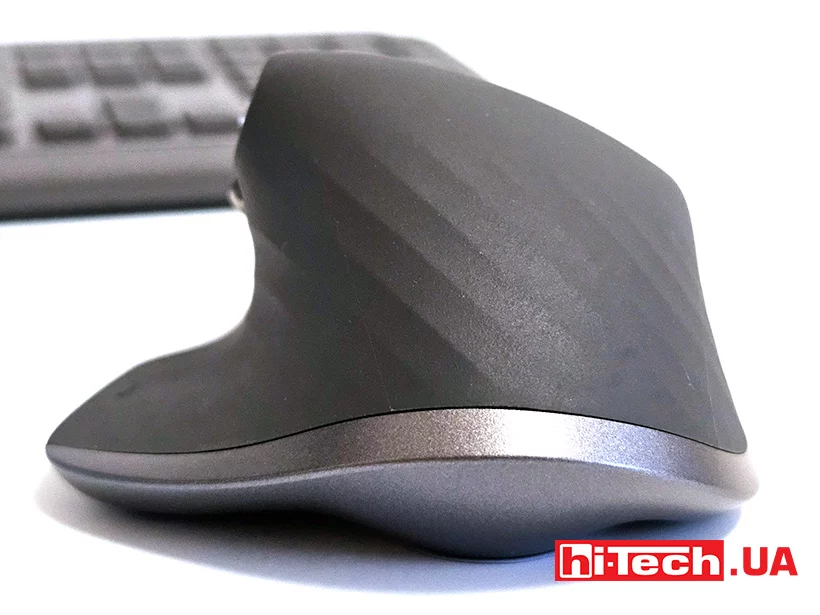
The body has an asymmetrical shape with a large support area for the thumb. The design is primarily oriented towards the right hand. At first, the mouse may seem quite massive, but after a few hours of use, it becomes clear why Logitech chose such dimensions.
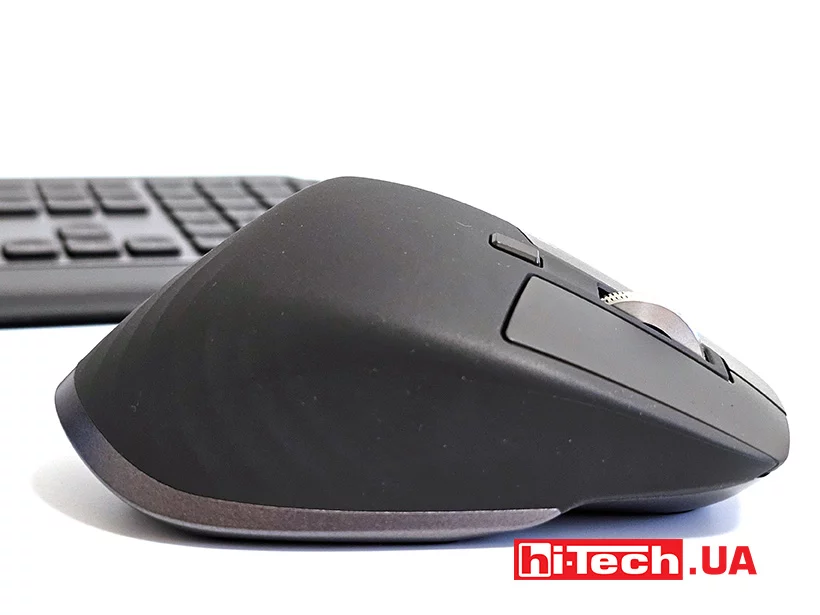
The palm rests almost completely on the body, which reduces the load on the hand during long work sessions. This is especially noticeable when working with graphics, video editing or large documents.
Equipment and features
Despite its external restraint, the MX Keys S Combo is one of the most functionally equipped sets in its class.
The keyboard supports connection via Bluetooth or the included Logi Bolt receiver. It is possible to connect to three devices simultaneously and quickly switch between them using separate keys.
Usage scenarios can be different. For example, the user works on a desktop PC and simultaneously uses a laptop and a tablet. To switch between them, just press the corresponding button without re-pairing the devices.
Autonomy is also a strong point of the keyboard. The built-in battery is charged via USB Type-C. The duration of operation depends on the intensity of backlight use, but in any case, we are talking about weeks or even months of operation without the need for recharging.
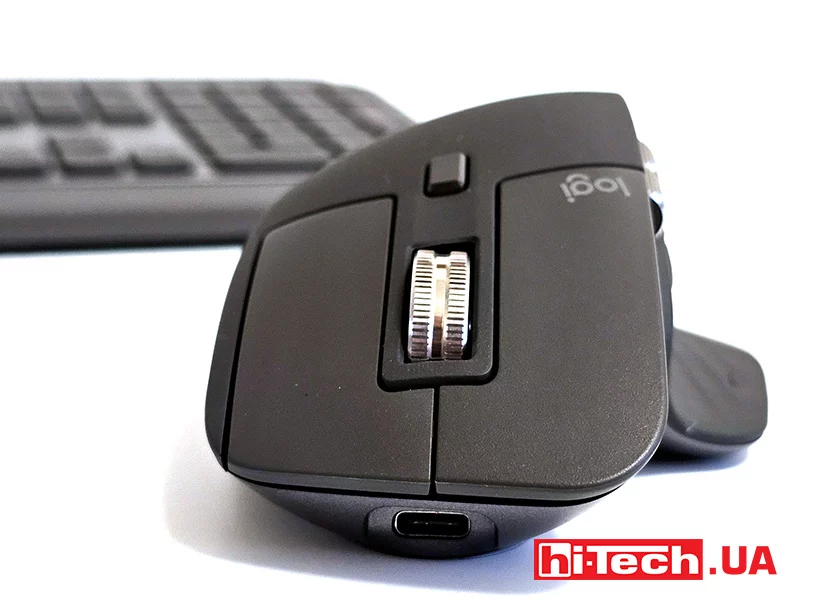
The MX Master 3S mouse is equipped with a high-precision sensor with a resolution of up to 8000 dpi. For office use, this value is even excessive, but it allows you to work comfortably with high-resolution monitors and multi-monitor configurations.
One of the most interesting features of the model remains the MagSpeed electromagnetic scroll wheel. It is capable of working in both step-by-step mode and free rotation mode.
In the first case, the user gets precise control when editing documents or tables. In the second, you can scroll through hundreds of pages of text or a large array of data in just a second.
The additional horizontal wheel under the thumb will be useful for working with timelines in video editors, wide tables or graphic projects.
The number of programmable buttons is also noteworthy. Through the Logi Options+ program, you can configure different actions for individual applications. For example, in Photoshop, buttons can be responsible for changing the scale, and in the browser – for navigating between pages.
Software
The software itself is an important part of the Logitech ecosystem. It allows you not only to reassign keys, but also to create automated scenarios, launch commands with a single click, and customize the behavior of devices for different programs.
Another useful feature is Flow. It provides work with multiple computers at once, allowing you to move the cursor between them as if it were a single workspace. Text, files, and other data can be transferred along with the cursor. For users who work with several systems at once, this feature can significantly simplify workflows.
Impressions
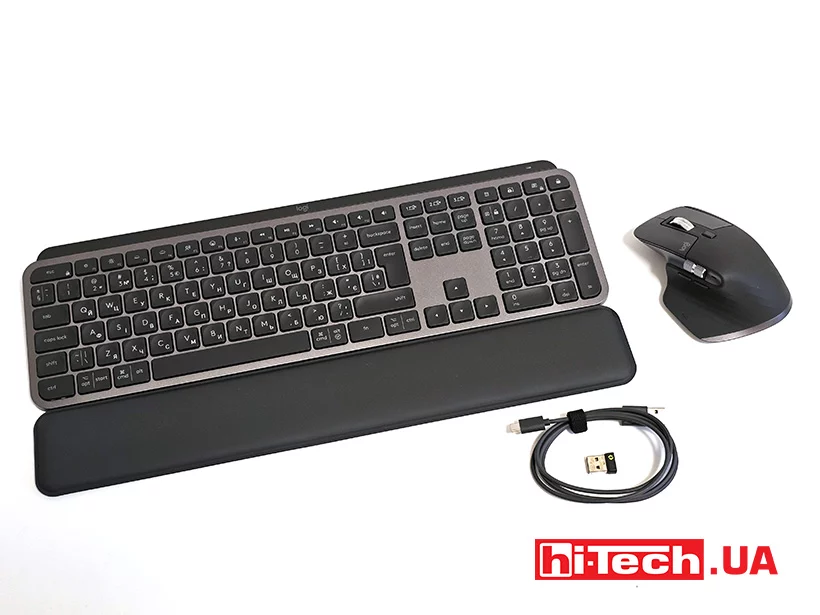
Logitech MX Keys S Combo leaves the impression of a well-thought-out set of tools
The Logitech MX Keys S keyboard belongs to the premium segment and does not claim to be a mass solution. However, for those who spend many hours at the computer every day and consider the peripheral as a working tool, not a secondary accessory, such a set looks like a completely justified investment. The keyboard demonstrates an excellent balance between compactness and functionality. It does not take up too much space on the desk, but at the same time offers a full layout and a high level of comfort when typing.
The Logitech MX Master 3S mouse confirms its status as one of the best wireless models for professional work. It is equally well suited for office tasks, creative applications and complex work scenarios where accuracy and speed of navigation are important. The integration of all components through a single software platform is especially nice. The user receives not just separate devices, but a full-fledged ecosystem with the possibility of deep customization.
In conclusion, the Logitech MX Keys S Combo can be recommended to users who value ergonomics, quality of workmanship and wide personalization options. This is one of those sets that do not try to impress with bright effects, but quickly accustom to a high level of comfort, which is difficult to give up later.
Characteristics of the Logitech MX Keys S Combo keyboard and mouse
| Keyboard battery: | 1500 mAh, Li-Po |
| Keyboard connection: | USB Type-C |
| Backlight: | yes |
| Cable: | removable, 1.8 m |
| Keyboard dimensions: | 430.2 × 131.63 × 20.5 mm |
| Keyboard weight: | 810 g |
| Number of mouse keys: | 7 |
| Sensor: | Darkfield |
| Mouse battery: | 500 mAh, Li-Po |
| Mouse dimensions: | 124.9 × 84.3 × 51 mm |
| Mouse weight: | 141 g |
| Logi Bolt receiver dimensions: | 18.4 × 14.4 × 6.6 mm |
| Number of simultaneously connected devices: | 3 |
| Compatibility: | Windows 11, MacOS 10.11 and higher |
| Logi Bolt receiver weight: | 2 g |
| Website link: | https://logitech.com.ua/mx-keys-s-combo |
| Price: | 7499 UAH |
Rating:
+ ergonomics
+ functionality
+ cost
+ stand included


Don't miss interesting news
Subscribe to our channels and read announcements of high-tech news, tes





Oppo A6 Pro smartphone review: ambitious

 0
0 
Creating new mid-range smartphones is no easy task. Manufacturers have to balance performance, camera capabilities, displays, and the overall cost impact of each component. How the new Oppo A6 Pro balances these factors is discussed in our review.
Oppo Reno16 Pro 5G smartphone review: well-heeled
0 
Oppo Reno16 Pro 5G looks like a balanced smartphone, in which the manufacturer tried not to make a single characteristic the defining one. It has many advantages. Let’s tell you what
New Lenovo Yoga Lineup Debuts With NVIDIA RTX Spark Chips

Lenovo unveiled two new Yoga laptops at IFA 2026: the Pro 9n and 9n 2-in-1. The devices feature a 20-core NVIDIA RTX Spark chip and OLED displays.
Lexar Unveils Muse: The World’s Thinnest Portable SSD at Just 1mm
Lexar has announced the ultra-thin Muse portable drive, featuring a chassis that measures just 1mm at its thinnest point. The device stands out with its unique magnetic interface and stylish design.