

Logitech Signature Comfort Plus Combo MK880 review: comfort in priority
20.07.26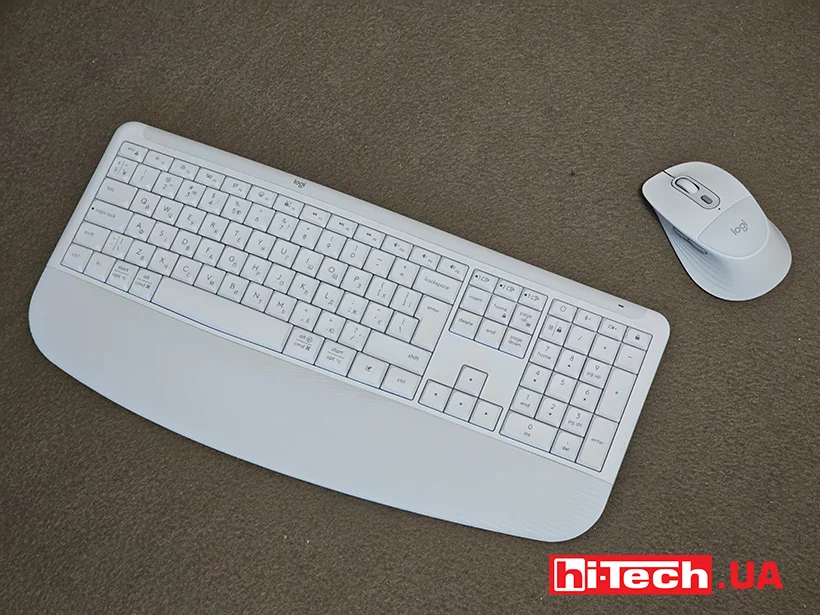
A modern workplace has long ceased to be just a desk with a computer. For many users, it has become the center of daily activity, where work meetings are held, documents are created, correspondence is conducted, and creative projects are implemented. It is for this scenario that Logitech has introduced the new Signature Comfort Plus Combo MK880 – a wireless keyboard and mouse set that focuses not on record speed or gaming capabilities, but on comfort during long hours of work.
We got acquainted with the new product and found out whether comfort can really be a key advantage of modern peripherals.
Ergonomics and layout
At first glance, the MK880 keyboard does not try to attract attention with an aggressive design. There is no RGB backlight, futuristic shapes, or bright decorative elements. Instead, the set demonstrates a restrained and practical approach.
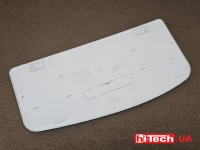
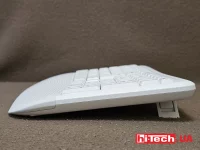
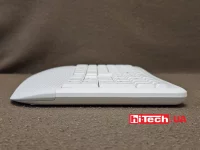
The keyboard has increased dimensions – 444 × 212 mm with a weight of about 790 g including batteries. It takes up a lot of space on the table, but a significant part of the case is allocated for the integrated wrist rest. It is she who immediately attracts attention thanks to the soft two-layer filler and the smooth curvature of the case.
The M850L mouse looks unusual for classic office models. Its case has a pronounced asymmetric shape for the right hand, and the lower part is complemented by a special soft cushion under the palm. This is the first time Logitech has used this solution in its peripherals.
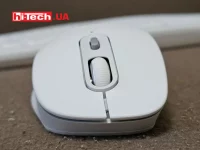
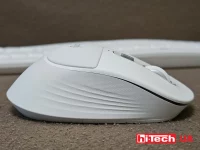
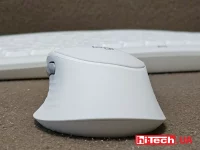
Logitech Signature Comfort Plus Combo MK880 keyboard

Logitech has not experimented with radical ergonomic schemes such as split key blocks. Instead, engineers tried to make the traditional layout as comfortable as possible for long-term work.
The keyboard body has a natural curve that helps the hands take a more relaxed position. The keys have received increased height and deep travel, due to which typing resembles working with classic Logitech office models. According to the manufacturer, the design is focused on preserving the familiar typing feeling without the need to adapt to the new key geometry.
The wrist rest deserves special attention. It occupies the entire width of the case and uses a two-layer foam base. Logitech claims that this design provides a significantly larger palm support area compared to some previous models of the company.
The user can change the keyboard angle between three positions: 0°, 4° and 8°. This allows you to choose a fit depending on the height of the table and individual preferences.
Logitech M850L mouse
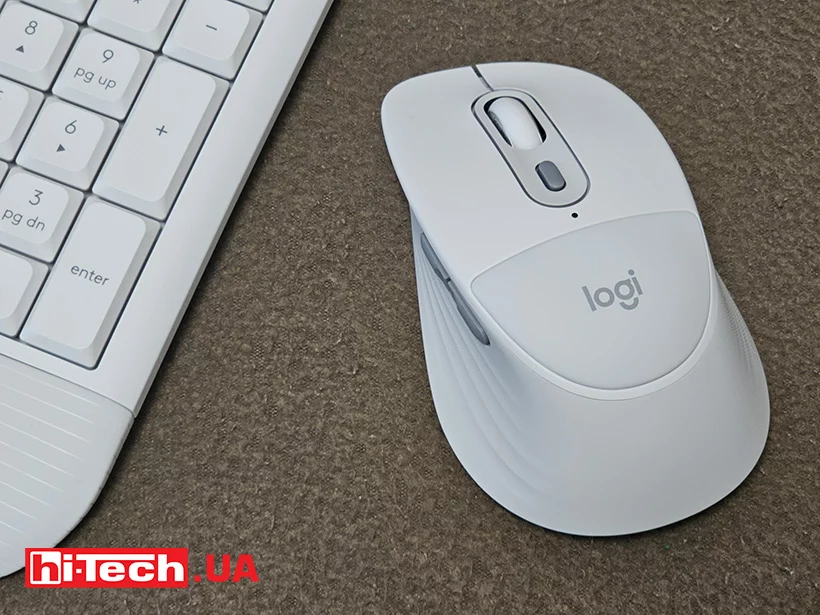
Perhaps the most unexpected thing about the Logitech MK880 mouse is the soft palm rest. It doesn’t look like a separate accessory or pad — on the contrary, it is an organic part of the design. Combined with the rubberized sidewalls and wide body shape, this creates a rather interesting feeling while working.
The left and right buttons work quietly thanks to Silent Touch technology, which is especially important for open offices or home workplaces. The SmartWheel scroll wheel automatically switches between step-by-step mode and fast scrolling through long documents or web pages.
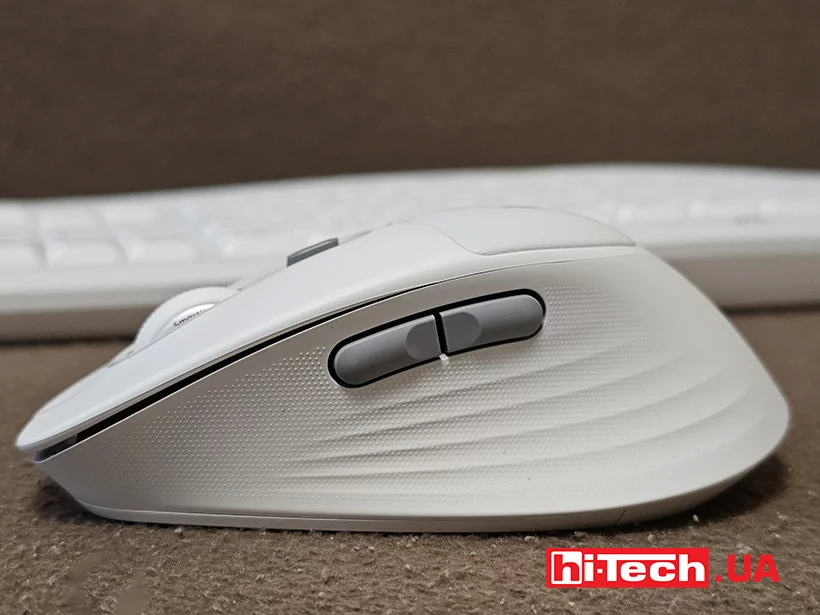
Six buttons are installed, including navigation keys and a button to change the sensitivity of the sensor. The optical sensor supports settings from 400 to 4000 DPI in 50 DPI increments. For office peripherals, this is more than enough power, even for working on large, high-resolution monitors.
Work with multiple devices
One of the most useful features of the kit is support for simultaneous connection to three devices.
The MK880 works via Bluetooth Low Energy or the included Logi Bolt USB-C receiver. Using the Easy-Switch keys, you can instantly switch between a laptop, desktop PC and tablet. For a modern hybrid work scenario, this is a really convenient feature that eliminates the need to use multiple peripheral sets.
Compatibility is provided with various operating systems, which makes the set a universal solution for a mixed Windows and macOS environment.
Quick actions, AI and video conferencing
Logitech actively integrates the capabilities of modern services into its peripherals, and the MK880 is no exception.
A separate key for launching AI assistants has appeared on the keyboard, as well as special buttons for controlling the microphone and camera during video calls. Through the Logi Options+ software, the user can customize action combinations, create their own automation scenarios, and reassign buttons to suit their work tasks.
For those who constantly work with conferences, documents, and e-mail, such little things quickly turn into noticeable time savings.
Autonomy
Another strong point of the kit is the long operating time without replacing the batteries.
The keyboard uses two AAA batteries, and the mouse runs on one AA battery. The claimed resource is up to three years for the keyboard and up to two years for the mouse, depending on the intensity of use.
In a world where most devices have to be regularly charged, such autonomy seems like a nice advantage.
Impressions
The Logitech Signature Comfort Plus Combo MK880 does not try to be a universal solution for all categories of users. This is a set for those who spend most of the day at the computer and are ready to invest in their own comfort.
The keyboard offers familiar ergonomics without long-term getting used to, and the mouse with a soft palm rest becomes the most unusual and at the same time the most interesting element of the set. Add to this support for three devices, quiet operation, programmable functions and many years of autonomy – and we get one of the most interesting Logitech office sets of recent times.
Logitech Signature Comfort Plus Combo MK880 Keyboard and Mouse Features
| Connectivity: | Logi Bolt USB-C, Bluetooth LE |
| Battery: | 2 AAA |
| Backlight: | yes |
| Cable: | detachable, 1.8 m |
| Keyboard dimensions: | 444 × 211 × 30 mm |
| Keyboard weight: | 790 g |
| Compatibility: | Windows 11, MacOS 10.11 and above |
| Number of mouse keys: | 7 |
| Sensor: | optical |
| Battery: | 1 AA |
| Mouse dimensions: | 121 × 74 × 44 mm |
| Mouse weight: | 103 g |
| Logi Bolt receiver dimensions: | 13 × 14 × 7 mm |
| Logi Bolt Receiver Weight: | 1 g |
| Website Link: | https://www.logitech.com/en-us/products/combos/signature-mk880-combo-business.920-013971.html |
| Price: | $110 |
Rating:
+ palm rests in keyboard and mouse
+ price

Don't miss interesting news
Subscribe to our channels and read announcements of high-tech news, tes




Oppo A6 Pro smartphone review: ambitious

 0
0 
Creating new mid-range smartphones is no easy task. Manufacturers have to balance performance, camera capabilities, displays, and the overall cost impact of each component. How the new Oppo A6 Pro balances these factors is discussed in our review.
Oppo Reno16 Pro 5G smartphone review: well-heeled
0 
Oppo Reno16 Pro 5G looks like a balanced smartphone, in which the manufacturer tried not to make a single characteristic the defining one. It has many advantages. Let’s tell you what
Gemini, Keep, and Motion Assist: The New Android Drop Features

Google introduced a fresh package of Android Drop updates for smartphone users, including AI integration in search, new messaging capabilities, and health-related features.
Acer Predator Atlas 7: A New Handheld With 24GB RAM and 1TB SSD

At IFA 2026, Acer introduced the Predator Atlas 7, an updated 7-inch handheld gaming console.