

Samsung One UI 8.0 – details about update
08.08.25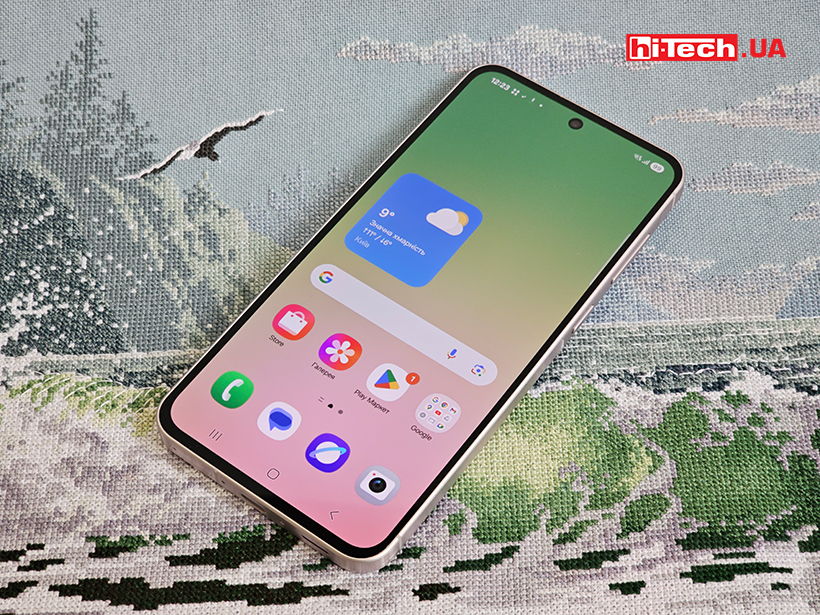
Samsung is finalizing work on One UI 8, its next major software update for smartphones. The update is based on Android 16 and includes a number of key changes to the interface, functionality, and system architecture.
New DeX based on Android 16
Samsung has redesigned DeX mode, transferring it to the Desktop Mode feature built into Android 16. This means that now the phone can be connected to a monitor, keyboard, and mouse for full-fledged windowed operation like on a PC. This solution will simplify support and the number of compatible applications will increase, since the feature has become part of Android, and not exclusive to Samsung devices.
Updated Quick Share
The quick file sharing feature has a new full-screen interface with the Send and Receive tabs. File transfers can now be started not only from the gallery, but also directly from the quick settings panel. A carousel of recommended devices and the ability to share without logging into a Samsung account have appeared.
Multitasking
Split-screen mode has become more customizable. Now you can display one application on 90% of the screen, leaving the second in a narrow strip. If necessary, the second window can be temporarily hidden and returned with one tap. This is especially convenient in cases where one of the applications requires a keyboard or takes up a lot of space.
Android Private Space Secure Folder
The Secure Folder feature now works on the basis of Android Private Space, a mechanism introduced in Android 15. Thanks to deep integration with the encryption system, it has become more reliable, and support for updates has become easier and faster.
Now Bar with Live Updates
The branded Now Bar panel, which appeared in One UI 7 as an analogue of Dynamic Island on the iPhone, now supports the Android 16 Live Updates standard. This allows, for example, to display the progress of a delivery or trip in real time. Application developers do not need to make any changes – they just use standard Android APIs. Now Bar automatically updates contextual cards: reminders, order statuses, events, etc.
Samsung expands the One UI 8.0 shell testing program Next week, owners of 13 more smartphone models will be able to install the update:
- Galaxy A35
- Galaxy A36
- Galaxy A54
- Galaxy A55
- Galaxy S23
- Galaxy S23 Plus
- Galaxy S23 Ultra
- Galaxy S24
- Galaxy S24 Plus
- Galaxy S24 Ultra
- Galaxy Z Flip 5
- Galaxy Z Fold 5
- Galaxy Z Fold 6
In the first phase, the beta firmware will be available to users from four countries: India, South Korea, the UK and the US. Until now, the public beta version of One UI 8.0 was only available for the flagship Galaxy S25 line.
Don't miss interesting news
Subscribe to our channels and read announcements of high-tech news, tes

Oppo A6 Pro smartphone review: ambitious

 0
0 
Creating new mid-range smartphones is no easy task. Manufacturers have to balance performance, camera capabilities, displays, and the overall cost impact of each component. How the new Oppo A6 Pro balances these factors is discussed in our review.
Acer Nitro Lite 16 (NL16-71G) laptop review: versatile and attractive
0 
The 2025 Acer Nitro Lite 16 features an interesting case design, gaming accents, and proven components. Let’s take a closer look at its features.
IDC: Memory crisis will collapse the smartphone market and make it impossible to release models for $100 business IDC ram smartphone statistics
According to IDC, some Android manufacturers have already raised prices by 10–20% in January 2026, as well as reduced model lines
Ukrainian Company DeViro Unveils New SOKYRA Interceptor Drone DeViro interceptor drone SOKYRA

Ukrainian defense company DeViro has presented the SOKYRA interceptor drone, capable of reaching speeds of 240 km/h with an operational range of 45 km.