

How to disable AI in Google Search: instructions for the web, Android, and iOS
16.02.26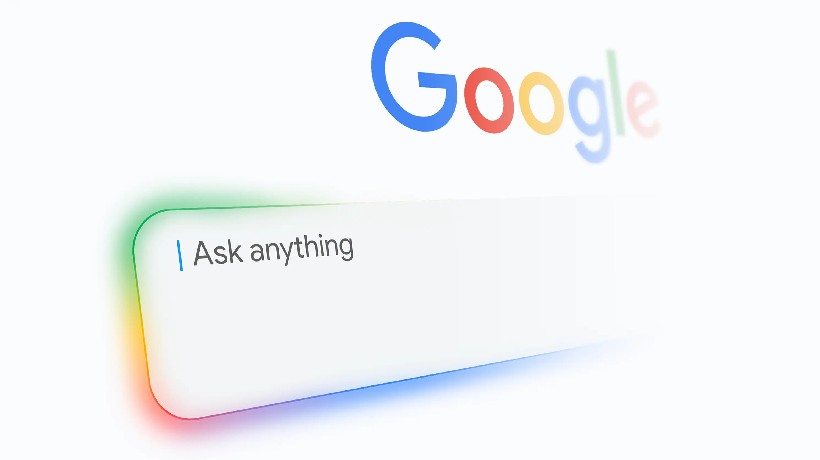
Not all users are happy with the appearance of AI-powered quick answers in browser search results. Some question the accuracy of the information, while others point out potential errors and so-called “hallucinations” of the algorithms. A website article on Neowin collects methods for removing AI-generated answer blocks from search results and returning to a familiar web search format.
Some users want to bypass these answers and restore the classic search results structure without automated summaries. The article notes that one of the simplest options is adding the “-ai” suffix to the search query. However, this method requires additional steps for each search and may become inconvenient over time. Other methods require more careful browser configuration and some time, as the search engine does not provide a simple way to disable the feature.
Using Browser Extensions and Manual Configuration
The publication states that the most effective option remains the use of browser extensions that automatically hide AI Overviews blocks in search results. Some of these extensions allow you to completely prevent AI-generated summaries from appearing. Some solutions, according to the developers, do not collect user personal data and work after simple installation and activation.
Manual configuration methods are also described. One of them involves changing the default search engine URL in the browser settings. If you add a parameter to the default URL that disables AI mode, the browser will use the classic search results without automatically generated answers.
Alternative Option with a Bookmarklet
An alternative is to create a bookmarklet—a bookmark with embedded JavaScript code. Once launched, a pop-up window appears for entering a query, and the results open in the web search section without AI Overviews. This method allows you to bypass the standard search results and go directly to the results without AI intervention.
Limitations on Mobile Devices
On mobile devices, the ability to disable AI Overviews remains limited. The official Google app doesn’t have a separate setting to completely disable AI-powered search mode. On iOS, one option is to create a similar bookmarklet and add it to the home screen via the shortcuts system, which will then allow searches without generative summaries.
On Android, the situation is different. The Chrome browser doesn’t support scripts in bookmarks, so bookmarklets don’t work. In this case, users are prompted to create a shortcut on the home screen that leads to a special URL with classic search parameters. When launched, this shortcut opens the search page without AI Overviews, allowing them to enter queries as usual.
Market Reaction and Alternative Services
Amid the discussions around AI search, other companies are also experimenting with similar features. DuckDuckGo, a search engine, previously held a public user vote on whether to implement or disable AI-powered responses. Meanwhile, Google continues to integrate generative technologies into its own services, including Gmail, which is introducing AI-powered email processing features.
Thus, the spread of generative responses in search and other online services is provoking a mixed reaction from users. Some users are adapting to the new capabilities, while others continue to seek ways to maintain their familiar web experience without the intervention of AI algorithms.
Don't miss interesting news
Subscribe to our channels and read announcements of high-tech news, tes

Oppo A6 Pro smartphone review: ambitious

 0
0 
Creating new mid-range smartphones is no easy task. Manufacturers have to balance performance, camera capabilities, displays, and the overall cost impact of each component. How the new Oppo A6 Pro balances these factors is discussed in our review.
One UI 8.5 Gives Older Samsung Phones a New Lease on Life — Here’s What the Update Brings
0 
One UI 8.5 brings features once exclusive to Samsung’s newest flagships to older Galaxy devices. But can the update really make the Galaxy S22, S23 and S24 feel closer to the Galaxy S26 experience? Here’s what actually changes after installing the new firmware.
Samsung Health adds Vitals, Cardio Load and Hearing Health to Galaxy Watch
Samsung has announced a major update to the Health app that adds a number of advanced features to the Galaxy Watch.
Video games every day: 67% of Americans play every week

The Entertainment Software Association (ESA) has released a detailed new report that reveals the incredible influence the gaming industry has on American society.