

Adobe Photoshop gets AI assistant
28.04.25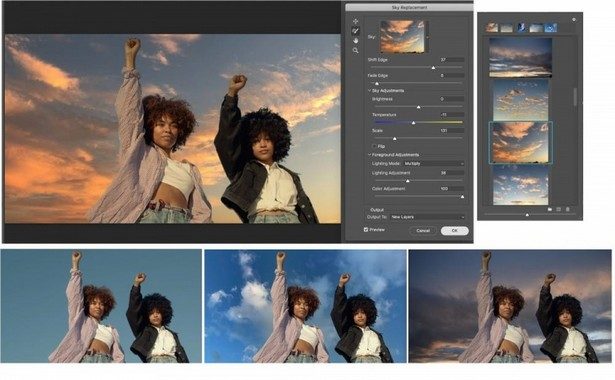
Adobe has introduced a new AI assistant for Photoshop – a tool that can not only explain how to work with the editor’s functions, but also perform actions at the user’s request. According to Engadget, access to the assistant will be opened through the action bar, where a window will appear in the format of a chatbot. Users will be able to ask any question, from “how to cut an object” to “how to change the background color”, and the agent will give step-by-step instructions or do everything themselves with a visual demonstration.
During the presentation, Adobe showed how the AI assistant applies a color gradient to text and background. Similar capabilities will soon appear in other company products, including Premiere Pro.
In addition, Adobe announced an updated version of its Firefly platform with support for generating video, audio, images and vector graphics. First of all, the functions will appear in the web version, and later in applications for iOS and Android.
The Firefly Image Model 4 and Image Model 4 Ultra generative models have also been updated. The latter is capable of creating images with a resolution of up to 2K and, according to the company, provides one of the best implementations of human figure generation. At the same time, Adobe emphasizes that the training of the models was carried out exclusively on legal materials, without the use of copyrighted images.
Finally, Firefly has the ability to use AI from third-party developers – from OpenAI, as well as Imagen 3 and Veo 2 from Google, introduced quite recently.
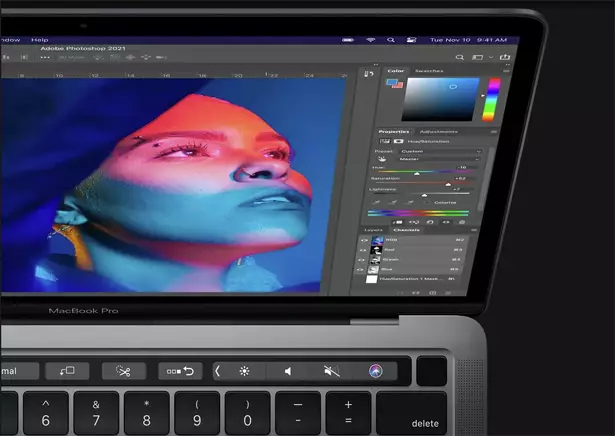
Adobe announced new AI tools for its Creative Cloud products, including Photoshop, Illustrator, InDesign, and Premiere Pro. Photoshop has added a new feature called “Remove Distractions,” which automatically finds and removes unwanted objects, such as people or wires, with a single click. Users can now choose whether to use generative AI based on the Adobe Firefly model or non-generative AI for the Remove tools.
Adobe also updated the Firefly Image 3 model, which improves the variety and photorealism of generated images by better handling complex queries. Illustrator introduces Objects on Path, which makes it easy to snap and place objects along the path of any shape. A tool for creating layouts on 3D models is now generally available, and an improved Image Trace feature better converts bitmaps to vectors.
InDesign now has a Generative Expand tool for expanding images to fit your layout. Premiere Pro introduces Generative Extend, which uses the updated Firefly AI Video model, but is still in beta. Most features are already available to users, while some new features, such as Generative Extend in Premiere Pro, are still in beta.
Don't miss interesting news
Subscribe to our channels and read announcements of high-tech news, tes

Oppo A6 Pro smartphone review: ambitious

 0
0 
Creating new mid-range smartphones is no easy task. Manufacturers have to balance performance, camera capabilities, displays, and the overall cost impact of each component. How the new Oppo A6 Pro balances these factors is discussed in our review.
Oppo Reno16 Pro 5G smartphone review: well-heeled
0 
Oppo Reno16 Pro 5G looks like a balanced smartphone, in which the manufacturer tried not to make a single characteristic the defining one. It has many advantages. Let’s tell you what
Danger in the Driver’s Seat: Waymo and Zoox Robotaxis Surface with Brake-Related Injuries

Dozens of robotaxi test drivers have been injured due to flaws in autonomous driving systems. The primary culprit is erratic emergency braking, which has led to significant neck and back injuries.
Samsung Galaxy Book6: An Affordable Laptop With 25-Hour Battery Life

Samsung has introduced a new affordable version of the Galaxy Book6. The device features Intel Core 3 or Core 5 processors, up to 16GB of RAM, up to 1TB of storage, and a rated battery life of up to 25 hours.