

Google Chrome browser will be able to open two tabs in one window
24.02.26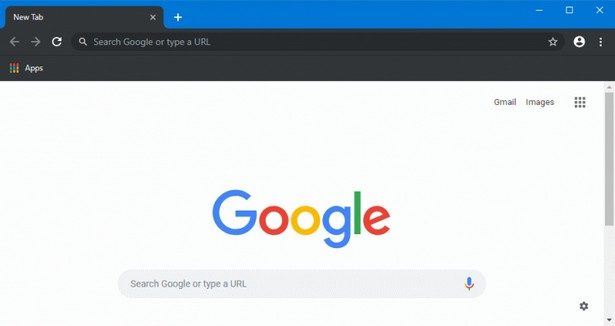
Google has begun a phased rollout of new features to its Google Chrome browser. The update includes a split-tab view mode, tools for annotating PDF documents, and the ability to save files directly to Google Drive cloud storage.
Split View for working with two tabs at the same time
A key innovation in Google Chrome is Split View. It allows you to place two tabs side by side within a single browser window, without having to open additional windows or constantly switch between pages. Previously, the feature was available to a limited number of users, but now its deployment covers a wider audience.
The mode is designed for scenarios where you need to work with two sources of information at the same time. This can be studying documentation while programming, taking notes while watching a training video, or comparing materials during work and study. Placing tabs in one window simplifies navigation and reduces the number of unnecessary actions.
PDF Instructions and Saving to the Cloud
The changes also affected the built-in PDF viewer in Google Chrome. Now users can highlight text and add comments directly in the browser, without first downloading the file and using third-party programs. This approach makes it easier to work with reports, training materials and other documents that require quick markup or annotation.
In addition, the Save to Google Drive option has appeared. It allows you to save PDF files directly to the cloud storage without intermediate download to your local device. Documents are automatically placed in the Saved from Chrome folder, which simplifies their subsequent search and access from different devices.
Don't miss interesting news
Subscribe to our channels and read announcements of high-tech news, tes

Oppo A6 Pro smartphone review: ambitious

 0
0 
Creating new mid-range smartphones is no easy task. Manufacturers have to balance performance, camera capabilities, displays, and the overall cost impact of each component. How the new Oppo A6 Pro balances these factors is discussed in our review.
Oppo Reno16 Pro 5G smartphone review: well-heeled
0 
Oppo Reno16 Pro 5G looks like a balanced smartphone, in which the manufacturer tried not to make a single characteristic the defining one. It has many advantages. Let’s tell you what
One UI 9 Beta Surfaces for Galaxy S24 Series
Samsung has expanded the reach and device list for Android 17 beta testing. The One UI 9 update is now available to Galaxy S24 series owners in select regions.
Oukitel Debuts Rugged Industrial Tablet and Solar-Powered Laptop

Oukitel has unveiled a lineup of specialized rugged devices and high-capacity solar energy storage solutions, including an 11-inch industrial tablet, a unique solar-powered laptop, and new home energy storage systems.