

Microsoft adds image support to Notepad
25.02.26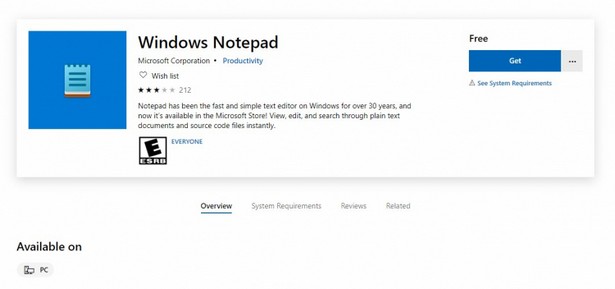
Microsoft continues to expand the capabilities of the updated Notepad as part of Windows 11. The next step may be image support – this option is reported by sources within the company and a number of specialized publications.
In recent years, the classic Notepad has changed noticeably. The minimalist text editor, which for decades remained the simplest tool for working with TXT files, gradually received tabs, autosave, formatting support, tables, integration with AI and Markdown markup. After the removal of WordPad in the 24H2 update, it was Notepad that actually took the niche of the basic editor with advanced features.
Signs of the new feature were discovered by participants in the Windows Insider program. Screenshots with an insert image button appeared in the “What’s new” section. Judging by the interface, it will allow you to add images directly to a text document. The button is already visible in the latest insider builds of Windows 11 and is associated with active Markdown integration. The feature is not fully functional yet, but testing continues in internal development branches.
In previous Insider builds, including build 11.2510.6.0, Microsoft added support for tables, as well as advanced formatting options such as bold and italic text, headings, lists, and links. In parallel, the company is experimenting with AI features such as text generation and creating short summaries.
User Reaction to Notepad Update
The changes have caused a mixed reaction. Some users believe that Notepad is losing its original concept of a simple and reliable tool for quick editing, especially in demand among developers. Some prefer alternatives, including Notepad++ or QuickPad from the Microsoft Store. Others, on the contrary, perceive the evolution of the application as a logical step, taking into account modern work scenarios.
There has been no official announcement of image support in Notepad yet. If the feature does indeed come out in the public version, it could expand the editor’s capabilities for technical documentation, notes with illustrations, and work with Markdown files with multimedia content.
At the same time, Microsoft emphasizes that many of the new features can be turned off in the settings, while maintaining a simplified mode of operation. Thus, in the future, Notepad can combine two approaches – remain a basic editor and at the same time offer tools for more complex tasks.
Don't miss interesting news
Subscribe to our channels and read announcements of high-tech news, tes

Oppo A6 Pro smartphone review: ambitious

 0
0 
Creating new mid-range smartphones is no easy task. Manufacturers have to balance performance, camera capabilities, displays, and the overall cost impact of each component. How the new Oppo A6 Pro balances these factors is discussed in our review.
Oppo Reno 15 5G smartphone review: confident
0 
The Oppo Reno15 smartphone emphasizes design, a high-quality display, versatile cameras, and good battery life. Let’s take a closer look.
WhatsApp will now allow you to send scheduled messages messenger update WhatsApp

To create a scheduled WhatsApp message, the user needs to enter the text, select the date and time of sending, after which the system will automatically deliver it to the recipient.
Microsoft adds image support to Notepad Microsoft update

Microsoft continues to expand the capabilities of the updated Notepad in Windows 11. The next step may be image support