

Paint, Notepad, and Scissors get a big update in Windows 11
22.09.25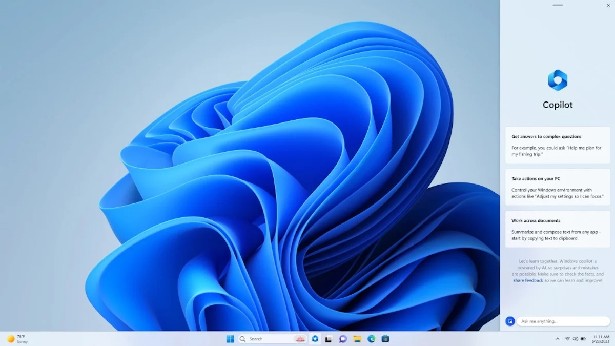
Microsoft is expanding the functionality of standard Windows 11 applications, adding new features to Notepad, Paint and Scissors.
Notepad
The application now has AI tools for summarizing, correspondence and text generation. These features are available for free to Copilot+ PC owners, and users with a Microsoft 365 subscription will be able to switch between local and cloud models. If you do not have a subscription, you can work with the local model. So far, only English is supported. If you wish, you can disable the AI function in the settings or uninstall the application, returning to the classic notepad.exe.
Paint
Paint in version 11.2508.361.0 has received two notable improvements. Now you can save your drawings as .paint projects with all layers preserved to continue working on them later or on another device. A transparency slider has also been added for the pencil and brushes, allowing you to create more realistic strokes and smooth color transitions.
Scissors
The Snipping Tool (version 11.2508.24.0) has received the Quick Markup feature. It allows you to leave marks right when creating a screenshot before saving it. It is activated by the combination Win+Shift+S with the Quick Markup option (or Ctrl+E). Among the tools are a pen, highlighter, eraser, shapes, and even emojis. In addition, you can change the selection area, share the screenshot, launch a visual search in Bing, or use Copilot.
The update is already rolling out to Windows 11 Insiders in the Canary and Dev channels, and is also available in the Windows 11 25H2 build in Release Preview.
Don't miss interesting news
Subscribe to our channels and read announcements of high-tech news, tes

Oppo A6 Pro smartphone review: ambitious

 0
0 
Creating new mid-range smartphones is no easy task. Manufacturers have to balance performance, camera capabilities, displays, and the overall cost impact of each component. How the new Oppo A6 Pro balances these factors is discussed in our review.
Oppo Reno16 Pro 5G smartphone review: well-heeled
0 
Oppo Reno16 Pro 5G looks like a balanced smartphone, in which the manufacturer tried not to make a single characteristic the defining one. It has many advantages. Let’s tell you what
Piston V: A Futuristic Ryzen AI 9 365 Mini-PC With a Touchscreen

Piston V is an unconventional mini-PC featuring a Ryzen AI 9 365 processor, retro design, and a dedicated touchscreen for managing Windows and SteamOS dual-booting.
Xiaomi 17 Max: Affordable Leica-Powered Camera Phone That Outshines Flagships

The Xiaomi 17 Max demonstrates how mid-range capabilities can compete with top-tier Samsung and Apple solutions. Thanks to its partnership with Leica and impressive hardware, the device offers an excellent camera at an attractive price.